


You might also like:



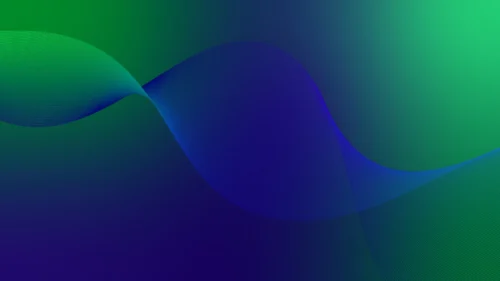


This background is for a slide that wants a deep, moody color shift without any shapes or texture to manage. A rich forest green sits in the upper left and fades diagonally into a dark, saturated blue toward the lower right, blending through teal in the middle. Free, HD, and watermark-free for Google Slides or PowerPoint.
What This Dark Teal Gradient Background Looks Like
The shift runs on a soft diagonal, with almost no visible seams or shapes, just one continuous change from green through teal into blue, kept deep and low-saturation throughout.
A few very subtle, low-contrast transitions sit beneath the surface of the gradient, adding a faint sense of depth without ever reading as a distinct graphic shape.
Where This Background Fits
This suits tech and SaaS decks, ocean or environmental presentations, night-mode or evening event slides, and any content that wants a deep, cohesive green-to-blue backdrop with nothing extra to manage.
Design Choices Behind This Deep Blue Fade
I pulled the saturation down and kept the whole gradient dark on purpose, since a low-key teal-to-blue shift reads as calm and serious in a way a brighter version wouldn’t, which suits tech and environmental content especially well.
Compared to my other green-to-blue backgrounds that use visible layered shapes, I kept this one almost seamless, for situations where even a subtle shape would be more detail than the deck needs.
How to Apply This Background in Google Slides
- Download and unzip the file, then open your Google Slides presentation.
- Go to Slide, then Change background.
- Click Choose image and upload the downloaded file.
- Click Done, or apply it to the whole theme from the master slide for a consistent look.
How to Apply This Background in PowerPoint
- Open your PowerPoint presentation and go to the Design tab.
- Click Format Background, then Picture or texture fill.
- Select Insert picture from a file and choose the downloaded image.
- Click Apply to All to use it on every slide.
Legibility Tip for This Background
White or light gray text reads clearly across the entire frame, since the tone stays deep and dark from corner to corner. Avoid dark green or navy text, as it will disappear.
FAQ
Is this dark teal gradient background free? Yes, it’s a free download with no watermark and no attribution required.
Does it work in PowerPoint? Yes, it’s a standard image file, so it applies the same way in both Google Slides and PowerPoint.
What resolution is the file? It’s full HD at 1920×1080, so it stays sharp on any screen or projector.
Can I use this as a wallpaper? Yes, the deep green-to-blue fade works well as a calm desktop background too.
Features at a Glance
- Free HD 1920×1080 download, no watermark
- Smooth forest green to dark blue diagonal fade
- Deep teal blend zone through the middle
- Nearly seamless, low-key surface
- Works in Google Slides, PowerPoint, and as a wallpaper
- Calm, serious mood suited to tech and environmental decks
Specs
- 1920 x 1080 px · 16:9 widescreen
- JPG, high quality, no compression artefacts
- PowerPoint · Google Slides · Keynote · Canva
- No watermark · no sign-up
- Free for personal and commercial use
You can use this Calm Dark Teal Gradient Background With A Deep Blue Fade For Presentations as a Wallpaper or use it as a background for slides.
Looking for something different? Browse all our free PPT Backgrounds, or see how to set a background in PowerPoint and Google Slides.








