





Autumn Background For Google Slides With Paper-Cut Leaves
Free autumn background for Google Slides with illustrated paper-cut leaves, glossy berries, and a cream center, HD 16:9.
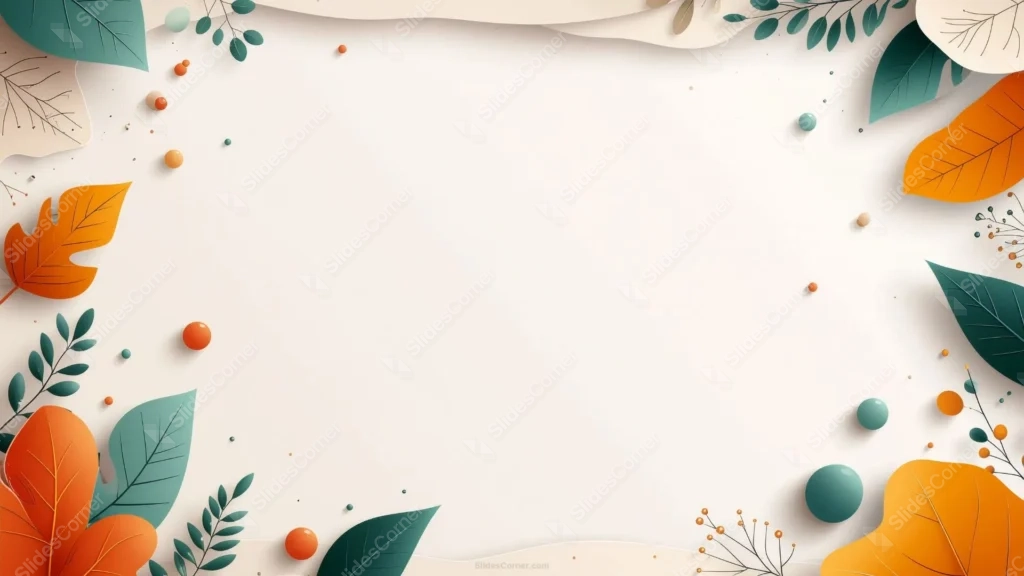
This autumn background for Google Slides frames an open cream center with illustrated paper-cut leaves in orange, teal, and mustard, scattered with glossy 3D berries and beads.
Unlike a photographic fall scene, everything here is flat, illustrated, and cleanly shaped, so it reads more playful and friendly than moody or realistic.
What This Autumn Background For Google Slides Looks Like
Large paper-cut leaves in burnt orange, deep teal, and mustard gold cluster in every corner, each one drawn with simple vein lines rather than photographic texture.
Small glossy orbs in orange, teal, and cream sit scattered near the leaves, along with thin branches carrying tiny berry clusters, adding a bit of dimension against the flat leaf shapes.
Soft cream, wavy paper layers run along the top and bottom edges, hinting at a layered paper-craft scene rather than a single flat illustration.
Where This Autumn Background Fits
It works well for back-to-school decks, classroom and kids’ education content, community newsletters, harvest or Thanksgiving event slides, and cozy lifestyle or blog presentations.
The friendly, illustrated style also suits internal team updates or casual client decks where a photographic background would feel too serious.
Design Choices Behind the Paper-Cut Leaves
I chose a flat, paper-cut illustration style over a photographic one because it reads as warmer and more approachable, which suits a wider range of audiences than a moody, realistic fall photo.
Adding glossy 3D berries and beads against the flat leaves gives the piece a bit of tactile depth, so it doesn’t sit entirely flat on the page.
I kept the palette to just three tones, orange, teal, and mustard, instead of the full rainbow of fall colors, so the border stays clean and doesn’t compete with whatever you put in the center.
How to Apply It in Google Slides
- Open Slide > Change background.
- Click Choose image and upload the downloaded file.
- Select Done, repeating on each slide you want to match.
How to Apply It in PowerPoint
- Go to Design > Format Background.
- Choose Picture or texture fill, then Insert from file.
- Click Apply to All, or leave it on a single slide.
Legibility Tip for This Autumn Background
Keep text in the open cream center, away from the leaf clusters. Dark brown or charcoal text reads cleanly against the pale background.
Frequently Asked Questions
Is this autumn background free?
Yes, it’s a free download with no watermark and no account required.
Does it work in PowerPoint too?
Yes, it’s a standard image file, so it applies the same way in both PowerPoint and Google Slides.
What resolution is included?
1920×1080 px, HD 16:9, suited to slides and to a desktop or phone wallpaper.
Can I use it as a wallpaper?
Yes, the 16:9 ratio matches most laptop and desktop screens.
Features at a Glance
- HD 1920×1080 resolution, 16:9 ratio
- Free download, no watermark
- Illustrated paper-cut leaves in orange, teal, and mustard
- Glossy 3D berries and beads for added depth
- Open cream center for text
- Works as a Google Slides background, PowerPoint background, or wallpaper
Specs
- 1920 x 1080 px · 16:9 widescreen
- JPG, high quality, no compression artefacts
- PowerPoint · Google Slides · Keynote · Canva
- No watermark · no sign-up
- Free for personal and commercial use
You can use this Playful Paper-Cut Autumn Leaves and Berries Background for Cozy Presentations as a Wallpaper or use it as a background for slides.
Looking for something different? Browse all our free PPT Backgrounds, or see how to set a background in PowerPoint and Google Slides.







