You might also like:

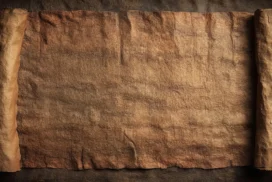
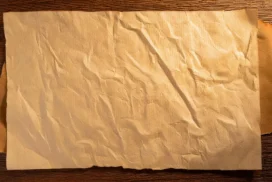
This background is for anyone who wants a warm, solid-color slide that still has real depth to it. It’s a close-up of creased, kraft-style paper in a rich amber orange, with a soft vignette darkening gently toward the corners so the center glows a touch brighter. Free, HD, and watermark-free for PowerPoint or Google Slides.
What This Orange Texture Background Looks Like
Faint creases and fold lines run diagonally across the surface, the kind of natural wrinkles real paper picks up from handling, giving the color visible grain instead of a flat digital fill.
The center of the frame stays the brightest, warmest orange, while all four corners fall into a deeper, almost burnt amber, framing the middle without any hard edge or border line.
Where This Background Fits
This works well for autumn or harvest-themed presentations, warm brand decks, cozy lifestyle content, restaurant or coffee shop menus, or any business slide that wants a solid color with more texture than a flat fill.
Design Choices Behind This Warm Vignette
I chose real paper texture over a flat color swatch because grain and creases give even a single-color background a sense of material, so it reads as considered rather than a default fill someone forgot to change.
The vignette does real work here too. Darkening the corners naturally pulls the eye toward the center, which means you get a built-in focal zone for a title or logo without needing to add a separate overlay or shadow box.
How to Apply This Background in PowerPoint
- Download and unzip the file, then open your PowerPoint presentation.
- Go to the Design tab and click Format Background.
- Choose Picture or texture fill, then Insert picture from a file, and select the downloaded image.
- Click Apply to All to use it across the whole deck, or leave it on a single slide.
How to Apply This Background in Google Slides
- Open your presentation and go to Slide, then Change background.
- Click Choose image and upload the downloaded file.
- Click Done to apply it to the current slide.
- To apply it across every slide, make the change from the master theme instead.
Legibility Tip for This Background
Place your text in the brighter center of the frame. White or cream text reads cleanly against the mid-tone orange, and dark brown or black text also works well if your brand leans more neutral.
FAQ
Is this orange texture background free? Yes, it’s a free download with no watermark and no attribution required.
Does it work in Google Slides? Yes, it uploads directly as a custom background image, no conversion needed.
What resolution is the file? It’s full HD at 1920×1080, so it stays sharp on any screen or projector.
Can I use this as a wallpaper? Yes, the warm tone and subtle texture work well as a desktop background too.
Features at a Glance
- Free HD 1920×1080 download, no watermark
- Warm amber-orange paper texture with visible creases
- Soft vignette darkening toward the corners
- Bright, open center for text or a logo
- Works in PowerPoint, Google Slides, and as a wallpaper
- Warm, cozy mood suited to autumn and lifestyle content
Specs
- 1920 x 1080 px · 16:9 widescreen
- JPG, high quality, no compression artefacts
- PowerPoint · Google Slides · Keynote · Canva
- No watermark · no sign-up
- Free for personal and commercial use
You can use this Warm Orange Texture Background With A Soft Vignette Glow For Presentations as a Wallpaper or use it as a background for slides.
Looking for something different? Browse all our free PPT Backgrounds, or see how to set a background in PowerPoint and Google Slides.