You might also like:
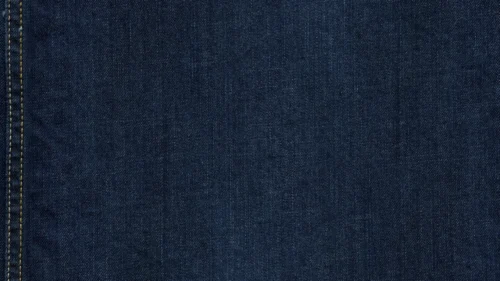


This turquoise background for PowerPoint captures a hand-painted wall in solid turquoise, its surface covered in fine, natural grain and tiny paint speckles.
Faint brush strokes run vertically across the wall, catching soft variations in tone from a slightly deeper edge to a lighter, sun-faded center.
What This Turquoise Background Looks Like
A single coat of turquoise paint covers the entire wall, its surface rough enough to show fine grain and small flecks of debris caught in the paint.
Faint vertical streaks trace where the paint was originally brushed on, most visible along the right edge of the frame.
The color stays consistent throughout, with only subtle shifts in brightness where the light falls more directly across the center.
Where This Turquoise Background For PowerPoint Fits
- Coastal, beach house, or travel presentations
- Rustic or handmade brand decks
- Any slide needing a clean, single-color backdrop
- Photo or product overlays where the background should stay quiet
Design Choices Behind This Painted Wall
I kept this as a genuine painted-wall texture, with grain and small imperfections, rather than a flat digital fill, so it reads as a real surface rather than a solid color swatch.
Leaving out any crack or heavy weathering, unlike some of the more distressed concrete pieces in this series, keeps this one feeling clean and simply rustic rather than aged.
The subtle brightness shift toward the center gives just enough visual interest to keep the piece from feeling perfectly flat, without ever distracting from text placed on top.
How to Apply It in PowerPoint
- Go to Design > Format Background.
- Choose Picture or texture fill, then Insert from file.
- Click Apply to All to carry it across the whole deck.
How to Apply It in Google Slides
- Open Slide > Change background.
- Click Choose image and upload the downloaded file.
- Select Done, repeating on any other slides you want to match.
Legibility Tip for This Turquoise Background
Use a white or very dark navy font anywhere on this background, since the even turquoise tone offers reliable contrast across the whole frame.
Frequently Asked Questions
Is this turquoise background free?
Yes, it’s a free download with no watermark and no account required.
Does it work in Google Slides too?
Yes, it’s a standard image file, so it applies the same way in both PowerPoint and Google Slides.
What resolution is included?
1920×1080 px, HD 16:9, suited to slides and to a desktop or phone wallpaper.
Can I use it as a wallpaper?
Yes, the 16:9 ratio matches most laptop and desktop screens.
Features at a Glance
- HD 1920×1080 resolution, 16:9 ratio
- Free download, no watermark
- Hand-painted turquoise wall texture
- Fine grain and subtle brush strokes
- Clean, single-tone surface with no distressing
- Works as a PowerPoint background, Google Slides background, or wallpaper
Specs
- 1920 x 1080 px · 16:9 widescreen
- JPG, high quality, no compression artefacts
- PowerPoint · Google Slides · Keynote · Canva
- No watermark · no sign-up
- Free for personal and commercial use
You can use this Rustic Turquoise Background For PowerPoint as a Wallpaper or use it as a background for slides.
Looking for something different? Browse all our free PPT Backgrounds, or see how to set a background in PowerPoint and Google Slides.