You might also like:
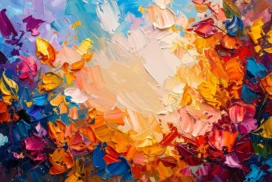


This abstract oil paint frame background for PPT sets thick, palette-knife flower blobs against a near-black backdrop, framing a heavily smeared cream center.
Saturated oranges, maroons, blues, and golds punch through the dark border, while the center itself is scraped into raised ridges rather than left flat.
What This Abstract Oil Paint Frame Background Looks Like
Thick, abstract flower-like paint blobs in orange, maroon, blue, gold, and green pack the border against a nearly black backdrop, each stroke visibly raised off the canvas.
The center is a thick swipe of cream and soft peach, dragged and scraped with a palette knife into visible ridges and valleys rather than smoothed flat.
A few stray strokes of border color bleed faintly into the center’s edges, tying the two areas together without disturbing the calm of the middle.
Where This Abstract Oil Paint Frame Background For PPT Fits
It works well for art gallery and creative studio decks, fashion and design portfolios, bold brand presentations, and any slide wanting a dramatic, painterly first impression.
The raised, textured center also suits a large, confident title against the dark, colorful border.
Design Choices Behind the Smeared Cream Center
I set the abstract flower blobs against a near-black backdrop, rather than a lighter tone, so the saturated colors punch through with maximum contrast.
Using a heavier palette-knife pass for the center itself, scraping the paint into visible ridges, makes it read as its own sculptural surface rather than a flat empty space.
I let a few stray strokes of border color bleed faintly into the center’s edges, tying the two areas together without losing the center’s overall calm.
How to Apply It in PowerPoint
- Go to Design > Format Background.
- Choose Picture or texture fill, then Insert from file.
- Click Apply to All to use it across the whole deck.
How to Apply It in Google Slides
- Open Slide > Change background.
- Click Choose image and upload the downloaded file.
- Select Done, repeating on any other slides you want to match.
Legibility Tip for This Abstract Oil Paint Frame Background
Keep text on the textured cream center, using a dark brown or black font, since the border stays busy and dark all the way around.
Frequently Asked Questions
Is this abstract oil paint frame background free?
Yes, it’s a free download with no watermark and no account required.
Does it work in Google Slides too?
Yes, it’s a standard image file, so it applies the same way in both PowerPoint and Google Slides.
What resolution is included?
1920×1080 px, HD 16:9, suited to slides and to a desktop or phone wallpaper.
Can I use it as a wallpaper?
Yes, the 16:9 ratio matches most laptop and desktop screens.
Features at a Glance
- HD 1920×1080 resolution, 16:9 ratio
- Free download, no watermark
- Thick abstract oil paint flowers against a near-black border
- Heavily palette-knife-smeared cream and peach center
- Raised, sculptural paint texture throughout
- Works as a PowerPoint background, Google Slides background, or wallpaper
Specs
- 1920 x 1080 px · 16:9 widescreen
- JPG, high quality, no compression artefacts
- PowerPoint · Google Slides · Keynote · Canva
- No watermark · no sign-up
- Free for personal and commercial use
You can use this Dramatic Abstract Oil Paint Frame Background For PPT as a Wallpaper or use it as a background for slides.
Looking for something different? Browse all our free PPT Backgrounds, or see how to set a background in PowerPoint and Google Slides.