You might also like:

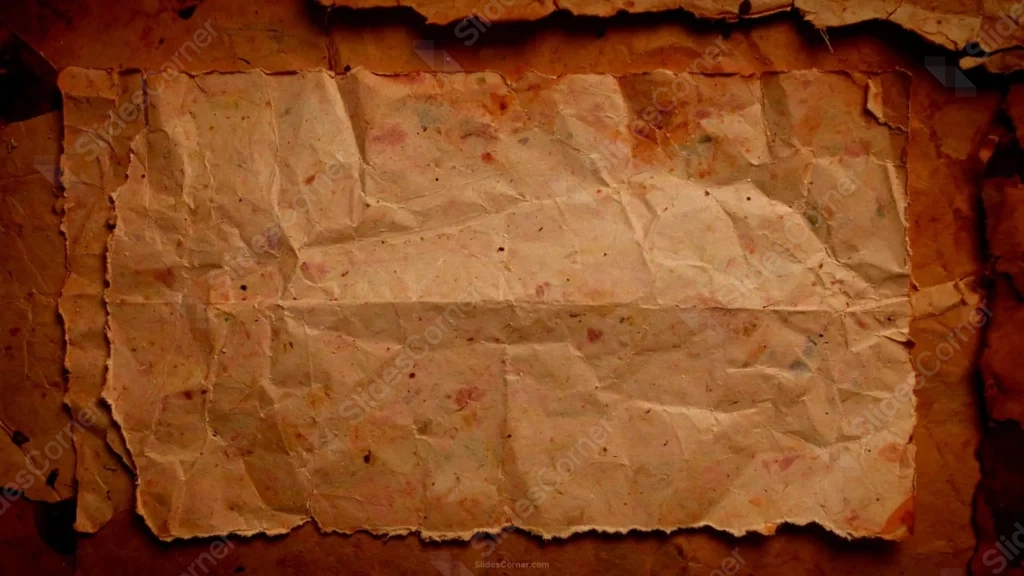
This vintage history background for PPT keeps its parchment sheet ragged and torn at the edges, rather than cleanly cut, resting over a darker, burnt brown border.
A visible fold line runs horizontally across the paper, along with smaller creases, giving the sheet real physical dimension.
What This Vintage History Background Looks Like
A lighter tan parchment sheet sits centered on a darker, charred brown backdrop, its edges torn unevenly rather than trimmed straight.
Fine speckles and small colored flecks dot the paper’s surface, alongside visible fold lines and creases running across the sheet.
The surrounding border deepens into a shadowed, burnt brown that fades toward black at the very corners, framing the lighter paper clearly.
Where This Vintage History Background For PPT Fits
It’s a strong fit for history and archaeology presentations, historical document displays, treasure map or adventure themes, and any deck wanting a weathered, aged feel.
The textured center also works well for a handwritten-style quote or an old proclamation layout.
Design Choices Behind the Torn Parchment Sheet
I let the paper’s torn edges stay ragged and uneven, rather than cleanly cut, so it reads as a genuinely aged, handled document.
Keeping a visible fold line and smaller creases across the sheet gives the paper real dimension instead of lying perfectly flat.
I darkened the surrounding border into a burnt, shadowed brown, fading to near-black at the corners, so the lighter inner sheet stands out as the clear focal point.
How to Apply It in PowerPoint
- Go to Design > Format Background.
- Choose Picture or texture fill, then Insert from file.
- Click Apply to All to use it across the whole deck.
How to Apply It in Google Slides
- Open Slide > Change background.
- Click Choose image and upload the downloaded file.
- Select Done, repeating on any other slides you want to match.
Legibility Tip for This Vintage History Background
Keep text on the lighter parchment sheet, using a dark brown or black font, well clear of the darker, shadowed border.
Frequently Asked Questions
Is this vintage history background free?
Yes, it’s a free download with no watermark and no account required.
Does it work in Google Slides too?
Yes, it’s a standard image file, so it applies the same way in both PowerPoint and Google Slides.
What resolution is included?
1920×1080 px, HD 16:9, suited to slides and to a desktop or phone wallpaper.
Can I use it as a wallpaper?
Yes, the 16:9 ratio matches most laptop and desktop screens.
Features at a Glance
- HD 1920×1080 resolution, 16:9 ratio
- Free download, no watermark
- Ragged, torn parchment edges
- Visible fold lines and creases across the paper
- Burnt, shadowed brown border fading to near-black
- Works as a PowerPoint background, Google Slides background, or wallpaper
Specs
- 1920 x 1080 px · 16:9 widescreen
- JPG, high quality, no compression artefacts
- PowerPoint · Google Slides · Keynote · Canva
- No watermark · no sign-up
- Free for personal and commercial use
You can use this Weathered Vintage History Background For PowerPoint as a Wallpaper or use it as a background for slides.
Looking for something different? Browse all our free PPT Backgrounds, or see how to set a background in PowerPoint and Google Slides.