You might also like:




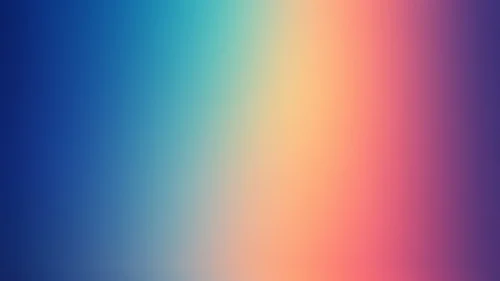

This teal purple gradient background for PowerPoint runs a clean, purely horizontal fade from bright teal on the left to a deep plum-purple on the right.
There’s no diagonal sweep or glowing bloom point here, just one smooth, structural left-to-right transition.
What This Teal Purple Gradient Background Looks Like
Bright cyan-teal holds the far left edge, staying solid and saturated before beginning its shift about a third of the way across the frame.
The middle third carries the real transition, moving through a rich mid-blue before warming into purple.
That purple deepens further as it approaches the right edge, settling into a near-black plum darker than the teal is bright on the opposite side.
Where This Teal Purple Gradient Background For PowerPoint Fits
It suits tech and SaaS product decks, creative agency presentations, corporate title slides, and any keynote that wants a clean, modern, two-tone look without a busy pattern.
The darker right side gives a natural, quiet spot for a logo or lower-third caption.
Design Choices Behind the Horizontal Fade
I kept the movement purely horizontal instead of diagonal or radial, since a straight left-to-right fade reads as clean and structural rather than atmospheric.
Letting both teal and purple hold a solid third of the frame, with only the middle doing real transitional work, keeps each end clearly identifiable instead of blurring into an ambiguous mid-tone.
Making the purple side deeper than the teal is bright gives the gradient asymmetric weight, rather than mirroring the same brightness on both ends.
How to Apply It in PowerPoint
- Go to Design > Format Background.
- Choose Picture or texture fill, then Insert from file.
- Click Apply to All for the whole deck.
How to Apply It in Google Slides
- Open Slide > Change background.
- Click Choose image and upload the downloaded file.
- Select Done, repeating on each slide you want to match.
Legibility Tip for This Teal Purple Gradient Background
White text reads clearly across the whole image. For the strongest contrast, place headlines toward the darker right side.
Frequently Asked Questions
Is this teal purple gradient background free?
Yes, it’s a free download with no watermark and no account required.
Does it work in Google Slides too?
Yes, it’s a standard image file, so it applies the same way in both PowerPoint and Google Slides.
What resolution is included?
1920×1080 px, HD 16:9, suited to slides and to a desktop or phone wallpaper.
Can I use it as a wallpaper?
Yes, the 16:9 ratio matches most laptop and desktop screens.
Features at a Glance
- HD 1920×1080 resolution, 16:9 ratio
- Free download, no watermark
- Clean horizontal fade from teal to deep purple
- Asymmetric brightness between the two ends
- No texture, glow, or diagonal movement
- Works as a PowerPoint background, Google Slides background, or wallpaper
Specs
- 1920 x 1080 px · 16:9 widescreen
- JPG, high quality, no compression artefacts
- PowerPoint · Google Slides · Keynote · Canva
- No watermark · no sign-up
- Free for personal and commercial use
You can use this Sleek Horizontal Teal to Purple Gradient Background for Modern Presentations as a Wallpaper or use it as a background for slides.
Looking for something different? Browse all our free PPT Backgrounds, or see how to set a background in PowerPoint and Google Slides.