You might also like:





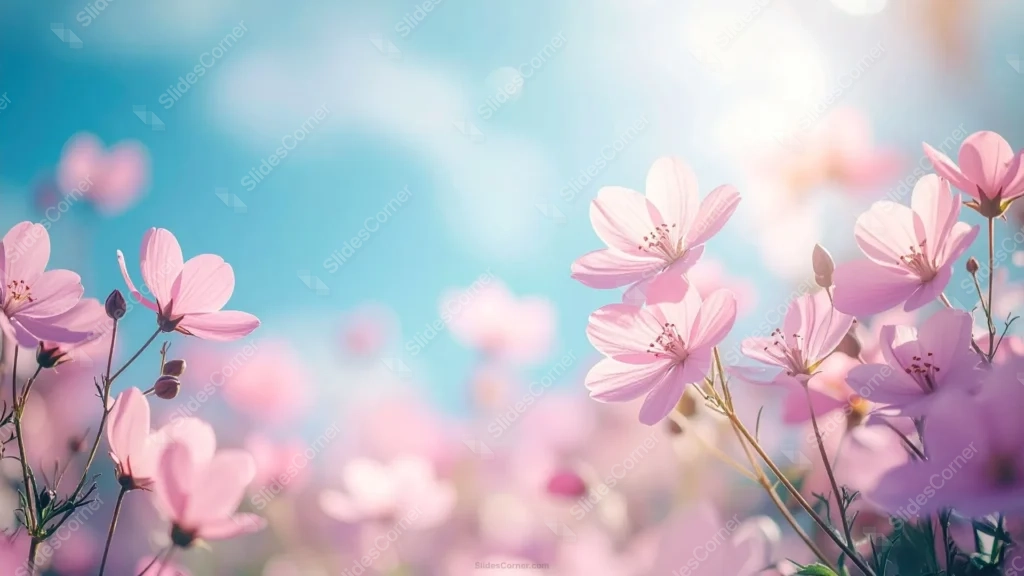
This spring flowers background for PowerPoint captures a field of delicate pink blossoms in sharp macro focus, set against a bright blue sky and a soft haze of distant flowers.
Warm sunlight glows in from the upper right, while the upper left stays open and clear, giving the sky room to breathe around the flowers.
What This Spring Flowers Background Looks Like
Clusters of five-petaled pink blossoms rise on slender stems along the right edge and lower left, each one crisp enough to show fine veining in the petals and small dark stamens at the center.
Behind them, dozens more blossoms dissolve into soft pink bokeh, and a few lavender blooms peek in at the bottom right corner, adding a second color without pulling focus.
The sky itself shifts from a clean, saturated blue on the left to a warm, sunlit haze on the right, giving the whole image a gentle diagonal light.
Where This Spring Flowers Background Fits
It suits spring event invitations, garden and floristry presentations, wellness or self-care decks, Mother’s Day content, and any seasonal update that wants a bright, optimistic opening slide.
The open blue sky at upper left also gives a natural spot for a logo or short title.
Design Choices Behind the Light and Focus
I kept the sharp focus on just one cluster of flowers so the eye has a clear place to land, letting everything else soften into bokeh rather than fighting for attention.
The warm sun glow on the right balances the cool blue on the left, so the image doesn’t read as flat or one-note the way an evenly lit sky often does.
Leaving that upper-left quadrant genuinely empty, rather than filling it with more flowers, was a deliberate choice to reserve real space for text.
How to Apply It in PowerPoint
- Go to Design > Format Background.
- Choose Picture or texture fill, then Insert from file.
- Click Apply to All, or leave it on a single opening slide.
How to Apply It in Google Slides
- Open Slide > Change background.
- Click Choose image and upload the downloaded file.
- Select Done, repeating on each slide you want to match.
Legibility Tip for This Spring Flowers Background
Place text in the clear blue sky at upper left, away from the sharp flowers and the sun glow. Dark navy or white text both hold up well there.
Frequently Asked Questions
Is this spring flowers background free?
Yes, it’s a free download with no watermark and no account required.
Does it work in Google Slides too?
Yes, it’s a standard image file, so it applies the same way in both PowerPoint and Google Slides.
What resolution is included?
1920×1080 px, HD 16:9, suited to slides and to a desktop or phone wallpaper.
Can I use it as a wallpaper?
Yes, the 16:9 ratio matches most laptop and desktop screens.
Features at a Glance
- HD 1920×1080 resolution, 16:9 ratio
- Free download, no watermark
- Sharp macro focus on pink blossoms against a soft bokeh field
- Bright blue sky with warm sunlit glow
- Open upper-left space reserved for text
- Works as a PowerPoint background, Google Slides background, or wallpaper
Specs
- 1920 x 1080 px · 16:9 widescreen
- JPG, high quality, no compression artefacts
- PowerPoint · Google Slides · Keynote · Canva
- No watermark · no sign-up
- Free for personal and commercial use
You can use this Sunlit Pink Blossom Meadow Background for Fresh Spring Presentations as a Wallpaper or use it as a background for slides.
Looking for something different? Browse all our free PPT Backgrounds, or see how to set a background in PowerPoint and Google Slides.