



Spring Landscape Background For PowerPoint With An Anime Flower Meadow
Free spring landscape background for PowerPoint with an anime-style flower meadow.
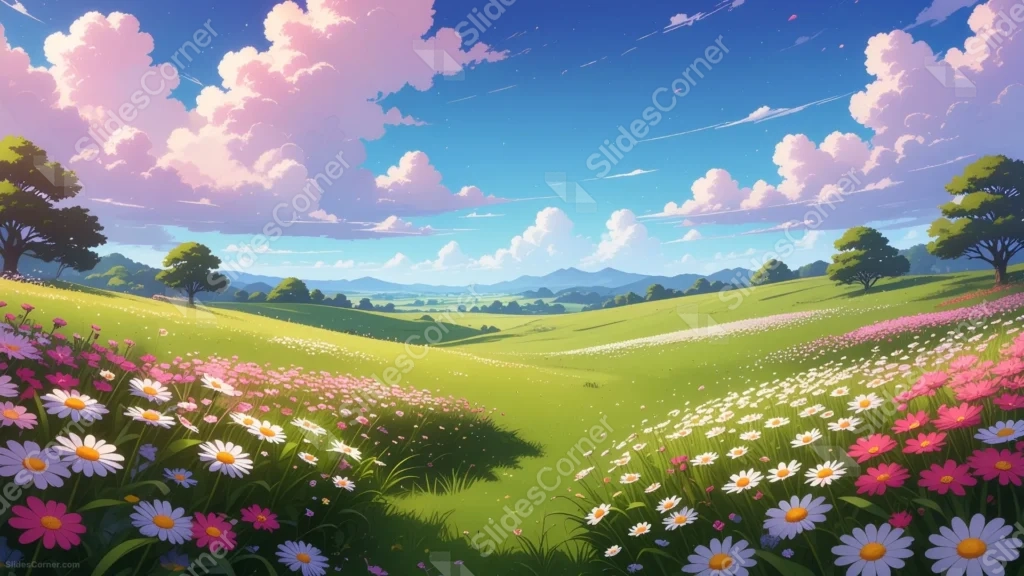
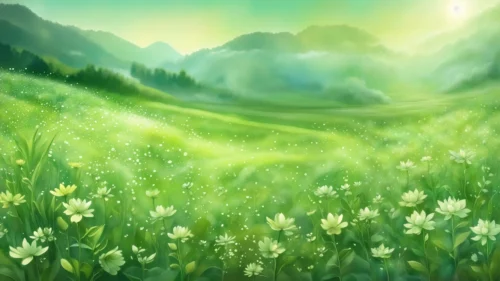
This spring landscape background for PowerPoint paints a wide, rolling meadow in a crisp anime art style, with pink cosmos and white daisies spilling across both foreground slopes.
Above it, tall pink-tinted clouds drift through a bright blue sky, streaked with the faint trails of falling petals.
What This Spring Landscape Background Looks Like
Dense clusters of pink, white, and lavender flowers fill the left and right slopes of the meadow, thinning out toward a clear, sunlit valley in the center.
Rolling green hills stretch back toward faint blue mountains, dotted with a few full, leafy trees along the ridgelines.
Tall, puffy clouds tinted pink and lavender fill most of the sky, with a few thin streaks of light cutting across the upper corners.
Where This Spring Landscape Background For PowerPoint Fits
- Anime, gaming, or fan community presentations
- Spring events, nature talks, or wellness decks
- Creative writing, storytelling, or art portfolios
- Any title slide wanting a bright, illustrated spring mood
Design Choices Behind This Flower Meadow
I pushed the heaviest flower color to the left and right edges, leaving the center valley in plain green, so there’s a genuinely calm strip running through the middle of the frame.
Painting the clouds with a slight pink tint, rather than plain white, ties the sky back into the same palette as the flowers below it.
Keeping the linework crisp and the colors flat and saturated, in the anime style, makes the piece feel vibrant and painterly rather than photorealistic.
How to Apply It in PowerPoint
- Go to Design > Format Background.
- Choose Picture or texture fill, then Insert from file.
- Click Apply to All to carry it across the whole deck.
How to Apply It in Google Slides
- Open Slide > Change background.
- Click Choose image and upload the downloaded file.
- Select Done, repeating on any other slides you want to match.
Legibility Tip for This Spring Landscape Background
Keep your headline in the open green valley at the center, using a dark green or navy font, since the flower borders are too colorful for clean text.
Frequently Asked Questions
Is this spring landscape background free?
Yes, it’s a free download with no watermark and no account required.
Does it work in Google Slides too?
Yes, it’s a standard image file, so it applies the same way in both PowerPoint and Google Slides.
What resolution is included?
1920×1080 px, HD 16:9, suited to slides and to a desktop or phone wallpaper.
Can I use it as a wallpaper?
Yes, the 16:9 ratio matches most laptop and desktop screens.
Features at a Glance
- HD 1920×1080 resolution, 16:9 ratio
- Free download, no watermark
- Anime-style painted spring meadow
- Pink cosmos, daisies, and lavender wildflowers
- Open green valley for text
- Works as a PowerPoint background, Google Slides background, or wallpaper
Specs
- 1920 x 1080 px · 16:9 widescreen
- JPG, high quality, no compression artefacts
- PowerPoint · Google Slides · Keynote · Canva
- No watermark · no sign-up
- Free for personal and commercial use
You can use this Vibrant Spring Landscape Background For PowerPoint as a Wallpaper or use it as a background for slides.
Looking for something different? Browse all our free PPT Backgrounds, or see how to set a background in PowerPoint and Google Slides.







