You might also like:




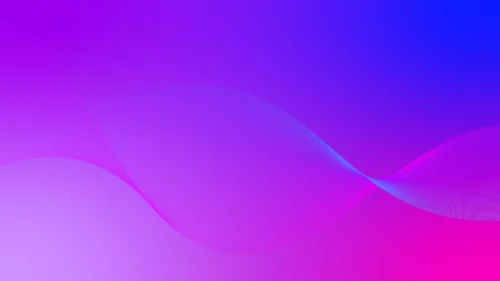

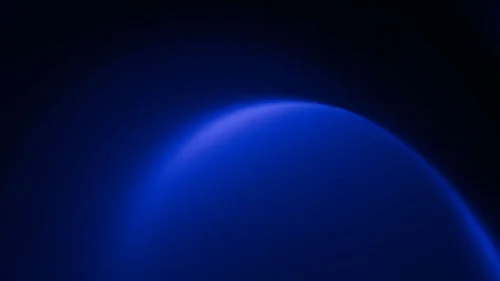
This background is for anyone who wants a slide that feels sleek and high-tech without a single line of texture or ornament on it. It’s a full HD 16:9 modern PPT background design: a deep royal-blue glass-like surface, lit from one side, with two thin neon-cyan light streaks cutting diagonally across the left and right edges against near-black corners. Free to download, no watermark, ready for PowerPoint, Google Slides, or as a plain wallpaper.
What This Modern PPT Background Design Looks Like
The center of the frame reads like a slab of tinted glass or polished acrylic, angled slightly so light falls unevenly across it — brighter, almost electric blue toward the upper-center, deepening into a richer navy as it moves outward. Two sharp diagonal lines of glowing cyan light run along the left and right thirds of the image, like the edge of that glass panel catching a beam from an unseen source.
The far corners, top-right and bottom-left, drop into near-black, giving the whole image a strong sense of depth and a clear photographic, almost 3D-rendered quality rather than a flat gradient.
Design Notes: Why I Kept It to One Color and Two Light Lines
A background this saturated only works if it stays disciplined, so everything here lives within a single blue family — no secondary color competing for attention. The two light streaks do a specific job: they give the eye a path to follow and suggest a physical surface with depth, without adding any shapes, icons, or patterns that would date the design or clash with a logo.
I placed both streaks off-center and let them run at matching diagonal angles, which keeps the composition symmetric enough to feel intentional but not so centered that it looks like a template.
The brightest part of the surface sits in the upper-center, which is also the area with the least detail behind it — that’s deliberate, since it’s the natural resting point for a title. Text in white or a very light blue will hold strong contrast against the surrounding blue tones almost anywhere on this background, which is part of why I kept the palette this narrow: it removes the guesswork around what text color will work.
Where to Use This Modern Background for Presentations
- Technology, SaaS, or software product presentations
- Corporate keynotes and investor decks
- Cybersecurity, data, or engineering presentations
- Gaming, esports, or app launch slides
- Webinars, conferences, or product demos
- Desktop or phone wallpaper for a sleek, tech-forward look
Key features at a glance:
- Full HD resolution, 16:9 aspect ratio
- No watermark, no logo, free for personal and commercial use
- Deep royal-blue glass-like surface with a glowing highlight
- Two diagonal neon-cyan light streaks framing the center
- Near-black corners for strong depth and contrast
- Works as a PowerPoint background, Google Slides background, or wallpaper
How to Apply This Background in PowerPoint
Once you’ve downloaded the file:
- Open your PowerPoint presentation and go to the Design tab
- Click Format Background on the right side of the ribbon
- Select Picture or texture fill, then Insert from a file
- Choose the downloaded blue background image
- Click Apply to All if you want it on every slide, or leave it on just the current one
How to Apply It in Google Slides
- Open your presentation and click Background in the toolbar
- Click Choose image, then Upload from computer
- Select the file and confirm
- Click Done, or Add to theme to carry it across every slide automatically
Readability Tip
Place your title in the brighter upper-center area and keep body text within the mid-tone blue field rather than the darkest corners, where contrast drops. White or pale cyan text in a clean sans-serif — Inter, Montserrat, or Helvetica — matches the tech, high-contrast feel of this background best.
FAQ
Is this modern PPT background free?
Yes. It’s a single free download, no watermark, no account required.
Does it work in Google Slides, or only PowerPoint?
Both. It’s a plain image file, so it uploads the same way into either tool.
What resolution do I get?
Full HD, 1920×1080, in a 16:9 aspect ratio — sharp on any modern screen or projector.
Can I use it as a wallpaper instead of a slide background?
Yes, the same file works as a desktop or phone wallpaper without needing to resize it for most widescreen displays.
Specs
- 1920 x 1080 px · 16:9 widescreen
- JPG, high quality, no compression artefacts
- PowerPoint · Google Slides · Keynote · Canva
- No watermark · no sign-up
- Free for personal and commercial use
You can use this Sleek Modern Dark Blue Background Perfect for Tech and Corporate Presentations as a Wallpaper or use it as a background for slides.
Looking for something different? Browse all our free PPT Backgrounds, or see how to set a background in PowerPoint and Google Slides.