You might also like:



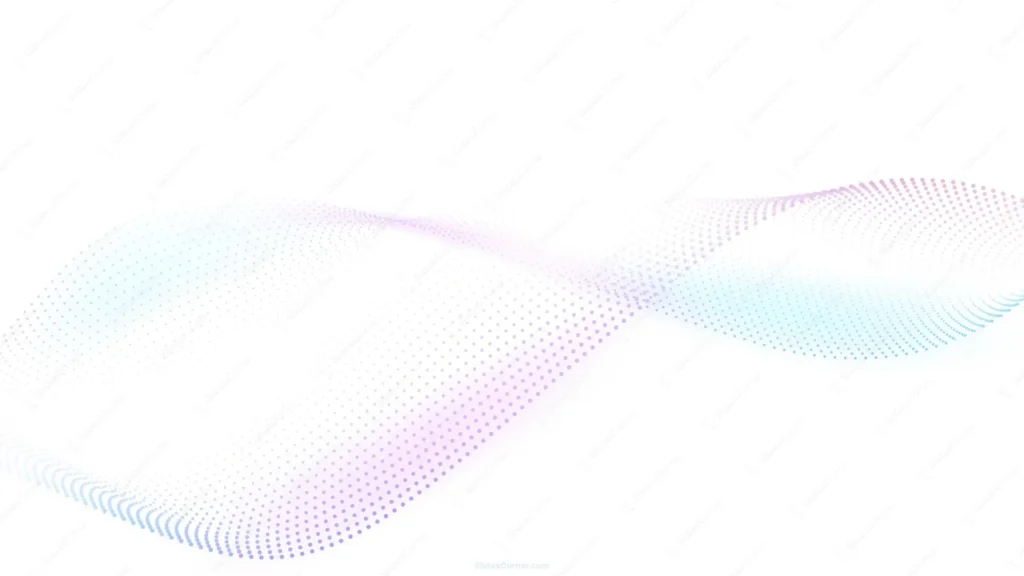
This background is for anyone who wants a slide that feels current and quiet at the same time — no texture, no vintage grain, just clean white space and a single ribbon of motion. It’s a full HD 16:9 minimalist PPT background design: a diagonal wave built from thousands of tiny dots, fading from soft blush pink into lavender and sky blue, drifting across an almost entirely white canvas. Free to download, no watermark, ready for PowerPoint, Google Slides, or as a plain wallpaper.
What This Minimalist PPT Background Design Looks Like
Roughly 85 percent of this image is untouched white space. The remaining ribbon runs diagonally from the lower-left corner up toward the upper-right, made up of a dense field of small particles arranged like a halftone pattern curving through three dimensions, almost like a piece of fabric caught mid-ripple. The dot color shifts gradually along the wave: cool blue and teal near the bottom edge, transitioning through violet and soft purple in the middle, and warming into a pale rose-pink toward the top-right. Near the very center of the wave the dots thin out almost to nothing, letting the white background show through, before the pattern regains density and color again on either side.
Design Notes: Why Almost Everything Is Empty Space
With a background this graphic, restraint mattered more than anything else. I kept the wave confined to a single diagonal band and left the rest of the canvas completely white, because a minimalist background only reads as minimalist if the negative space actually stays empty — fill too much of the frame and it turns into a generic gradient poster instead of a background that supports content.
The color transition was deliberate too. A single flat color across that whole wave would feel static, so I let it shift through three related hues — blue, purple, pink — blending into each other the way light passes through a prism. That gives the piece a sense of movement and depth without ever using more than a pastel, low-saturation palette, which keeps it calm enough to sit behind dark or light text without a fight. Since almost the entire frame is white, practically any text color reads perfectly here — that’s the real advantage of building a background this sparse.
Where to Use This Minimalist Background for Presentations
- Startup pitch decks and investor presentations
- SaaS, tech, or AI product presentations
- Corporate keynotes and quarterly reviews
- Portfolio or personal branding decks
- Webinars, online courses, or training slides
- Desktop or phone wallpaper for a clean, modern look
Key features at a glance:
- Full HD resolution, 16:9 aspect ratio
- No watermark, no logo, free for personal and commercial use
- Mostly white canvas with a single diagonal particle wave
- Soft gradient from blue to purple to blush pink
- Wide, empty space built for text legibility
- Works as a PowerPoint background, Google Slides background, or wallpaper
How to Apply This Background in PowerPoint
Once you’ve downloaded the file:
- Open your PowerPoint presentation and go to the Design tab
- Click Format Background on the right side of the ribbon
- Select Picture or texture fill, then Insert from a file
- Choose the downloaded particle wave image
- Click Apply to All if you want it on every slide, or leave it on just the current one
How to Apply It in Google Slides
- Open your presentation and click Background in the toolbar
- Click Choose image, then Upload from computer
- Select the file and confirm
- Click Done, or Add to theme to carry it across every slide automatically
Readability Tip
Place your title and body copy in the wide open white areas, top-left or bottom-right, away from the densest part of the particle wave. Dark charcoal or black text in a clean sans-serif — Inter, Helvetica, or Söhne — matches the modern, minimal tone; a bold display font can also sit comfortably over the pale wave itself if you want the text to overlap slightly.
FAQ
Is this minimalist PPT background free?
Yes. It’s a single free download, no watermark, no account required.
Does it work in Google Slides, or only PowerPoint?
Both. It’s a plain image file, so it uploads the same way into either tool.
What resolution do I get?
Full HD, 1920×1080, in a 16:9 aspect ratio — sharp on any modern screen or projector.
Can I use it as a wallpaper instead of a slide background?
Yes, the same file works as a desktop or phone wallpaper without needing to resize it for most widescreen displays.
Specs
- 1920 x 1080 px · 16:9 widescreen
- JPG, high quality, no compression artefacts
- PowerPoint · Google Slides · Keynote · Canva
- No watermark · no sign-up
- Free for personal and commercial use
You can use this Modern Minimalist Particle Wave Background Perfect for Tech and Startup Presentations as a Wallpaper or use it as a background for slides.
Looking for something different? Browse all our free PPT Backgrounds, or see how to set a background in PowerPoint and Google Slides.