




Watercolor Floral PowerPoint Background with Pastel Frame
Free watercolor floral PowerPoint background with a pastel four-corner frame.
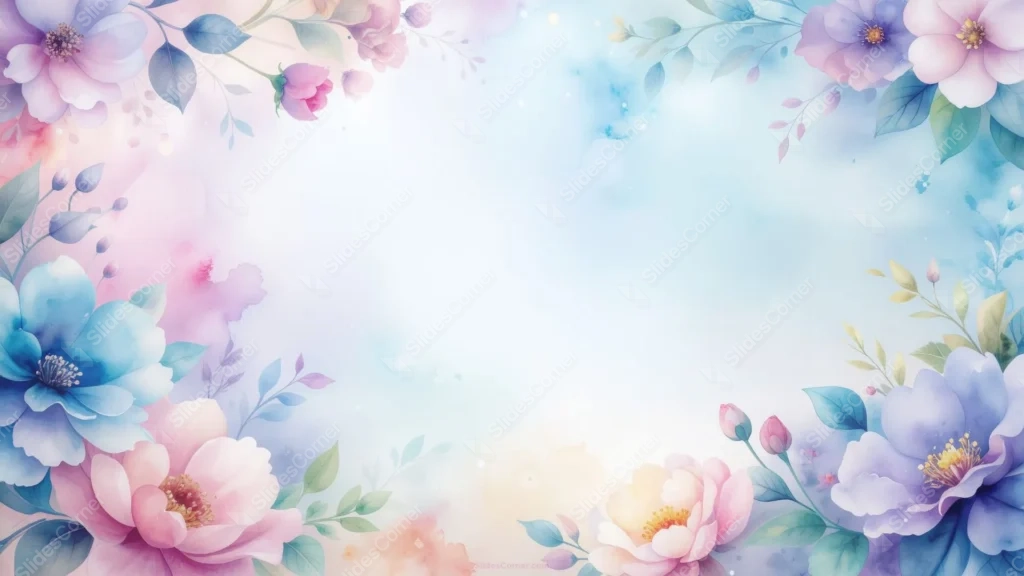
This watercolor floral PowerPoint background frames all four corners instead of just one or two, with pink peonies, purple anemones, and soft blue blooms painted in a loose, hand-brushed style. Faint washes of pigment bleed into the pale center, the way real watercolor pools and spreads on paper.
Each corner carries a slightly different mix. The top-left leans into blush and lavender petals, the bottom-left brings in a deep blue flower with visible stamens, and the two right corners balance pink peonies against cooler violet tones, so no single color dominates the frame.
I left tiny paint-bloom marks and a scatter of small white flecks drifting into the open center. They read as texture rather than clutter, a reminder that this is meant to look painted, not printed.
What This Watercolor Floral PowerPoint Background Suits
It works for wedding decks, baby showers, birthday invitations turned into slides, spring and summer event programs, and any presentation that wants a soft, artistic feel instead of a flat corporate one.
Because the palette mixes pink, blue, and purple rather than sticking to one hue, it also fits general lifestyle content, art and design portfolios, or a personal blog presentation that needs a gentle backdrop.
Design Choices Behind the Four-Corner Watercolor Frame
Framing every corner, instead of just a diagonal pair, meant the open center had to stay genuinely quiet. I kept the middle third close to #EAF4F7, a pale, almost-white blue, so it reads as calm negative space no matter which edge your eye starts from.
The flowers themselves range from a soft pink near #F0C4D6 to a dustier #9BA8D6 in the purple blooms, kept muted on purpose. Saturated watercolor can turn garish fast; pulling the pigment down a few shades keeps it feeling washed and soft instead of loud.
Mixing warm pink with cool blue and purple in the same frame is a balancing act. I leaned on green leaves as a neutral buffer between them, so the two color families sit next to each other without clashing.
How to Apply It in PowerPoint
- Open your slide, go to Design > Format Background.
- Choose Picture or texture fill, then Insert from file and select the downloaded image.
- Click Apply to All for the whole deck, or use it on a single title or closing slide.
How to Apply It in Google Slides
- Open Slide > Change background.
- Click Choose image and upload the file from your computer.
- Select Done. Repeat on each slide you want to match, since Slides applies backgrounds one at a time.
Legibility Tip for This Floral Background
Keep text inside the pale center and away from all four corners, where the color and detail are heaviest. Dark charcoal, navy, or deep plum text reads cleanly against the light middle; save white text for smaller accents only.
Frequently Asked Questions
Is this watercolor floral PowerPoint background free?
Yes, it’s a free download with no watermark and no account required.
Does it work in Google Slides?
Yes. It’s a standard image file, so it uploads and applies the same way it does in PowerPoint.
What resolution is included?
1920×1080 px, HD 16:9, suited to slides and to a desktop or phone wallpaper.
Is it only for weddings?
No. The mixed pink, blue, and purple palette works for any soft, artistic, or personal presentation, not just wedding content.
Features at a Glance
- HD 1920×1080 resolution, 16:9 ratio
- Free download, no watermark
- Hand-painted watercolor flowers framing all four corners
- Mixed pink, blue, and purple palette with green leaf accents
- Wide open pale center for titles and text
- Works as a PowerPoint background, Google Slides background, or wallpaper
Specs
- 1920 x 1080 px · 16:9 widescreen
- JPG, high quality, no compression artefacts
- PowerPoint · Google Slides · Keynote · Canva
- No watermark · no sign-up
- Free for personal and commercial use
You can use this Dreamy Watercolor Floral Background for Wedding PowerPoint Slides as a Wallpaper or use it as a background for slides.
Looking for something different? Browse all our free PPT Backgrounds, or see how to set a background in PowerPoint and Google Slides.








