

Watercolor Floral Background For Google Slides With Pink and Purple Blooms
Free watercolor floral background for Google Slides with pink, purple, and blue painted blooms, HD 16:9.
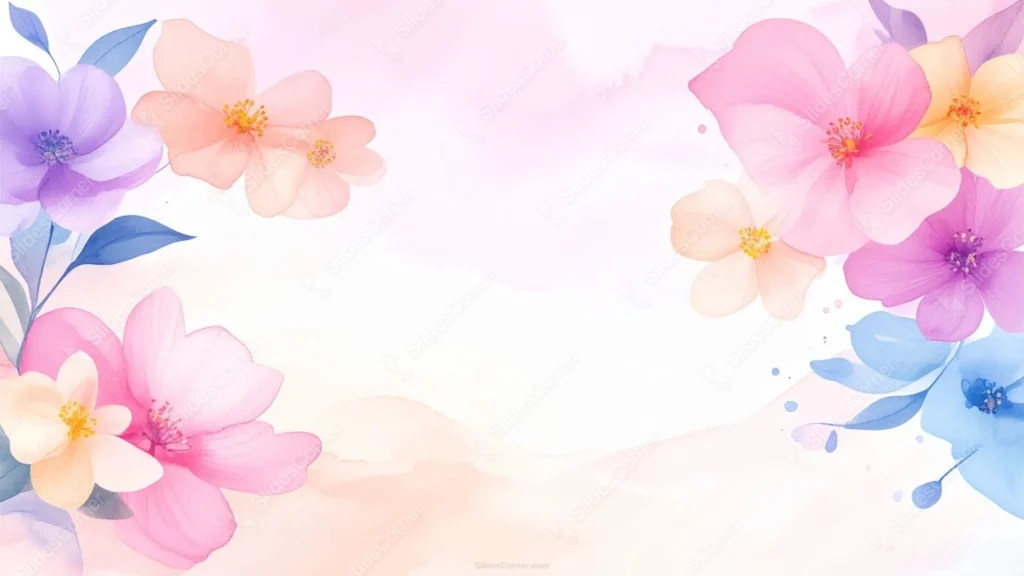
This watercolor floral background for Google Slides mixes a wider color range than most floral pieces: pink, purple, blue, and peach blooms, each painted with soft, bleeding watercolor petals and a solid contrasting center.
Three clusters anchor the top-left, top-right, and bottom-right corners, leaving a full diagonal sweep of open space running from the bottom-left up through the center.
What This Watercolor Floral Background For Google Slides Looks Like
Each flower carries its own center color, yellow stamens on the pink and peach blooms, a deep purple center on the purple flower, blue on the blue one, so no two flowers read the same way.
Small paint-splatter dots in blue, purple, and pink drift out from each cluster toward the open space, along with a few slim blue-toned leaves and stems.
A soft, low wash of peach watercolor runs like a gentle hill along the bottom of the frame, giving the flowers a horizon to sit above instead of floating on plain white.
Where This Watercolor Floral Background Fits
It suits spring event invitations, feminine brand pitch decks, greeting card and stationery marketing, baby shower and birthday invitations, and colorful lifestyle blog covers.
The open diagonal running from the bottom-left through the center gives plenty of room for a title, a date, or a full paragraph without crowding any of the three flower clusters.
Design Choices Behind the Palette and Layout
I widened the palette to pink, purple, blue, and peach instead of keeping it to one color family, since a mixed bouquet reads more vibrant and gathered than a monochrome study of one flower type.
Placing the three clusters asymmetrically, rather than mirroring left and right, gives the piece a more natural, just-picked feel and leaves a genuinely open diagonal for text instead of a narrow strip.
The soft peach wash along the bottom was there to ground everything. Without it, the flowers would feel like they’re floating on nothing; with it, the whole piece reads as one gentle scene.
How to Apply It in Google Slides
- Open Slide > Change background.
- Click Choose image and upload the downloaded file.
- Select Done. Repeat on each slide you want to match, since Slides applies backgrounds one at a time.
How to Apply It in PowerPoint
- Open your slide, go to Design > Format Background.
- Choose Picture or texture fill, then Insert from file and select the downloaded image.
- Click Apply to All for the whole deck, or leave it on a single title or invitation slide.
Legibility Tip for This Watercolor Floral Background
Keep text in the open area running from the bottom-left through the center, clear of the three flower clusters. Dark plum, navy, or charcoal type all read well against the pale wash.
Frequently Asked Questions
Is this watercolor floral background free?
Yes, it’s a free download with no watermark and no account required.
Does it work in PowerPoint too?
Yes. It’s a standard image file, so it uploads and applies the same way it does in Google Slides.
What resolution is included?
1920×1080 px, HD 16:9, suited to slides and to a desktop or phone wallpaper.
Can I use it as a wallpaper?
Yes, the 16:9 ratio matches most laptop and desktop screens.
Features at a Glance
- HD 1920×1080 resolution, 16:9 ratio
- Free download, no watermark
- Multicolor watercolor blooms in pink, purple, blue, and peach
- Three asymmetric corner clusters with a wide open diagonal for text
- Soft peach watercolor wash grounding the bottom of the frame
- Works as a Google Slides background, PowerPoint background, or wallpaper
Specs
- 1920 x 1080 px · 16:9 widescreen
- JPG, high quality, no compression artefacts
- PowerPoint · Google Slides · Keynote · Canva
- No watermark · no sign-up
- Free for personal and commercial use
You can use this Watercolor Floral Background For Google Slides With Pink and Purple Blooms as a Wallpaper or use it as a background for slides.
Looking for something different? Browse all our free PPT Backgrounds, or see how to set a background in PowerPoint and Google Slides.








