You might also like:





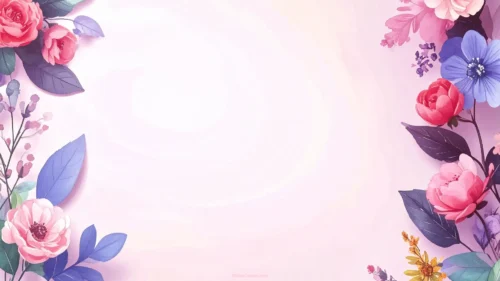
This watercolor floral background for PowerPoint runs painted roses and wildflowers down the full left and right edges, top to bottom, framing a pale pink center.
Every petal carries visible watercolor bleed and brush texture, giving the piece a handmade quality rather than a flat vector look.
What This Watercolor Floral Background Looks Like
Saturated rose-pink and coral blooms mix with periwinkle blue flowers, dusty purple leaves, and a small gold wildflower, running continuously down both side edges.
The center of the frame stays a soft, pale pink-white, with a faint swirling texture but no flowers crossing into it.
Each side column has its own mix of blooms and leaf shapes, so the left and right borders don’t mirror each other exactly.
Where This Watercolor Floral Background For PowerPoint Fits
Its rich, painted borders suit wedding invitations, garden party decks, greeting-style slides, and any presentation wanting a lush, romantic frame.
The fully framed sides also make it a dependable choice for centered titles and quote slides.
Design Choices Behind the Painted Borders
I ran the florals as full vertical columns down both edges, top to bottom, rather than clustering them into corners, so the framing feels continuous and complete on either side.
Painting the flowers with visible watercolor bleed and brush texture, instead of flat vector shapes, gives each petal a handmade, slightly imperfect edge.
Mixing saturated rose pink, periwinkle blue, and a touch of gold, a richer palette than a single pastel tone, makes the border read as a real, gathered bouquet rather than a matched decorative set.
How to Apply It in PowerPoint
- Go to Design > Format Background.
- Choose Picture or texture fill, then Insert from file.
- Click Apply to All for the whole deck.
How to Apply It in Google Slides
- Open Slide > Change background.
- Click Choose image and upload the downloaded file.
- Select Done, repeating on each slide you want to match.
Legibility Tip for This Watercolor Floral Background
Keep text centered in the open pale pink area, using dark plum or charcoal type, since both side edges are fully bordered.
Frequently Asked Questions
Is this watercolor floral background free?
Yes, it’s a free download with no watermark and no account required.
Does it work in Google Slides too?
Yes, it’s a standard image file, so it applies the same way in both PowerPoint and Google Slides.
What resolution is included?
1920×1080 px, HD 16:9, suited to slides and to a desktop or phone wallpaper.
Can I use it as a wallpaper?
Yes, the 16:9 ratio matches most laptop and desktop screens.
Features at a Glance
- HD 1920×1080 resolution, 16:9 ratio
- Free download, no watermark
- Full-length painted floral columns on both sides
- Visible watercolor bleed and brush texture
- Rich rose, periwinkle, and gold color mix
- Works as a PowerPoint background, Google Slides background, or wallpaper
Specs
- 1920 x 1080 px · 16:9 widescreen
- JPG, high quality, no compression artefacts
- PowerPoint · Google Slides · Keynote · Canva
- No watermark · no sign-up
- Free for personal and commercial use
You can use this Vivid Watercolor Floral Background with Painted Side Borders as a Wallpaper or use it as a background for slides.
Looking for something different? Browse all our free PPT Backgrounds, or see how to set a background in PowerPoint and Google Slides.