







Rainbow Background For Google Slides With A Dreamy Double Arch
Download this free rainbow background for Google Slides with a dreamy double rainbow arch.
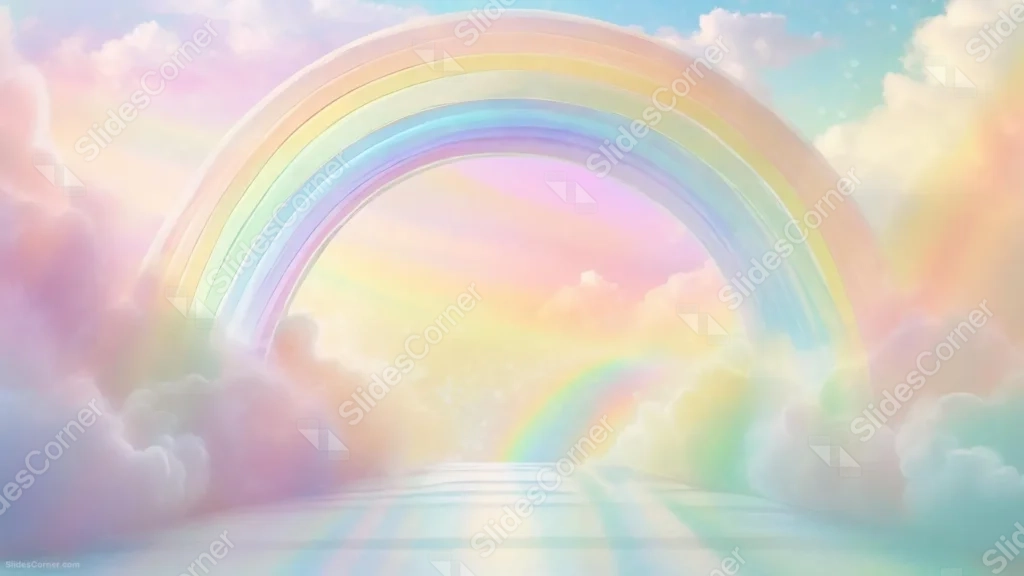
This rainbow background for Google Slides arches a soft pastel rainbow over a glowing pink and gold sky, with a smaller second rainbow visible further inside the frame.
Fluffy pastel clouds frame both sides of the arch, and a smooth, reflective path leads the eye straight into the glowing center.
What This Rainbow Background Looks Like
A wide, layered rainbow curves from one side of the frame to the other, its bands soft and pastel rather than bright and saturated.
Inside the arch, a second, smaller rainbow rises from a glowing reflective floor, framed by drifting clouds in pink, lilac, and gold.
The sky glows warm pink and yellow at the center of the arch, cooling into soft blue near the upper corners.
Where This Rainbow Background For Google Slides Fits
- Kids’ education, storytelling, or fantasy-themed presentations
- Pride, celebration, or joyful event slides
- Wellness or inspirational talks
- Any wallpaper wanting a whimsical, dreamlike scene
Design Choices Behind the Double Arch
I added a second, smaller rainbow inside the main arch, rather than a single flat stripe across the sky, so the piece reads as a doorway or gateway instead of a simple weather effect.
Keeping every color pastel and soft, instead of a bold saturated rainbow, lets the whole scene feel gentle and dreamlike rather than cartoonish.
The reflective path leading into the glow was important to me: it gives the eye somewhere to travel, deeper into the frame, rather than stopping at the arch itself.
How to Apply It in PowerPoint
- Go to Design > Format Background.
- Choose Picture or texture fill, then Insert from file.
- Click Apply to All to carry it across the whole deck.
How to Apply It in Google Slides
- Open Slide > Change background.
- Click Choose image and upload the downloaded file.
- Select Done, repeating on any other slides you want to match.
Legibility Tip for This Rainbow Background
Place text in the glowing pink-gold center beneath the arch, using a deep purple or white font so it stays readable against the soft pastel bands.
Frequently Asked Questions
Is this rainbow background free?
Yes, it’s a free download with no watermark and no account required.
Does it work in PowerPoint too?
Yes, it’s a standard image file, so it applies the same way in both Google Slides and PowerPoint.
What resolution is included?
1920×1080 px, HD 16:9, suited to slides and to a desktop or phone wallpaper.
Can I use it as a wallpaper?
Yes, the full dreamlike scene and 16:9 ratio make it a strong desktop or phone wallpaper.
Features at a Glance
- HD 1920×1080 resolution, 16:9 ratio
- Free download, no watermark
- Layered double rainbow arch in soft pastel tones
- Fluffy pastel clouds and a reflective glowing path
- Dreamy, full-frame fantasy composition
- Works as a Google Slides background, PowerPoint background, or wallpaper
Specs
- 1920 x 1080 px · 16:9 widescreen
- JPG, high quality, no compression artefacts
- PowerPoint · Google Slides · Keynote · Canva
- No watermark · no sign-up
- Free for personal and commercial use
You can use this Magical Rainbow Background For Google Slides as a Wallpaper or use it as a background for slides.
Looking for something different? Browse all our free PPT Backgrounds, or see how to set a background in PowerPoint and Google Slides.








