






Pink Petals Background For PowerPoint With A Corner Petal Pile
Download this free pink petals background for PowerPoint with a soft corner petal pile.
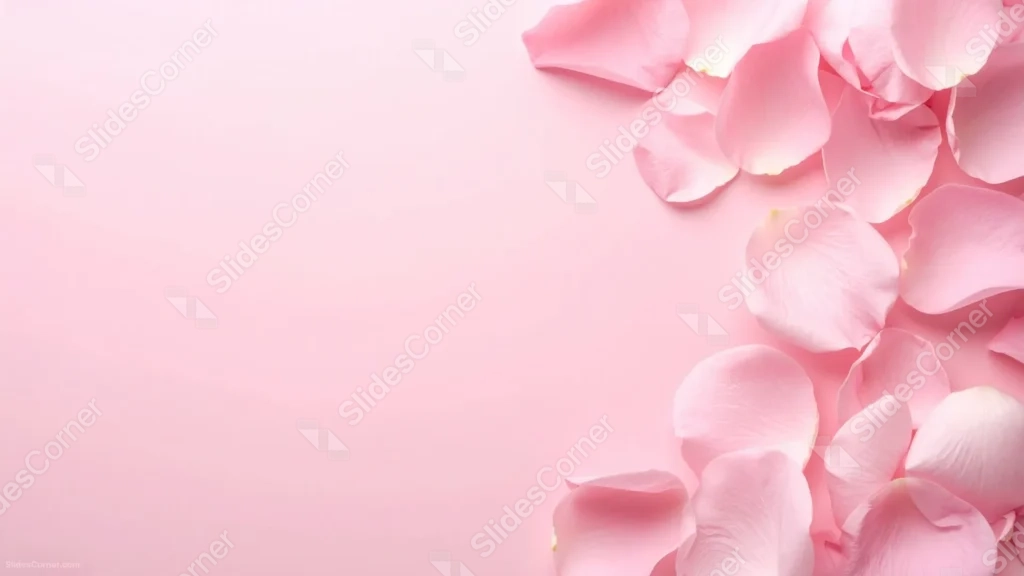
This pink petals background for PowerPoint piles real rose petals densely into the right third of the frame, leaving the entire left two-thirds a clean, matching pink.
Rather than a scattered ring around all four edges, every petal gathers into one soft corner drift.
What This Pink Petals Background Looks Like
Dozens of rose petals overlap densely along the right edge, layering from the top corner down to the bottom, each catching soft directional light.
The petals and the background share nearly the same pink tone, so the pile reads through gentle shadow and overlapping edges rather than sharp contrast.
The left two-thirds of the frame is left completely bare, a smooth, uninterrupted pink.
Where This Pink Petals Background For PowerPoint Fits
- Wedding, Valentine’s Day, or romance-themed slides
- Beauty, skincare, or spa presentations
- Minimal brand decks wanting a soft accent
- Any title slide needing a wide, uninterrupted space for text
Design Choices Behind the Corner Pile
I gathered every petal into one corner instead of ringing the whole frame, so the left side becomes one large, uninterrupted canvas rather than a series of gaps between petals.
Letting the petals overlap densely, layer on layer, gives that corner real visual weight, so it still reads as intentional even though it only occupies a third of the frame.
Matching the petal color closely to the background keeps the whole piece tonal and calm, in contrast to a higher-contrast floral photo.
How to Apply It in PowerPoint
- Go to Design > Format Background.
- Choose Picture or texture fill, then Insert from file.
- Click Apply to All to carry it across the whole deck.
How to Apply It in Google Slides
- Open Slide > Change background.
- Click Choose image and upload the downloaded file.
- Select Done, repeating on any other slides you want to match.
Legibility Tip for This Pink Petals Background
- Use the open left two-thirds for text, choosing a deep rose or charcoal font since the tones stay close together throughout the frame.
Frequently Asked Questions
Is this pink petals background free?
Yes, it’s a free download with no watermark and no account required.
Does it work in Google Slides too?
Yes, it’s a standard image file, so it applies the same way in both PowerPoint and Google Slides.
What resolution is included?
1920×1080 px, HD 16:9, suited to slides and to a desktop or phone wallpaper.
Can I use it as a wallpaper?
Yes, the 16:9 ratio matches most laptop and desktop screens.
Features at a Glance
- HD 1920×1080 resolution, 16:9 ratio
- Free download, no watermark
- Dense pile of real rose petals in one corner
- Tonal pink palette with soft shadow depth
- Wide, fully open two-thirds for text
- Works as a PowerPoint background, Google Slides background, or wallpaper
Specs
- 1920 x 1080 px · 16:9 widescreen
- JPG, high quality, no compression artefacts
- PowerPoint · Google Slides · Keynote · Canva
- No watermark · no sign-up
- Free for personal and commercial use
You can use this Blushing Pink Petals Background For PowerPoint as a Wallpaper or use it as a background for slides.
Looking for something different? Browse all our free PPT Backgrounds, or see how to set a background in PowerPoint and Google Slides.








