





Minimalist Pink Background For PowerPoint With A Blossom Tree
Download this free minimalist pink background for PowerPoint with a blossoming tree and dunes.
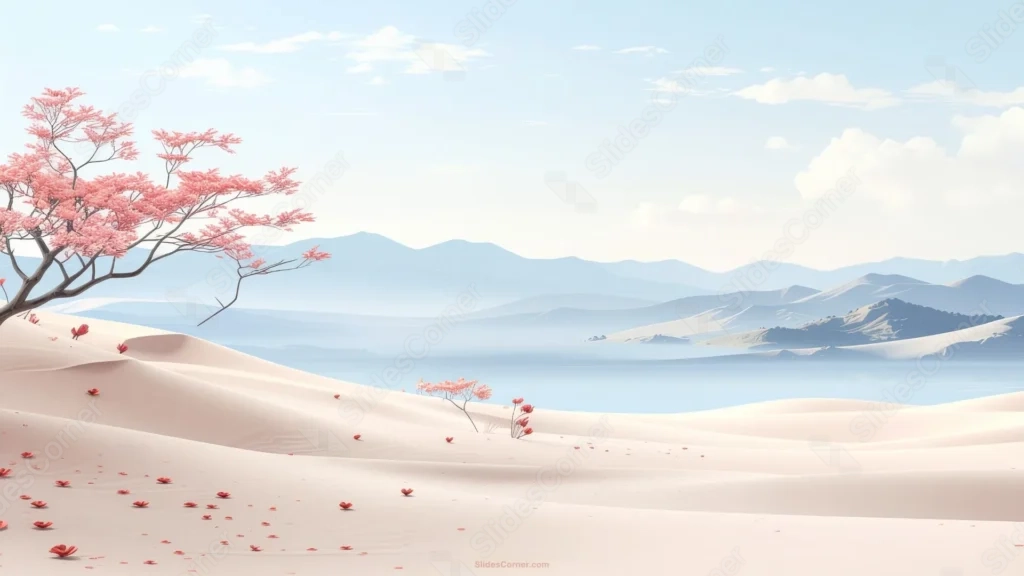
This minimalist pink background for PowerPoint places a single blossoming tree in the top-left corner, its coral-pink canopy standing out against a pale blue sky.
Soft sand dunes sweep through the foreground toward a misty lake and distant mountains, with a scatter of loose red petals resting on the sand.
What This Minimalist Pink Background Looks Like
A single tree with delicate coral-pink blossoms leans in from the top-left, its bare branches reaching partway across the sky.
Pale, rolling sand dunes fill the foreground, dotted with a few fallen red petals and one small blossoming sapling further out on the sand.
Layered blue-gray mountains and a calm, misty lake sit in the distance, fading softly into the pale sky above.
Where This Minimalist Pink Background For PowerPoint Fits
It works well for wellness and mindfulness presentations, travel or nature decks, spring event slides, and any deck wanting a calm, uncluttered visual.
The wide open sky and dunes leave plenty of room for a large title or a short quote.
Design Choices Behind the Blossom Tree
I placed a single blossoming tree in the top-left, rather than spreading foliage across the frame, so the whole right two-thirds stays open and calm.
Letting pale sand dunes sweep gently through the foreground, only a shade warmer than the sky, keeps the color palette quiet and cohesive throughout.
I scattered a handful of loose red petals across the sand, giving the eye somewhere to land without breaking the overall stillness of the scene.
How to Apply It in PowerPoint
- Go to Design > Format Background.
- Choose Picture or texture fill, then Insert from file.
- Click Apply to All to use it across the whole deck.
How to Apply It in Google Slides
- Open Slide > Change background.
- Click Choose image and upload the downloaded file.
- Select Done, repeating on any other slides you want to match.
Legibility Tip for This Minimalist Pink Background
Keep your text in the open sky or dunes on the right side, using a dark navy or charcoal font, clear of the tree on the left.
Frequently Asked Questions
Is this minimalist pink background free?
Yes, it’s a free download with no watermark and no account required.
Does it work in Google Slides too?
Yes, it’s a standard image file, so it applies the same way in both PowerPoint and Google Slides.
What resolution is included?
1920×1080 px, HD 16:9, suited to slides and to a desktop or phone wallpaper.
Can I use it as a wallpaper?
Yes, the 16:9 ratio matches most laptop and desktop screens.
Features at a Glance
- HD 1920×1080 resolution, 16:9 ratio
- Free download, no watermark
- Single blossoming tree in the top-left corner
- Soft sand dunes with scattered red petals
- Distant misty lake and layered mountains
- Works as a PowerPoint background, Google Slides background, or wallpaper
Specs
- 1920 x 1080 px · 16:9 widescreen
- JPG, high quality, no compression artefacts
- PowerPoint · Google Slides · Keynote · Canva
- No watermark · no sign-up
- Free for personal and commercial use
You can use this Serene Minimalist Pink Background For PowerPoint as a Wallpaper or use it as a background for slides.
Looking for something different? Browse all our free PPT Backgrounds, or see how to set a background in PowerPoint and Google Slides.