

Halloween Background For Google Slides With 3D Haunted Houses And Pumpkins
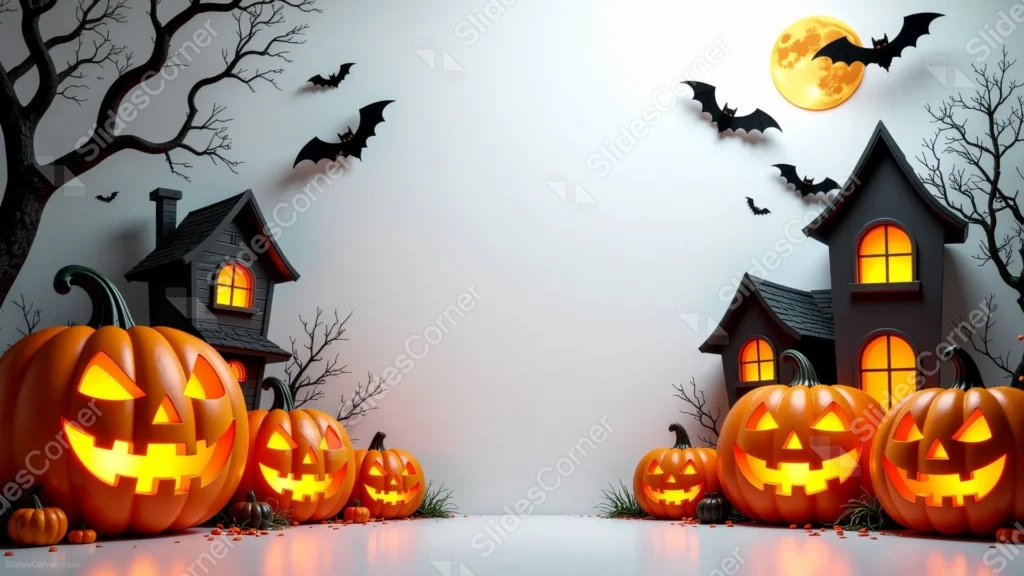
Free Halloween background for Google Slides with 3D haunted houses on a white studio floor.
This Halloween background for Google Slides sets two small, 3D-rendered haunted houses on a clean white studio floor, their windows glowing warm against a bright, empty backdrop.
Bare tree branches, a golden moon, and a scatter of paper-cutout bats frame the top corners, while glowing jack-o-lanterns line the bottom edge.
What This Halloween Background Looks Like
Two miniature haunted houses, rendered like little dioramas, sit at the lower left and right corners, their arched windows lit from within.
A golden full moon glows in the upper right, with several flat black bat cutouts scattered across the top of the frame, and bare, twisting tree branches reaching in from both sides.
Rows of carved jack-o-lanterns sit in front of each house, their glow reflecting faintly on the smooth white floor, while the entire center of the frame stays bright and empty.
Where This Halloween Background For Google Slides Fits
- Halloween party invitations and product announcements
- School or classroom Halloween activities
- Small business promotions for the Halloween season
- Any title slide wanting a clean, playful Halloween look
Design Choices Behind These Miniature Haunted Houses
I built this on a plain white studio floor, rather than a dark night scene, so the whole background reads as bright and versatile instead of heavy or gloomy.
Keeping the haunted houses small and pushed to the corners, like little props on a shelf, protects a wide, genuinely open center for a headline or product shot.
Rendering the houses with soft, dimensional shading, rather than flat illustration, gives them a tactile, diorama-like charm that fits a lighter Halloween mood.
How to Apply It in PowerPoint
- Go to Design > Format Background.
- Choose Picture or texture fill, then Insert from file.
- Click Apply to All to carry it across the whole deck.
How to Apply It in Google Slides
- Open Slide > Change background.
- Click Choose image and upload the downloaded file.
- Select Done, repeating on any other slides you want to match.
Legibility Tip for This Halloween Background
Keep your headline centered in the bright white gap between the two houses, using a dark gray or black font for clean, easy contrast.
Frequently Asked Questions
Is this Halloween background free?
Yes, it’s a free download with no watermark and no account required.
Does it work in PowerPoint too?
Yes, it’s a standard image file, so it applies the same way in both Google Slides and PowerPoint.
What resolution is included?
1920×1080 px, HD 16:9, suited to slides and to a desktop or phone wallpaper.
Can I use it as a wallpaper?
Yes, the 16:9 ratio matches most laptop and desktop screens.
Features at a Glance
- HD 1920×1080 resolution, 16:9 ratio
- Free download, no watermark
- 3D-rendered miniature haunted houses
- Glowing jack-o-lanterns, bats, and a golden moon
- Bright, open white center for text
- Works as a Google Slides background, PowerPoint background, or wallpaper
Specs
- 1920 x 1080 px · 16:9 widescreen
- JPG, high quality, no compression artefacts
- PowerPoint · Google Slides · Keynote · Canva
- No watermark · no sign-up
- Free for personal and commercial use
You can use this Charming Halloween Background For Google Slides as a Wallpaper or use it as a background for slides.
Looking for something different? Browse all our free PPT Backgrounds, or see how to set a background in PowerPoint and Google Slides.








