


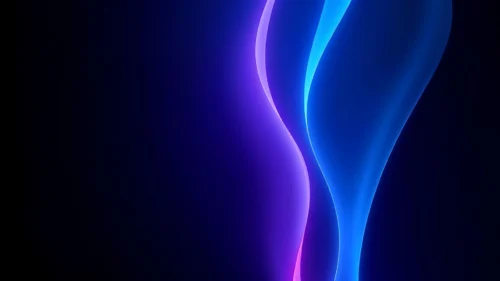


Gradient PPT Background Dark Blue Glow and Fine Texture
Free HD gradient PPT background in dark blue with a soft glow and fine texture, no watermark, for slides or wallpaper.
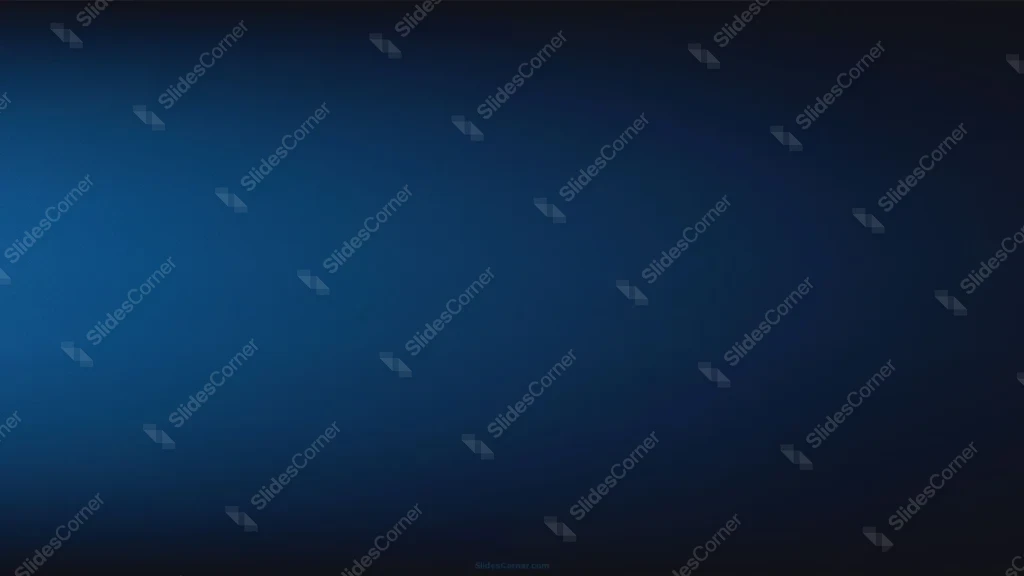
This background is for slides that want a calm, professional depth without any shapes or clutter getting in the way of your words. This gradient PPT background is a smooth wash of dark blue with a soft glow of light on the left that fades into near-black toward the right and the corners. It is a free HD 16:9 download with no watermark, ready for PowerPoint, Google Slides, or a desktop wallpaper.
What this gradient PPT background looks like
The light appears to come from the left, where the blue lifts to a brighter mid-tone (around #1F5B92) before easing down through deeper navy (#0E3358) into an almost-black edge (#050A14) on the right and along the top and bottom. Laid over the whole surface is a very fine woven texture, a faint diagonal cross-hatch that you barely notice at a glance but that keeps the gradient from looking plasticky. There are no hard lines or icons here, just that one soft light source and a quiet, even fade.
The design thinking behind this dark blue gradient
I placed the light off to the left rather than dead center on purpose. A centered glow can feel static and a little clinical, while an off-center source gives the slide a subtle direction and a more modern, photographed feel. The fine texture was the other quiet decision. Large flat gradients tend to show ugly banding on projectors and compressed exports, so that faint woven pattern breaks up the transition and lets the blue stay smooth on a big screen. Dark blue itself does the heavy lifting for tone: it reads as steady, trustworthy, and premium, which is why it is such a safe base for serious decks. The best part for you is the range of contrast built in. The bright left area is a natural spot for a logo or a bold title, and the darker right side is perfect for clean white body text. I built this for content that wants to look composed and understated: corporate and business decks, finance and consulting reports, tech and product talks, keynotes, minimalist portfolios, and quote or stat slides that need room to breathe.
Where to use this gradient background
It is an easy win for title slides, section dividers, and closing slides, and it doubles nicely as a plain, non-distracting base for a whole presentation. Because there is no pattern to fight, charts, photos, and bullet lists all sit cleanly on top wherever the blue is darkest.
- Free download with no watermark and no sign-up required
- HD 16:9 that fills any widescreen PPT or Slides canvas edge to edge
- Smooth dark blue gradient with a soft off-center light source
- Fine woven texture that prevents banding on big screens
- Built-in range from a bright title area to a dark text-friendly zone
- Works as a PowerPoint background, a Google Slides theme, or a wallpaper
How to apply it in PowerPoint and Google Slides
In PowerPoint, open the Design tab, choose Format Background, pick Picture or texture fill, and Insert the downloaded image. Use “Apply to All” to set it across the deck. To keep it fixed, open View → Slide Master and drop the image onto the master layout so it never moves while you work.
In Google Slides, open Slide → Change background, click Choose image next to Image, and upload the file. Press “Add to theme” to apply it to the whole presentation at once.
A legibility tip for this gradient: white or very light text works across the slide, but it looks sharpest where the blue is darkest, so lean your body copy toward the right side. Put a large title or logo over the brighter left glow for a nice focal point, and if you ever need dark text, avoid the mid-blue area, where contrast drops.
Frequently asked questions
Is this gradient PPT background free? Yes. Download and use it at no cost, with no watermark and no account needed.
Does it work in Google Slides? It does. The same file loads into Google Slides as a slide or theme background just as it does in PowerPoint or Keynote.
What resolution is the file? It is HD at a 16:9 widescreen ratio, so it fills a standard modern slide with no stretching or borders.
Can I use it as a wallpaper? Yes. The 16:9 format fits most laptop and desktop screens, making it a clean, understated dark blue wallpaper.
Specs
- 1920 x 1080 px · 16:9 widescreen
- JPG, high quality, no compression artefacts
- PowerPoint · Google Slides · Keynote · Canva
- No watermark · no sign-up
- Free for personal and commercial use
You can use this Smooth Dark Blue Gradient Background for Minimal PPT Presentations as a Wallpaper or use it as a background for slides.
Looking for something different? Browse all our free PPT Backgrounds, or see how to set a background in PowerPoint and Google Slides.