





Elegant Design Background for Slides Black Silver Curves
Free HD elegant design background for slides in charcoal black with silver petal curves, no watermark, for PPT or wallpaper.
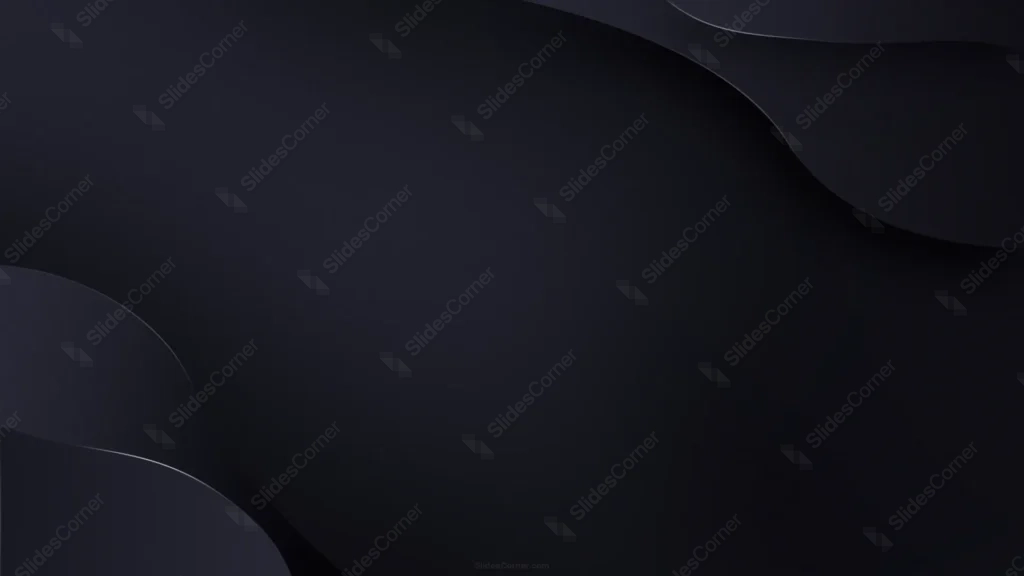
This background is for slides that want a quiet, upscale darkness instead of anything loud, with organic shapes doing the work that a bright color usually would. This elegant design background for slides is a deep charcoal black canvas with soft, petal-like curves tucked into opposite corners, each traced by a thin, glowing silver line. It is a free HD 16:9 download with no watermark, ready for PowerPoint, Google Slides, or a desktop wallpaper.
What this elegant design background for slides looks like
The base sits in a narrow range of near-black charcoal, from about #17181C in the lightest areas to a true #0A0A0C in the deepest shadow, with a soft vignette that keeps the very center the darkest, calmest part of the frame. In the top-right and bottom-left corners, rounded organic shapes curve inward like petals or waves, each edge picked out with a fine, brushed-silver line that catches the light without ever turning into a hard highlight. The large diagonal space between them stays completely untouched.
The design thinking behind the silver-edged petal curves
I kept the palette almost entirely monochrome on purpose, since restraint is what makes a dark background feel elegant instead of just gloomy. The organic, petal-like curves in opposite corners were chosen over straight lines or hard geometry because soft shapes read as more refined and less aggressive, better suited to formal or ceremonial content than sharp angles would be.
The thin silver line tracing each curve is the one deliberate flourish, a quiet echo of foil stamping or metallic trim that signals quality without shouting for attention. Leaving the whole diagonal center untouched was the real priority: it gives you the largest possible calm, dark field for white or gold text to sit in with maximum contrast.
I built this for content that wants to feel formal and refined: award ceremonies and galas, luxury brand and product launches, wedding and event presentations, keynote speeches, and any deck that needs quiet sophistication rather than energy or color.
Where to use this elegant black background
It is a strong choice for a title slide or a closing thank-you slide, where the open center can hold a single elegant line of text while the silver-edged corners frame it like a formal invitation. It also works well behind a quote or an award name, where restraint matters more than decoration.
- Free download with no watermark and no sign-up required
- HD 16:9 that fills any widescreen PPT or Slides canvas edge to edge
- Deep charcoal black with soft, organic petal-shaped corner curves
- Fine silver line accents for a refined, upscale finish
- Wide, untouched center built for elegant, minimal text
- Works as a PowerPoint background, a Google Slides theme, or a wallpaper
How to apply it in PowerPoint and Google Slides
In PowerPoint, open the Design tab, choose Format Background, select Picture or texture fill, and Insert the downloaded image. Use “Apply to All” to set it across the deck. To keep it fixed, open View → Slide Master and place the image on the master layout so it stays put while you build slides.
In Google Slides, open Slide → Change background, click Choose image next to Image, and upload the file. Press “Add to theme” to apply it to every slide at once.
A legibility tip for this one: white or soft champagne-gold text both read beautifully against the dark center, and a light, elegant serif or a refined sans-serif will suit the formal mood better than a bold, heavy typeface. Keep your text in the open diagonal middle, away from the corner curves, where the silver lines can slightly compete with smaller type.
Frequently asked questions
Is this elegant design background for slides free? Yes. Download and use it at no cost, with no watermark and no account needed.
Does it work in Google Slides? It does. The same file loads into Google Slides as a slide or theme background just as it does in PowerPoint or Keynote.
What resolution is the file? It is HD at a 16:9 widescreen ratio, so it fills a standard modern slide with no stretching or borders.
Can I use it as a wallpaper? Yes. The 16:9 format fits most laptop and desktop screens, making it a refined, moody wallpaper.
Specs
- 1920 x 1080 px · 16:9 widescreen
- JPG, high quality, no compression artefacts
- PowerPoint · Google Slides · Keynote · Canva
- No watermark · no sign-up
- Free for personal and commercial use
You can use this Refined Charcoal Black Background with Silver Petal Curves for Elegant Slides as a Wallpaper or use it as a background for slides.
Looking for something different? Browse all our free PPT Backgrounds, or see how to set a background in PowerPoint and Google Slides.








