


Dark Green Background For PowerPoint With An Emerald Glow
Free dark green background for PowerPoint with a soft emerald glow and fine grain texture, HD 16:9.
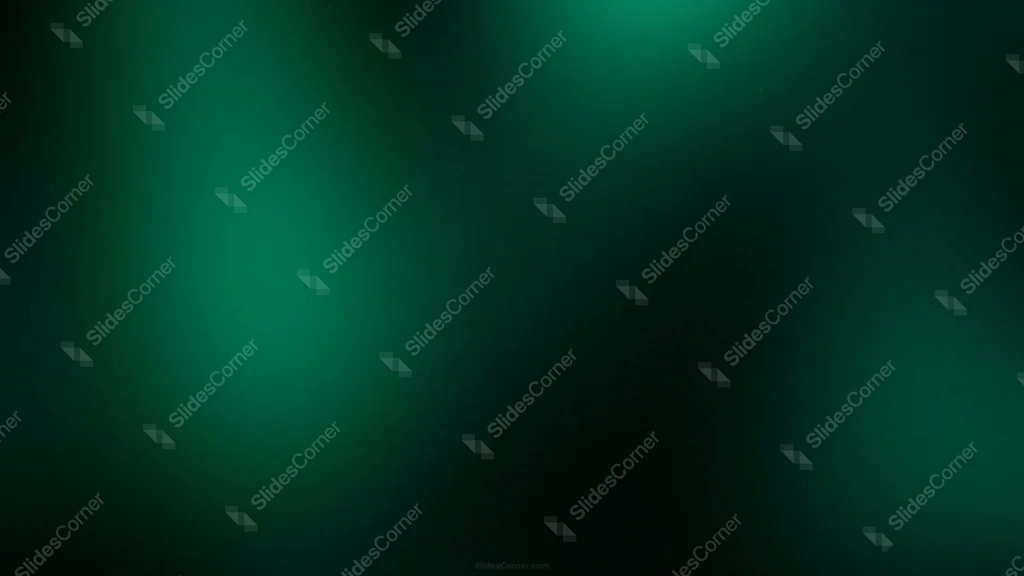
This dark green background for PowerPoint holds two soft pools of emerald light against a near-black backdrop, with a fine grain running through the gradient.
The strongest glow sits left of center, with a second, much fainter one glowing in the upper right, so the light feels like it’s coming from more than one direction rather than a single flat spotlight.
What This Dark Green Background Looks Like
The main glow spreads out softly from the left side of the frame, bright enough to read as dark green rather than black, then fades gradually as it moves right.
The deepest black sits in a wide band through the middle-right of the frame, not tucked in a single corner, so the darkness reads more like a passing shadow than a hard edge.
A fine, even grain covers the whole image, keeping the transition from green to black looking smooth rather than banded.
Where This Dark Green Background For PowerPoint Fits
It suits finance and sustainability decks, tech and product launch presentations, luxury or premium brand pitches, and any keynote that wants a serious, upscale tone without a busy pattern.
The darker right side also gives a natural spot for a logo mark or navigation elements in a template.
Design Choices Behind the Emerald Glow
I used two glow points instead of one because a single centered spotlight tends to look generic, while two uneven sources feel closer to real, ambient light in a room.
Keeping both glows in the same emerald family, rather than adding a second color, keeps the mood consistent and lets the darkness do the contrast work instead of competing hues.
Widening the dark zone across the middle-right, rather than confining it to one corner, gives the background more room to breathe when text spans a full-width slide.
How to Apply It in PowerPoint
- Go to Design > Format Background.
- Choose Picture or texture fill, then Insert from file.
- Click Apply to All for the whole deck.
How to Apply It in Google Slides
- Open Slide > Change background.
- Click Choose image and upload the downloaded file.
- Select Done, repeating on each slide you want to match.
Legibility Tip for This Dark Green Background
White or light gray text holds up well across the whole image. For maximum contrast, place headlines over the darker middle-right area.
Frequently Asked Questions
Is this dark green background free?
Yes, it’s a free download with no watermark and no account required.
Does it work in Google Slides too?
Yes, it’s a standard image file, so it applies the same way in both PowerPoint and Google Slides.
What resolution is included?
1920×1080 px, HD 16:9, suited to slides and to a desktop or phone wallpaper.
Can I use it as a wallpaper?
Yes, the 16:9 ratio matches most laptop and desktop screens.
Features at a Glance
- HD 1920×1080 resolution, 16:9 ratio
- Free download, no watermark
- Two soft emerald glow points on a near-black field
- Fine grain texture to prevent color banding
- Wide dark zone suited to full-width text
- Works as a PowerPoint background, Google Slides background, or wallpaper
Specs
- 1920 x 1080 px · 16:9 widescreen
- JPG, high quality, no compression artefacts
- PowerPoint · Google Slides · Keynote · Canva
- No watermark · no sign-up
- Free for personal and commercial use
You can use this Moody Emerald Glow Gradient Background for Modern Presentations as a Wallpaper or use it as a background for slides.
Looking for something different? Browse all our free PPT Backgrounds, or see how to set a background in PowerPoint and Google Slides.








