


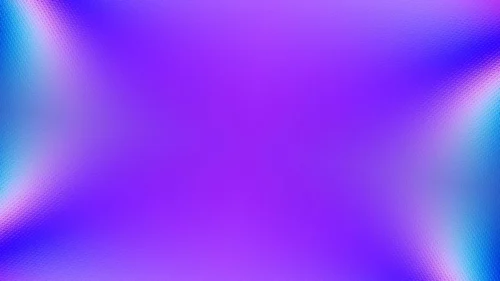




Creative Purple PPT Design Background with Corner Accents
Free HD creative purple PPT design background with blue, orange and yellow corner accents, no watermark, for slides.
This background is for content that wants a rich, moody color instead of black or white, while still leaving a huge, quiet center for your message. This creative purple PPT design background is a deep purple field with faint, layered blob shapes barely visible in the center, framed by playful sky-blue curves, warm orange, and solid yellow circles tucked into the corners. It is a free HD 16:9 download with no watermark, ready for PowerPoint, Google Slides, or a desktop wallpaper.
What this creative purple PPT design background looks like
The base is a rich, saturated purple (#4B0F91), brightening slightly toward a violet glow (#6A22C4) right in the middle, where a few soft organic blob shapes sit just a shade darker than the field around them, visible only up close. In the top-left corner, a sky-blue curve meets a warm orange-to-pink gradient, and a solid yellow circle sits just below it; a matching blue wave and yellow circle echo the same combination in the bottom-right. The center stays clean and shadow-free, with all the color detail living at the corners.
The design thinking behind the deep purple and corner accents
I chose purple as the anchor because it carries creative energy without tipping into the loudness of a fully saturated rainbow, striking a balance between playful and composed. Keeping the blob texture in the center so subtle was deliberate: it adds a sense of depth and movement to what could otherwise be a flat purple rectangle, but it never gets dark or busy enough to interfere with text sitting on top. Placing the sky-blue, orange, and yellow accents only in opposite corners gives the layout symmetry and balance, so the eye can rest in the open purple middle instead of being pulled to one side. I built this for content that wants to feel imaginative but still readable: creative and design agency decks, art and portfolio presentations, education and workshop slides, event and festival content, and any talk that wants one confident, unusual color to carry its personality.
Where to use this purple abstract background
The wide, quiet purple center works well for a title slide, a full paragraph of body copy, or a stat callout, since it stays legible everywhere except right in the corners. Because the accent shapes are tucked away at the edges, this background also holds up as a consistent base across an entire deck without ever crowding your layout.
- Free download with no watermark and no sign-up required
- HD 16:9 that fills any widescreen PPT or Slides canvas edge to edge
- Deep purple base with subtle layered blob texture in the center
- Sky-blue, orange, and yellow accents tucked into opposite corners
- Wide, shadow-free middle built for text at any size
- Works as a PowerPoint background, a Google Slides theme, or a wallpaper
How to apply it in PowerPoint and Google Slides
In PowerPoint, open the Design tab, choose Format Background, select Picture or texture fill, and Insert the downloaded image. Use “Apply to All” to set it across the deck. To keep it fixed, open View → Slide Master and place the image on the master layout so it stays put while you build slides.
In Google Slides, open Slide → Change background, click Choose image next to Image, and upload the file. Press “Add to theme” to apply it to every slide at once.
A legibility tip for this deep purple: white or a soft, pale yellow text reads best against it, since both hold strong contrast without clashing with the corner accents. Keep your main text in the center rather than near the corners, where the blue, orange, and yellow shapes shift the background’s value and can slightly reduce contrast for smaller type.
Frequently asked questions
Is this creative purple PPT design background free? Yes. Download and use it at no cost, with no watermark and no account needed.
Does it work in Google Slides? It does. The same file loads into Google Slides as a slide or theme background just as it does in PowerPoint or Keynote.
What resolution is the file? It is HD at a 16:9 widescreen ratio, so it fills a standard modern slide with no stretching or borders.
Can I use it as a wallpaper? Yes. The 16:9 format fits most laptop and desktop screens, making it a bold, moody wallpaper.
Specs
- 1920 x 1080 px · 16:9 widescreen
- JPG, high quality, no compression artefacts
- PowerPoint · Google Slides · Keynote · Canva
- No watermark · no sign-up
- Free for personal and commercial use
You can use this Moody Deep Purple Background with Playful Corner Accents for Creative PPT as a Wallpaper or use it as a background for slides.
Looking for something different? Browse all our free PPT Backgrounds, or see how to set a background in PowerPoint and Google Slides.








