







Colorful Oil Paint Background For PowerPoint With A Sunlit Meadow
Download this free colorful oil paint background for PowerPoint with a sunlit flower meadow.
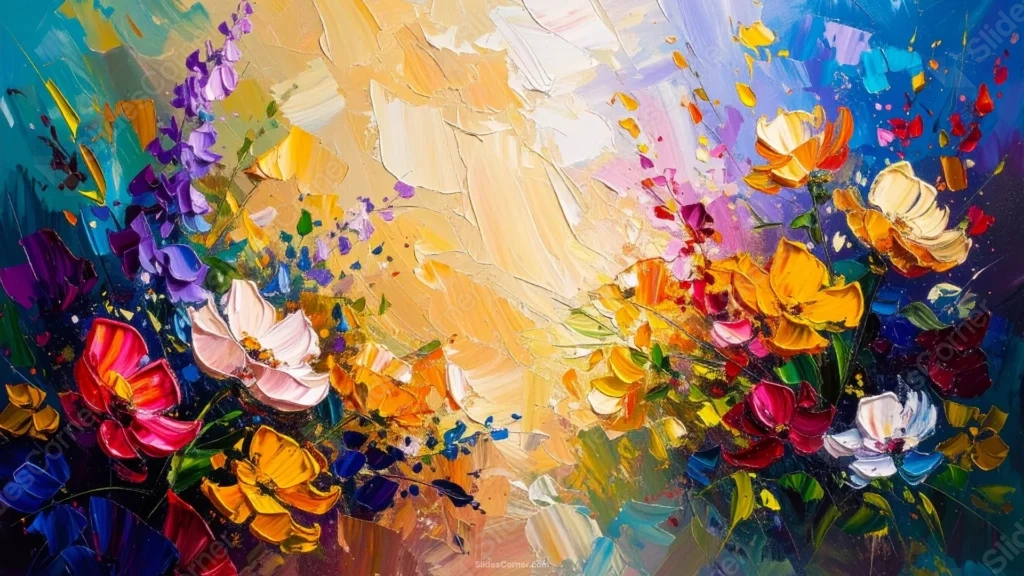
This colorful oil paint background for PowerPoint masses a full rainbow of thick, palette-knife flowers into the lower half of the canvas, beneath a bright, sunlit sky.
A warm golden-white light bursts across the upper two-thirds, giving the whole meadow scene a genuinely sunlit feel.
What This Colorful Oil Paint Background Looks Like
Thick, textured blooms in red, pink, orange, yellow, purple, and blue crowd the bottom of the canvas, each petal built up with visible palette-knife strokes.
Above the flowers, a warm golden-white sky opens up, brushed in broad, sweeping strokes that catch the light like real sunshine.
Loose petals and paint flecks drift up from the flower bed into the sky, blurring the line between the garden and the light above it.
Where This Colorful Oil Paint Background For PowerPoint Fits
It’s a strong fit for garden and floral brand decks, art gallery presentations, spring event slides, and any deck wanting a joyful, painterly first impression.
The open, sunlit sky gives text plenty of clean space above the busy flower bed.
Design Choices Behind the Sunlit Meadow
I massed every flower into the lower half of the canvas, rather than framing all four edges, so a bright, open sky could take over the entire upper two-thirds.
Letting that sky burst into warm golden-white light at the center, rather than staying a flat color, makes the whole piece feel genuinely sunlit rather than static.
I pushed a full range of hues into the flower bed, so no single color dominates the garden and the eye keeps moving across it.
How to Apply It in PowerPoint
- Go to Design > Format Background.
- Choose Picture or texture fill, then Insert from file.
- Click Apply to All to use it across the whole deck.
How to Apply It in Google Slides
- Open Slide > Change background.
- Click Choose image and upload the downloaded file.
- Select Done, repeating on any other slides you want to match.
Legibility Tip for This Colorful Oil Paint Background
Place your text in the open golden sky above the flowers, using a dark brown or navy font, well clear of the busy flower bed below.
Frequently Asked Questions
Is this colorful oil paint background free?
Yes, it’s a free download with no watermark and no account required.
Does it work in Google Slides too?
Yes, it’s a standard image file, so it applies the same way in both PowerPoint and Google Slides.
What resolution is included?
1920×1080 px, HD 16:9, suited to slides and to a desktop or phone wallpaper.
Can I use it as a wallpaper?
Yes, the 16:9 ratio matches most laptop and desktop screens.
Features at a Glance
- HD 1920×1080 resolution, 16:9 ratio
- Free download, no watermark
- Thick palette-knife flowers in a full range of colors
- Bright, sunlit golden-white sky across the upper frame
- Loose petals and paint flecks drifting into the sky
- Works as a PowerPoint background, Google Slides background, or wallpaper
Specs
- 1920 x 1080 px · 16:9 widescreen
- JPG, high quality, no compression artefacts
- PowerPoint · Google Slides · Keynote · Canva
- No watermark · no sign-up
- Free for personal and commercial use
You can use this Vibrant Colorful Oil Paint Background For PowerPoint as a Wallpaper or use it as a background for slides.
Looking for something different? Browse all our free PPT Backgrounds, or see how to set a background in PowerPoint and Google Slides.








