




Baking Background For PowerPoint With A Flour-Dusted Dough Ball
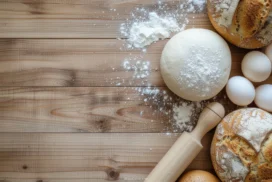
A baking background for PowerPoint with a flour-dusted dough ball, rye bread, and wide open wood copy space.
This background is for a recipe, bakery, or food brand slide that needs real copy space without losing the feel of an actual kitchen counter. A single round dough ball, dusted heavily in flour, sits on warm brown wood, with loose flour trailing across the boards and a few slices of rye bread and a small bowl tucked into the top right corner. Free, HD, and watermark-free for PowerPoint or Google Slides.
What This Baking Background Looks Like
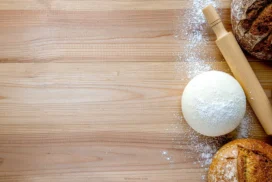
The dough sits just right of center, pale and slightly domed, its surface dusted unevenly with flour rather than a perfectly even coat. Two long, diagonal streaks of flour trail away from it across the wood grain, like a baker mid-motion rather than a staged prop.
In the top right corner, a few thick slices of dark rye bread lean together, and a small dark bowl with a dusting of flour inside sits at the right edge. The entire left two-thirds of the frame stays bare, warm-toned wood.
Where This Background Fits
This suits bakery and cafe presentations, recipe blogs, culinary school lessons, home-baking content, and any food brand deck that wants to feel like a real counter mid-bake rather than a polished stock photo.
Design Choices Behind This Composition
I kept this to a single dough ball rather than a full spread of props, since one clear subject reads faster than a crowded flat lay, especially at slide size. The uneven flour dusting and the loose diagonal trails were left in on purpose, a perfectly clean dusting would have looked staged rather than like a real moment in a bake.
Pushing the dough, bread, and bowl into the right third of the frame was the key structural decision, since it leaves the entire left side as genuinely bare wood, calm enough to hold a headline, a recipe title, or a full block of body text without any competing texture.
How to Apply This Background in PowerPoint
- Download and unzip the file, then open your PowerPoint presentation.
- Go to the Design tab and click Format Background.
- Choose Picture or texture fill, then Insert picture from a file, and select the downloaded image.
- Click Apply to All to use it across the whole deck, or leave it on a single slide.
How to Apply This Background in Google Slides
- Open your presentation and go to Slide, then Change background.
- Click Choose image and upload the downloaded file.
- Click Done to apply it to the current slide.
- To apply it across every slide, make the change from the master theme instead.
Legibility Tip for This Background
Keep your text on the bare wood at the left, away from the dough and bread on the right. Dark brown, black, or cream text all read cleanly against the wood tone; avoid placing text directly over the scattered flour trails, where contrast drops.
FAQ
Is this baking background free? Yes, it’s a free download with no watermark and no attribution required.
Does it work in Google Slides? Yes, it uploads directly as a custom background image, no conversion needed.
What resolution is the file? It’s full HD at 1920×1080, so it stays sharp on any screen or projector.
Can I use this as a wallpaper? Yes, the warm wood tone and simple composition work well as a desktop background too.
Features at a Glance
- Free HD 1920×1080 download, no watermark
- Flour-dusted raw dough ball on rustic wood
- Loose diagonal flour trails across the boards
- Rye bread slices and a small bowl in the corner
- Wide open bare-wood copy space on the left
- Works in PowerPoint, Google Slides, and as a wallpaper
Specs
- 1920 x 1080 px · 16:9 widescreen
- JPG, high quality, no compression artefacts
- PowerPoint · Google Slides · Keynote · Canva
- No watermark · no sign-up
- Free for personal and commercial use
You can use this Rustic Baking Background With A Flour-Dusted Dough Ball On Wood For Presentations as a Wallpaper or use it as a background for slides.
Looking for something different? Browse all our free PPT Backgrounds, or see how to set a background in PowerPoint and Google Slides.








