




Autumn Leaves Background For PPT With Pressed Leaves On Cream Paper
Free autumn leaves background for PPT with real pressed maple leaves on a cream paper card, HD 16:9.
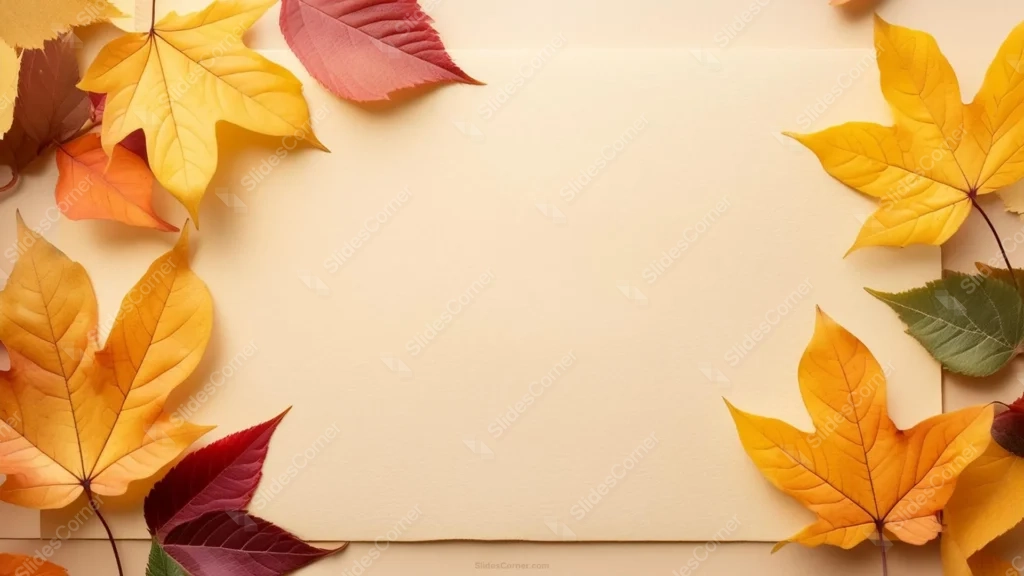
This autumn leaves background for PPT is a photograph, not an illustration. Real pressed maple leaves in yellow, orange, red, and deep burgundy line the left and right edges of a plain cream paper card.
A visible fold crease runs down the center of the card, and the bottom edge tears slightly rather than cutting clean, small signs that this is an actual piece of paper someone handled, not a flat digital rectangle.
What This Autumn Leaves Background For PPT Looks Like
Leaves cluster along the left and right sides only, in overlapping layers of yellow, gold, orange, and wine-red maple shapes, with a couple of muted olive-green leaves mixed in to break up the warm palette.
Every leaf shows real vein detail and slight curling at the tips, the texture pressed and dried foliage actually has, rather than the smooth, uniform look of a printed leaf pattern.
The middle of the card stays completely bare cream, extending well above and below the leaf clusters, so there’s a large, calm field for a title or several lines of text.
Where This Autumn Leaves Background Fits
It works for Thanksgiving and fall event decks, back-to-school autumn units, seasonal marketing presentations, cozy lifestyle and journaling content, and stationery or greeting card brand pitches.
Because the leaves stay along the sides only, it also works well for a two-column layout, text on the left, an image or list on the right, or the reverse.
Design Choices Behind the Leaves and Paper
I kept the leaves along the left and right edges instead of framing all four corners, since maple leaves this size read as assertive. Leaving the top and bottom open keeps the whole layout calmer than a full wreath would.
Mixing in a couple of green leaves among the yellows and reds was deliberate. An entirely warm-toned pile starts to blur into one shape; the green breaks that up so individual leaves stay readable.
I left the paper’s fold crease and torn bottom edge visible rather than retouching them out, since those small imperfections are what make the card read as a real, physical object instead of a flat cutout.
How to Apply It in PowerPoint
- Open your slide, go to Design > Format Background.
- Choose Picture or texture fill, then Insert from file and select the downloaded image.
- Click Apply to All for the whole deck, or leave it on a single title or cover slide.
How to Apply It in Google Slides
- Open Slide > Change background.
- Click Choose image and upload the downloaded file.
- Select Done. Repeat on each slide you want to match, since Slides applies backgrounds one at a time.
Legibility Tip for This Autumn Leaves Background
Keep text in the open cream center, clear of the leaf clusters on both sides. Dark brown, black, or deep green type all read cleanly against the plain paper tone.
Frequently Asked Questions
Is this autumn leaves background free?
Yes, it’s a free download with no watermark and no account required.
Does it work in Google Slides too?
Yes. It’s a standard image file, so it uploads and applies the same way it does in PowerPoint.
What resolution is included?
1920×1080 px, HD 16:9, suited to slides and to a desktop or phone wallpaper.
Can I use it as a wallpaper?
Yes, the 16:9 ratio matches most laptop and desktop screens.
Features at a Glance
- HD 1920×1080 resolution, 16:9 ratio
- Free download, no watermark
- Real photographed pressed maple leaves in yellow, orange, red, and burgundy
- Cream paper card with a visible fold crease and torn bottom edge
- Leaves framed along the left and right edges only, wide open center
- Works as a PowerPoint background, Google Slides background, or wallpaper
Specs
- 1920 x 1080 px · 16:9 widescreen
- JPG, high quality, no compression artefacts
- PowerPoint · Google Slides · Keynote · Canva
- No watermark · no sign-up
- Free for personal and commercial use
You can use this Warm Pressed Maple Leaf Background for Cozy Autumn Presentations as a Wallpaper or use it as a background for slides.
Looking for something different? Browse all our free PPT Backgrounds, or see how to set a background in PowerPoint and Google Slides.








