You might also like:

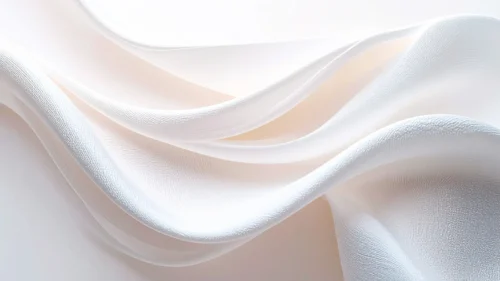




This white silk background for PowerPoint is a true macro shot of satin fabric, its folds catching cool, silvery highlights as they curve across the frame.
A faint blush of pink hides in the deepest part of each fold, warming what would otherwise be a purely white and pale blue surface.
What This White Silk Background Looks Like
Two or three folds of fabric layer over each other, close enough that the fine woven texture of the satin is clearly visible on every ridge.
Light hits the raised crests in a cool, near-silver white, while the troughs fall into soft shadow with just a hint of dusty pink underneath.
There’s no visible edge to the fabric anywhere in the frame, just fold after fold of quiet, continuous curve.
Where This White Silk Background For PowerPoint Fits
- Wedding, bridal, or luxury event presentations
- Beauty, fashion, or skincare brand decks
- Minimalist corporate or portfolio slides
- Any title slide wanting a quiet, high-end feel
Design Choices Behind This Macro Fabric Shot
I framed this so close that the weave itself becomes part of the texture, since a plain smooth white would have looked flat and digital rather than like real fabric.
Letting a trace of pink live only in the shadowed folds keeps the palette from tipping into cold or clinical, without ever turning the piece pink itself.
I avoided any single dominant highlight, spreading the brightest light across several crests instead, so the image works from any crop or aspect ratio.
How to Apply It in PowerPoint
- Go to Design > Format Background.
- Choose Picture or texture fill, then Insert from file.
- Click Apply to All to carry it across the whole deck.
How to Apply It in Google Slides
- Open Slide > Change background.
- Click Choose image and upload the downloaded file.
- Select Done, repeating on any other slides you want to match.
Legibility Tip for This White Silk Background
Use a dark charcoal or black font anywhere on this background, since the surface stays light and even enough for text to read clearly almost everywhere.
Frequently Asked Questions
Is this white silk background free?
Yes, it’s a free download with no watermark and no account required.
Does it work in Google Slides too?
Yes, it’s a standard image file, so it applies the same way in both PowerPoint and Google Slides.
What resolution is included?
1920×1080 px, HD 16:9, suited to slides and to a desktop or phone wallpaper.
Can I use it as a wallpaper?
Yes, the 16:9 ratio matches most laptop and desktop screens.
Features at a Glance
- HD 1920×1080 resolution, 16:9 ratio
- Free download, no watermark
- Macro close-up of white satin folds
- Visible woven fabric texture
- Faint pink undertone in the shadowed folds
- Works as a PowerPoint background, Google Slides background, or wallpaper
Specs
- 1920 x 1080 px · 16:9 widescreen
- JPG, high quality, no compression artefacts
- PowerPoint · Google Slides · Keynote · Canva
- No watermark · no sign-up
- Free for personal and commercial use
You can use this Elegant White Silk Background For PowerPoint as a Wallpaper or use it as a background for slides.
Looking for something different? Browse all our free PPT Backgrounds, or see how to set a background in PowerPoint and Google Slides.