
You might also like:


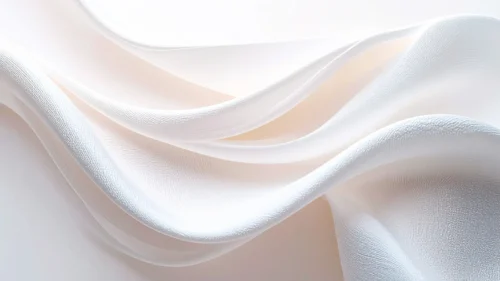



This pink silk background for PowerPoint stays in a single family of pink tones, letting soft satin folds and light do all the work instead of mixing in a second color.
A visible fabric grain runs across the surface, keeping it grounded as real silk rather than a flat digital gradient.
What This Pink Silk Background Looks Like
Two large folds sweep diagonally across the frame, catching bright white-pink highlights along their curved ridges.
Between the folds, a deeper rose shadow pools in the valley, giving the whole piece a sense of real draped fabric rather than a flat wave shape.
The upper right corner stays the brightest, softest pink in the frame, open and uncluttered.
Where This Pink Silk Background For PowerPoint Fits
- Beauty, bridal, or fashion brand presentations
- Valentine’s Day or romance-themed decks
- Product launches wanting a soft, luxury feel
- Any title slide calling for a single, calm color story
Design Choices Behind the Satin Folds
I kept this one to a single color family, rather than pairing pink with blue or purple, so it reads as pure, quiet luxury instead of a bold color statement.
Letting the fabric grain stay visible, instead of smoothing it into glass, keeps the material honest as silk or satin rather than plastic.
I built the brightest highlight into the upper right corner specifically so there’s a natural, glowing spot for a title.
How to Apply It in PowerPoint
- Go to Design > Format Background.
- Choose Picture or texture fill, then Insert from file.
- Click Apply to All to carry it across the whole deck.
How to Apply It in Google Slides
- Open Slide > Change background.
- Click Choose image and upload the downloaded file.
- Select Done, repeating on any other slides you want to match.
Legibility Tip for This Pink Silk Background
Keep text in the softest, brightest corner at the top right, using a deep rose or burgundy font so it stands apart from the pale silk.
Frequently Asked Questions
Is this pink silk background free?
Yes, it’s a free download with no watermark and no account required.
Does it work in Google Slides too?
Yes, it’s a standard image file, so it applies the same way in both PowerPoint and Google Slides.
What resolution is included?
1920×1080 px, HD 16:9, suited to slides and to a desktop or phone wallpaper.
Can I use it as a wallpaper?
Yes, the 16:9 ratio matches most laptop and desktop screens.
Features at a Glance
- HD 1920×1080 resolution, 16:9 ratio
- Free download, no watermark
- Single-tone pink satin folds with visible fabric grain
- Deep rose shadow valley for contrast
- Bright, open corner for text
- Works as a PowerPoint background, Google Slides background, or wallpaper
Specs
- 1920 x 1080 px · 16:9 widescreen
- JPG, high quality, no compression artefacts
- PowerPoint · Google Slides · Keynote · Canva
- No watermark · no sign-up
- Free for personal and commercial use
You can use this Elegant Pink Silk Background For PowerPoint as a Wallpaper or use it as a background for slides.
Looking for something different? Browse all our free PPT Backgrounds, or see how to set a background in PowerPoint and Google Slides.