You might also like:
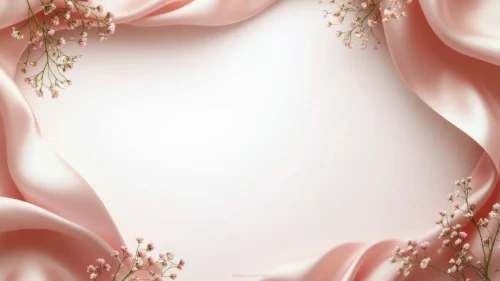
This elegant floral background for PowerPoint drapes soft, pearl-toned silk into rounded folds at each corner, with gold-outlined blossoms layered on top.
A wide, diamond-shaped blush center stays completely free of fabric, framed loosely by the four draped corners.
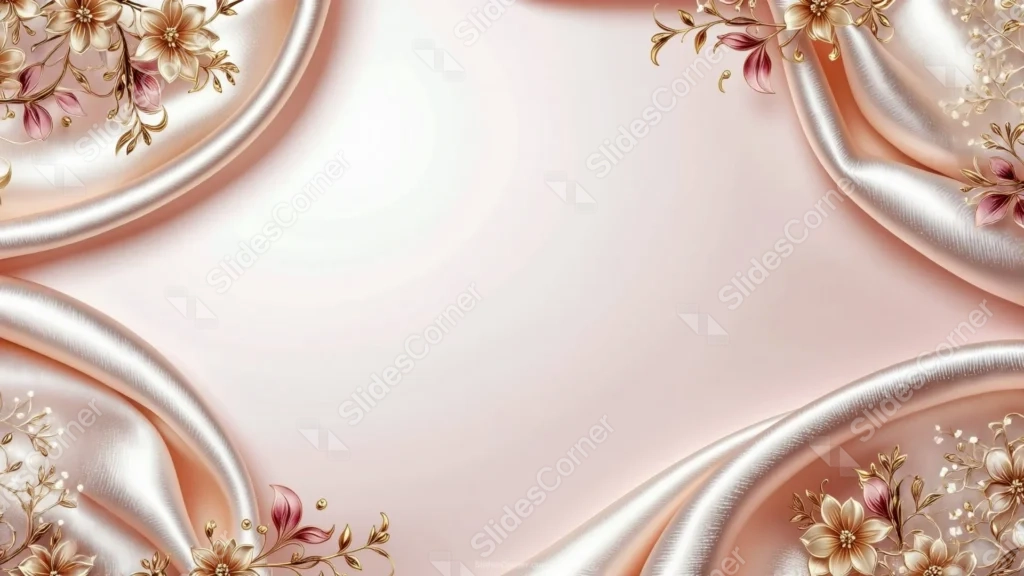
What This Elegant Floral Background Looks Like
Four rounded folds of pearl-white silk curve in from each corner, catching soft highlights along their ridges the way real fabric would under warm light.
Gold-outlined flowers and slender leaf sprigs sit directly on the folds, with a few dusty pink and burgundy petals adding contrast against the metallic linework.
Between the four corners, the center opens into a soft blush-pink diamond, lit gently from within and left entirely free of pattern.
Where This Elegant Floral Background For PowerPoint Fits
- Wedding, engagement, or bridal shower presentations
- Luxury, beauty, or jewelry brand decks
- Invitation or announcement mockups
- Any title slide wanting a rich, romantic finish
Design Choices Behind the Draped Rose Gold Silk
I let the silk fold into deep, rounded curves at each corner rather than lying flat, so the fabric itself carries most of the luxury before any flowers are added.
Layering gold-outlined blossoms directly onto the folds instead of floating them separately makes the florals read as embroidered into the silk itself.
I kept the wide diamond-shaped center completely free of fabric or flowers, so there’s a calm, well-lit space left over for a title and subtitle.
How to Apply It in PowerPoint
- Go to Design > Format Background.
- Choose Picture or texture fill, then Insert from file.
- Click Apply to All to use it across the whole deck.
How to Apply It in Google Slides
- Open Slide > Change background.
- Click Choose image and upload the downloaded file.
- Select Done, repeating on any other slides you want to match.
Legibility Tip for This Elegant Floral Background
Keep text in the open blush center, using a dark plum or deep gold font so it holds up against the soft pink tone.
Frequently Asked Questions
Is this elegant floral background free?
Yes, it’s a free download with no watermark and no account required.
Does it work in Google Slides too?
Yes, it’s a standard image file, so it applies the same way in both PowerPoint and Google Slides.
What resolution is included?
1920×1080 px, HD 16:9, suited to slides and to a desktop or phone wallpaper.
Can I use it as a wallpaper?
Yes, the 16:9 ratio matches most laptop and desktop screens.
Features at a Glance
- HD 1920×1080 resolution, 16:9 ratio
- Free download, no watermark
- Rounded pearl silk folds in all four corners
- Gold-outlined florals with dusty pink accents
- Open, diamond-shaped blush center
- Works as a PowerPoint background, Google Slides background, or wallpaper
Specs
- 1920 x 1080 px · 16:9 widescreen
- JPG, high quality, no compression artefacts
- PowerPoint · Google Slides · Keynote · Canva
- No watermark · no sign-up
- Free for personal and commercial use
You can use this Luxurious Elegant Floral Background For PowerPoint Presentations as a Wallpaper or use it as a background for slides.
Looking for something different? Browse all our free PPT Backgrounds, or see how to set a background in PowerPoint and Google Slides.