You might also like:

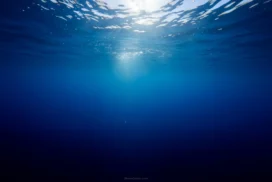

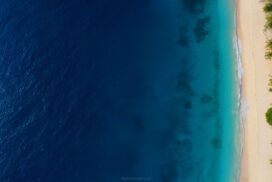


This underwater background for PowerPoint frames its shot low, close to a textured, pebble-flecked sand seafloor lit by real sunbeams.
Bright rays pierce the shallow, clear turquoise water above and land directly on the sandy dunes below.
What This Underwater Background Looks Like
The lower half of the frame shows a close-up view of rippled white sand dunes, scattered with tiny pebbles and shell fragments catching the light.
Above the sand, clear turquoise water rises to a rippled surface, with a bright sun breaking through and casting sharp rays straight down onto the seafloor.
Rippling patches of light dance across the sand where the sunbeams land, adding real movement to an otherwise still scene.
Where This Underwater Background For PowerPoint Fits
It works well for beach and travel presentations, marine conservation slides, snorkeling or diving brand decks, and any deck wanting a bright, calm, tropical mood.
The open water above the sand also gives text plenty of clean, uncluttered space.
Design Choices Behind the Sandy Seafloor
I framed the shot low, close to the seabed, so the textured, pebble-flecked sand fills the bottom half in sharp detail rather than staying a blurred backdrop.
Letting real sunbeams pierce the shallow, clear water and land directly on the sand creates bright, rippling light patches across the dunes.
I kept the water a pale, bright turquoise rather than a deep navy, so the whole scene reads as calm and shallow instead of deep and mysterious.
How to Apply It in PowerPoint
- Go to Design > Format Background.
- Choose Picture or texture fill, then Insert from file.
- Click Apply to All to use it across the whole deck.
How to Apply It in Google Slides
- Open Slide > Change background.
- Click Choose image and upload the downloaded file.
- Select Done, repeating on any other slides you want to match.
Legibility Tip for This Underwater Background
Place your text in the open water area above the sand, using a dark navy or white font, depending on how bright that section of the sunbeam falls.
Frequently Asked Questions
Is this underwater background free?
Yes, it’s a free download with no watermark and no account required.
Does it work in Google Slides too?
Yes, it’s a standard image file, so it applies the same way in both PowerPoint and Google Slides.
What resolution is included?
1920×1080 px, HD 16:9, suited to slides and to a desktop or phone wallpaper.
Can I use it as a wallpaper?
Yes, the 16:9 ratio matches most laptop and desktop screens.
Features at a Glance
- HD 1920×1080 resolution, 16:9 ratio
- Free download, no watermark
- Close-up, textured sandy seafloor with pebbles
- Real sunbeams piercing shallow, clear turquoise water
- Rippling light patches dancing across the sand
- Works as a PowerPoint background, Google Slides background, or wallpaper
Specs
- 1920 x 1080 px · 16:9 widescreen
- JPG, high quality, no compression artefacts
- PowerPoint · Google Slides · Keynote · Canva
- No watermark · no sign-up
- Free for personal and commercial use
You can use this Tranquil Underwater Background For PowerPoint Slides as a Wallpaper or use it as a background for slides.
Looking for something different? Browse all our free PPT Backgrounds, or see how to set a background in PowerPoint and Google Slides.