

You might also like:



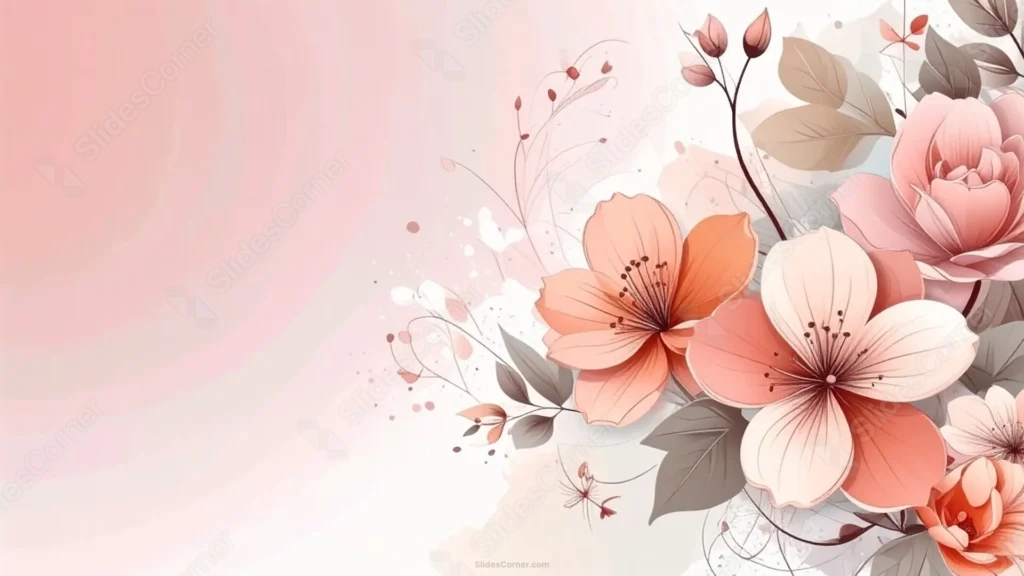
This classy elegant floral PowerPoint background gathers peonies and cherry-blossom-style flowers into the right third of the frame, in warm peach and rose tones.
A soft circular radial gradient glows quietly in the top-left corner, giving the wide open space its own gentle focal point.
What This Classy Elegant Floral Background Looks Like
Full peony blooms layer alongside five-petal cherry-blossom-style flowers in peach, blush, and rose, each outlined with fine, hand-drawn linework.
Warm gray-brown leaves and thin stems with small buds fill the spaces between blooms, keeping the palette soft and cohesive.
The left two-thirds fades through soft pink into cream, with a gentle circular glow sitting in the top-left corner as the only shape breaking up the open space.
Where This Classy Elegant Floral Background For PowerPoint Fits
It suits wedding stationery, beauty and skincare brand decks, elegant title slides, and any presentation wanting a timeless, understated floral touch.
The wide open left side works well for a large title or a short, centered quote.
Design Choices Behind the Radial Glow
I placed a soft circular radial gradient in the empty top-left corner, rather than a thin line, so that side of the composition has a quiet visual anchor instead of staying completely bare.
Choosing peonies and cherry-blossom-style flowers in warm peach and rose tones, softer than a coral-and-red palette, gives the piece a more classic, understated feel.
I kept every petal outline fine and hand-drawn, so the bouquet feels illustrated rather than photographic, matching the soft pastel wash behind it.
How to Apply It in PowerPoint
- Go to Design > Format Background.
- Choose Picture or texture fill, then Insert from file.
- Click Apply to All to use it across the whole deck.
How to Apply It in Google Slides
- Open Slide > Change background.
- Click Choose image and upload the downloaded file.
- Select Done, repeating on any other slides you want to match.
Legibility Tip for This Classy Elegant Floral Background
Keep text on the open left side, using a dark plum or charcoal font, and leave the peonies and blossoms on the right untouched.
Frequently Asked Questions
Is this classy elegant floral background free?
Yes, it’s a free download with no watermark and no account required.
Does it work in Google Slides too?
Yes, it’s a standard image file, so it applies the same way in both PowerPoint and Google Slides.
What resolution is included?
1920×1080 px, HD 16:9, suited to slides and to a desktop or phone wallpaper.
Can I use it as a wallpaper?
Yes, the 16:9 ratio matches most laptop and desktop screens.
Features at a Glance
- HD 1920×1080 resolution, 16:9 ratio
- Free download, no watermark
- Peonies and cherry-blossom-style flowers on the right third
- Soft circular radial glow in the top-left corner
- Wide open left side fading from pink to cream
- Works as a PowerPoint background, Google Slides background, or wallpaper
Specs
- 1920 x 1080 px · 16:9 widescreen
- JPG, high quality, no compression artefacts
- PowerPoint · Google Slides · Keynote · Canva
- No watermark · no sign-up
- Free for personal and commercial use
You can use this Timeless Classy Elegant Floral Background For PowerPoint as a Wallpaper or use it as a background for slides.
Looking for something different? Browse all our free PPT Backgrounds, or see how to set a background in PowerPoint and Google Slides.








