You might also like:





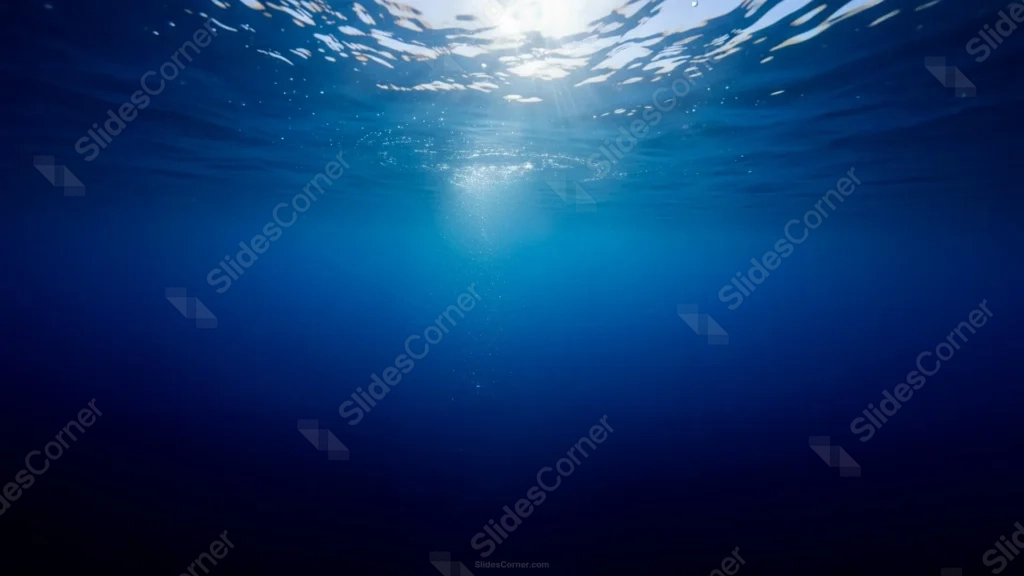
This blue background is a real photograph shot looking straight up from below the surface, with sunrays scattering through the rippled water line at the very top.
A single narrow column of rising bubbles catches the light just off-center, while the rest of the frame settles into a smooth, deepening blue.
What This Blue Background Looks Like
The top edge shows the underside of the water’s surface, rippled and bright where sunlight breaks through in scattered rays and reflections.
Below that, one soft column of small bubbles rises and catches the light, drifting slightly off-center rather than running straight down the middle.
The color shifts gradually from a bright turquoise near the surface into a deep, near-navy blue by the bottom of the frame, with no other elements breaking up the water.
Where This Blue Background Fits
It works well for ocean conservation and marine biology slides, travel and diving presentations, wellness or meditation decks, and any title slide wanting a calm, deep-blue mood.
The wide, uninterrupted lower portion also suits data slides or long paragraphs of text.
Design Choices Behind the Underwater Sunrays
I shot this looking straight up from below the surface, so the rippled water line and scattered sunlight stay confined to the very top of the frame.
Letting a single narrow column of bubbles catch the light, rather than filling the frame with them, keeps one clear focal point instead of visual noise.
I let the blue darken naturally toward the bottom, from bright turquoise into deep navy, so the piece has real depth without any added color grading.
How to Apply It in PowerPoint
- Go to Design > Format Background.
- Choose Picture or texture fill, then Insert from file.
- Click Apply to All to use it across the whole deck.
How to Apply It in Google Slides
- Open Slide > Change background.
- Click Choose image and upload the downloaded file.
- Select Done, repeating on any other slides you want to match.
Legibility Tip for This Blue Background
Place your text in the deep blue lower portion, using white or pale gold type, for clean contrast well away from the busy sunlit surface at the top.
Frequently Asked Questions
Is this blue background free?
Yes, it’s a free download with no watermark and no account required.
Does it work in Google Slides too?
Yes, it’s a standard image file, so it applies the same way in both PowerPoint and Google Slides.
What resolution is included?
1920×1080 px, HD 16:9, suited to slides and to a desktop or phone wallpaper.
Can I use it as a wallpaper?
Yes, the 16:9 ratio matches most laptop and desktop screens.
Features at a Glance
- HD 1920×1080 resolution, 16:9 ratio
- Free download, no watermark
- Real underwater photo with sunrays breaking the surface
- Single column of rising bubbles catching the light
- Smooth gradient from bright turquoise to deep navy
- Works as a PowerPoint background, Google Slides background, or wallpaper
Specs
- 1920 x 1080 px · 16:9 widescreen
- JPG, high quality, no compression artefacts
- PowerPoint · Google Slides · Keynote · Canva
- No watermark · no sign-up
- Free for personal and commercial use
You can use this Serene Blue Underwater Background For Presentations as a Wallpaper or use it as a background for slides.
Looking for something different? Browse all our free PPT Backgrounds, or see how to set a background in PowerPoint and Google Slides.