

You might also like:


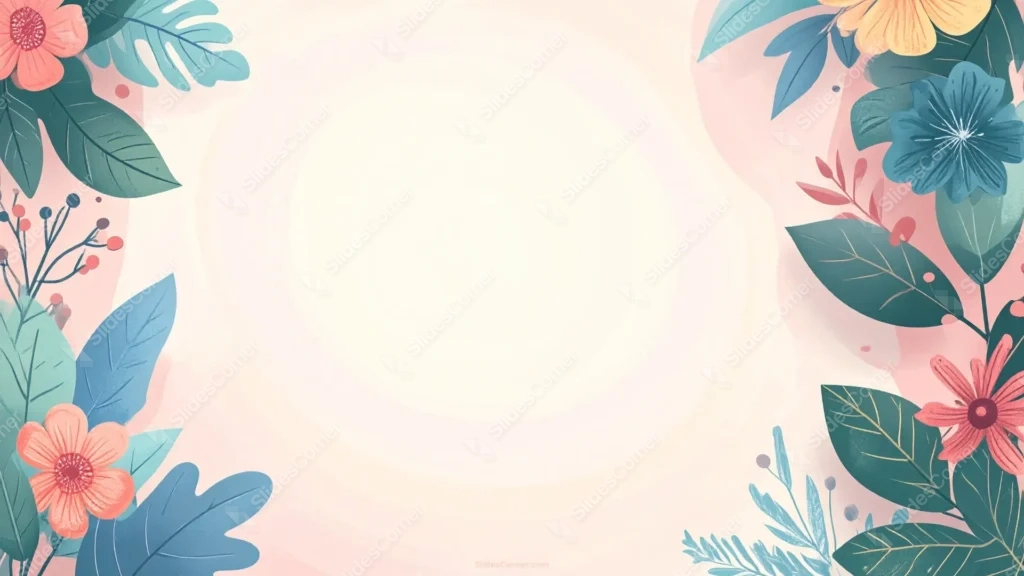
This cute flower background for slides illustrates every bloom and leaf in flat, clean color, framing both sides with coral flowers and broad, monstera-style foliage.
Unlike a painted watercolor look, every edge here stays crisp and graphic, reading as a modern illustration rather than a brushed one.
What This Cute Flower Background Looks Like
Coral flowers with dark red centers and large blue daisy-like blooms anchor both side columns, paired with broad, deeply lobed leaves in teal and green.
A small sprig of berries tucks into the lower-left corner, breaking up the repeated flower-and-leaf pairing that runs down the rest of the border.
The center stays a soft cream with a faint circular swirl, completely free of any flowers or leaves.
Where This Cute Flower Background For Slides Fits
Its bold, graphic florals suit spring and summer content, garden and lifestyle brands, children’s education, and any deck wanting cheerful color without a painterly feel.
The fully framed sides also make it dependable for centered titles and quote slides.
Design Choices Behind the Flat Florals
I illustrated every flower and leaf in flat, clean color instead of watercolor bleed, so edges stay crisp and the piece reads as a modern, graphic illustration rather than a painted one.
Using broad, monstera-style leaf shapes alongside the blooms gives the border more visual weight and a slightly tropical feel compared to simple oval leaves.
Tucking small berry sprigs into the lower-left corner adds a quiet detail that breaks up the repetition of flower-and-leaf pairs running down each side.
How to Apply It in Google Slides
- Open Slide > Change background.
- Click Choose image and upload the downloaded file.
- Select Done, repeating on each slide you want to match.
How to Apply It in PowerPoint
- Go to Design > Format Background.
- Choose Picture or texture fill, then Insert from file.
- Click Apply to All for the whole deck.
Legibility Tip for This Cute Flower Background
Keep text centered in the cream area, using dark green or charcoal type, since both side edges are fully bordered with color.
Frequently Asked Questions
Is this cute flower background free?
Yes, it’s a free download with no watermark and no account required.
Does it work in PowerPoint too?
Yes, it’s a standard image file, so it applies the same way in both PowerPoint and Google Slides.
What resolution is included?
1920×1080 px, HD 16:9, suited to slides and to a desktop or phone wallpaper.
Can I use it as a wallpaper?
Yes, the 16:9 ratio matches most laptop and desktop screens.
Features at a Glance
- HD 1920×1080 resolution, 16:9 ratio
- Free download, no watermark
- Flat, crisp illustration style
- Broad monstera-style leaves and coral blooms
- Small berry sprig accent in the lower-left corner
- Works as a Google Slides background, PowerPoint background, or wallpaper
Specs
- 1920 x 1080 px · 16:9 widescreen
- JPG, high quality, no compression artefacts
- PowerPoint · Google Slides · Keynote · Canva
- No watermark · no sign-up
- Free for personal and commercial use
You can use this Charming Flat Floral Background with Bold Leaf Shapes as a Wallpaper or use it as a background for slides.
Looking for something different? Browse all our free PPT Backgrounds, or see how to set a background in PowerPoint and Google Slides.








