You might also like:


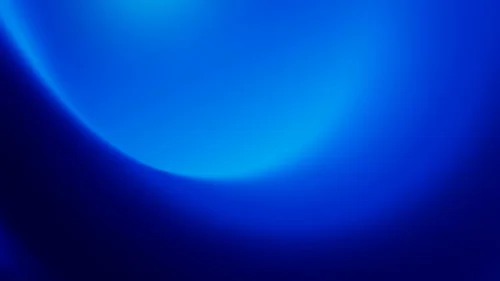


This deep blue night sky background for Google Slides stays entirely within one dark blue family, no purple or pink tint anywhere, for the calmest, most monochromatic read in this style.
A large, bright royal blue glow dominates the upper center, with a smaller, quieter glow echoing in the lower-left corner.
What This Deep Blue Night Sky Background Looks Like
The two glow points are clearly unequal in size and brightness, one large and dominant, one small and dim, rather than a mirrored pair, so the light feels ambient instead of designed.
Between and around them, the blue deepens steadily into a near-black navy, darkest in the bottom-right corner.
The transition throughout is smooth and clean, with no grain, texture, or secondary color anywhere in the frame.
Where This Deep Blue Night Sky Background For Google Slides Fits
It suits corporate and finance title slides, astronomy and science presentations, evening webinars, tech product launches, and any keynote that wants a calm, serious, professional mood.
The darkest bottom-right corner gives a natural, quiet spot for a logo, well away from either glow.
Design Choices Behind the Twin Glows
I kept every tone inside one blue family instead of adding a purple or pink tint, since a purely monochromatic gradient reads as calmer and more professional than a multi-hue one.
Making the two glows clearly unequal in size, rather than a matched pair, keeps the lighting feeling natural rather than like a deliberate symmetrical graphic effect.
Pushing the deepest black into just one corner, rather than spreading it evenly, leaves a clear, quiet resting spot for a logo or small caption.
How to Apply It in Google Slides
- Open Slide > Change background.
- Click Choose image and upload the downloaded file.
- Select Done, repeating on each slide you want to match.
How to Apply It in PowerPoint
- Go to Design > Format Background.
- Choose Picture or texture fill, then Insert from file.
- Click Apply to All for the whole deck.
Legibility Tip for This Deep Blue Night Sky Background
White text reads clearly across the whole image. For the strongest contrast, place headlines over the darker bottom-right area.
Frequently Asked Questions
Is this deep blue night sky background free?
Yes, it’s a free download with no watermark and no account required.
Does it work in PowerPoint too?
Yes, it’s a standard image file, so it applies the same way in both PowerPoint and Google Slides.
What resolution is included?
1920×1080 px, HD 16:9, suited to slides and to a desktop or phone wallpaper.
Can I use it as a wallpaper?
Yes, the 16:9 ratio matches most laptop and desktop screens.
Features at a Glance
- HD 1920×1080 resolution, 16:9 ratio
- Free download, no watermark
- Purely monochromatic deep blue gradient
- Two unequal glow points for a natural, ambient feel
- Clean, smooth transition with no texture
- Works as a Google Slides background, PowerPoint background, or wallpaper
Specs
- 1920 x 1080 px · 16:9 widescreen
- JPG, high quality, no compression artefacts
- PowerPoint · Google Slides · Keynote · Canva
- No watermark · no sign-up
- Free for personal and commercial use
You can use this Serene Deep Blue Night Sky Gradient Background for Calm Presentations as a Wallpaper or use it as a background for slides.
Looking for something different? Browse all our free PPT Backgrounds, or see how to set a background in PowerPoint and Google Slides.