You might also like:


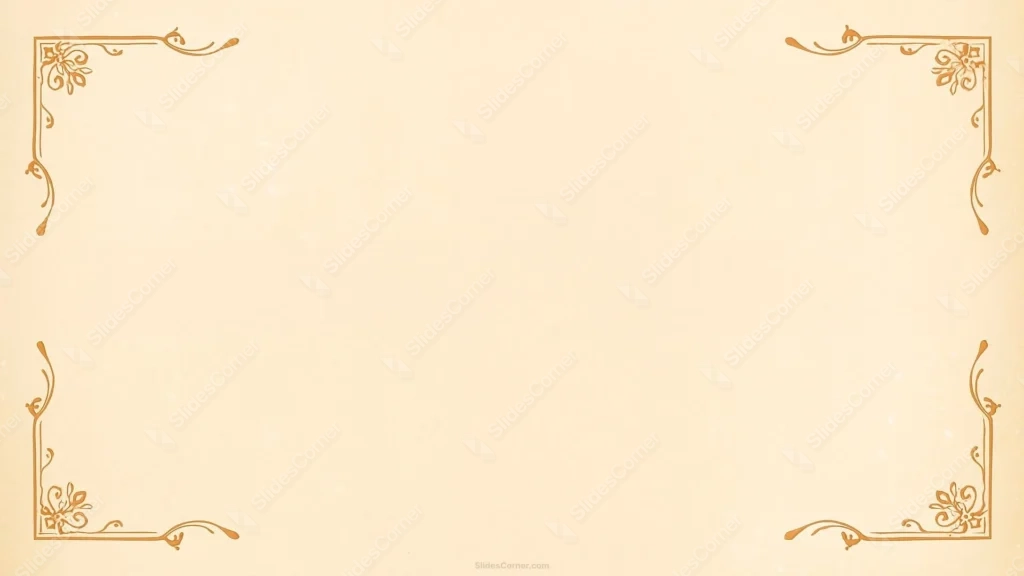
This vintage frame background for PowerPoint sets delicate, hand-drawn corner ornaments in cream and warm sepia against a softly textured paper backdrop.
Rather than a heavy, aged-paper look, this one stays clean and refined, closer to a certificate or invitation border than a worn antique document.
What This Vintage Frame Background Looks Like
Four matching corner ornaments, drawn in thin orange-gold lines, each combine a small floral flourish with curling vine scrollwork and a straight edge running partway down the side.
The corners don’t connect into a full continuous border, so most of the frame stays open, with just a faint paper texture and a few soft, natural-looking spots across the cream backdrop.
The palette stays within one warm sepia-to-orange range throughout, giving the whole thing a cohesive, classic look rather than a patchwork of colors.
Where This Vintage Frame Background For PowerPoint Fits
It suits certificates and diplomas, formal invitations, wedding programs, literary or history presentations, and any keynote that wants a refined, classic look without feeling heavy or ornate.
The open center works equally well for a title slide, a quote, or a simple list of credentials.
Design Choices Behind the Corner Ornaments
I kept the ornaments as thin, single-color line art instead of filled or shaded illustrations, so the detail reads as elegant rather than cluttered at a glance.
Letting each corner flourish stop partway down the edge, rather than forcing a full connected border, keeps well over half the slide completely open for content.
I chose a single warm sepia-orange tone for every line and used only a light paper texture in the background, so nothing distracts from the ornament work itself.
How to Apply It in PowerPoint
- Go to Design > Format Background.
- Choose Picture or texture fill, then Insert from file.
- Click Apply to All, or leave it on a single title or closing slide.
How to Apply It in Google Slides
- Open Slide > Change background.
- Click Choose image and upload the downloaded file.
- Select Done, repeating on each slide you want to match.
Legibility Tip for This Vintage Frame Background
Keep text in the wide open center, clear of the corner ornaments. Dark brown or charcoal text reads cleanly against the pale cream backdrop.
Frequently Asked Questions
Is this vintage frame background free?
Yes, it’s a free download with no watermark and no account required.
Does it work in Google Slides too?
Yes, it’s a standard image file, so it applies the same way in both PowerPoint and Google Slides.
What resolution is included?
1920×1080 px, HD 16:9, suited to slides and to a desktop or phone wallpaper.
Can I use it as a wallpaper?
Yes, the 16:9 ratio matches most laptop and desktop screens.
Features at a Glance
- HD 1920×1080 resolution, 16:9 ratio
- Free download, no watermark
- Thin sepia-orange line-art corner ornaments
- Soft cream paper-textured backdrop
- Wide open center for text
- Works as a PowerPoint background, Google Slides background, or wallpaper
Specs
- 1920 x 1080 px · 16:9 widescreen
- JPG, high quality, no compression artefacts
- PowerPoint · Google Slides · Keynote · Canva
- No watermark · no sign-up
- Free for personal and commercial use
You can use this Elegant Sepia Corner Ornament Background for Classic Presentations as a Wallpaper or use it as a background for slides.
Looking for something different? Browse all our free PPT Backgrounds, or see how to set a background in PowerPoint and Google Slides.