
You might also like:
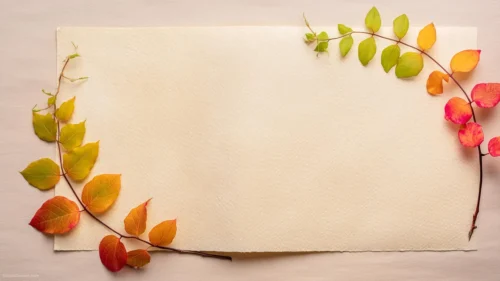





This autumn leaves background for PPT keeps all four corners busy and the entire middle empty. Gold, amber, and rust leaves fan out from each corner, and two orange dahlia-style flowers anchor the bottom two, on a clean white field.
Small gold berry sprigs and a scatter of tiny beads, gold, white, and red, drift a little further toward the center than the leaves do, softening the line between “decoration” and “open space.”
What This Autumn Leaves Background For PPT Looks Like
Each corner is built from several overlapping leaves in slightly different shades of orange and brown, rendered with a soft, almost tactile dimension rather than a flat vector look.
The two flowers, one lower-left and one lower-right, sit slightly larger than everything around them, giving the bottom corners a bit more visual weight than the top.
The center of the page is entirely bare white, wide enough for a title, a date, or a full paragraph, with only a few stray leaves and beads drifting in from the border.
Where This Autumn Leaves Background Fits
It suits fall event invitations, Thanksgiving and harvest presentations, seasonal business updates, school and classroom slides, and any deck that wants a warm, autumnal feel without going busy or dark.
Because the corners carry all the color, it also works well as a template cover slide, where the open white center can hold a logo alongside the title.
Design Choices Behind the Border and Palette
I mirrored the composition into four corners rather than scattering leaves randomly, since symmetry reads as intentional and keeps the whole middle genuinely free for text.
Mixing leaves, flowers, berries, and small beads instead of just leaves gave the border more richness without ever leaving the autumn palette, gold, rust, brown, and warm orange-red.
Letting a few small beads and leaves drift further into the white space than the rest of the border was a small trick to avoid a hard, ruler-straight edge between decoration and empty page.
How to Apply It in PowerPoint
- Open your slide, go to Design > Format Background.
- Choose Picture or texture fill, then Insert from file and select the downloaded image.
- Click Apply to All for the whole deck, or leave it on a single title or cover slide.
How to Apply It in Google Slides
- Open Slide > Change background.
- Click Choose image and upload the downloaded file.
- Select Done. Repeat on each slide you want to match, since Slides applies backgrounds one at a time.
Legibility Tip for This Autumn Leaves Background
Keep text in the open white center, clear of all four corners. Dark brown, black, or deep orange type all read cleanly against the plain background; avoid placing text directly over the flowers or leaf clusters.
Frequently Asked Questions
Is this autumn leaves background free?
Yes, it’s a free download with no watermark and no account required.
Does it work in Google Slides too?
Yes. It’s a standard image file, so it uploads and applies the same way it does in PowerPoint.
What resolution is included?
1920×1080 px, HD 16:9, suited to slides and to a desktop or phone wallpaper.
Can I use it as a wallpaper?
Yes, the 16:9 ratio matches most laptop and desktop screens.
Features at a Glance
- HD 1920×1080 resolution, 16:9 ratio
- Free download, no watermark
- Symmetrical four-corner border of autumn leaves and flowers
- Gold berry sprigs and scattered gold, white, and red beads
- Wide open white center built for text
- Works as a PowerPoint background, Google Slides background, or wallpaper
Specs
- 1920 x 1080 px · 16:9 widescreen
- JPG, high quality, no compression artefacts
- PowerPoint · Google Slides · Keynote · Canva
- No watermark · no sign-up
- Free for personal and commercial use
You can use this Elegant Autumn Leaf and Flower Border Background for Seasonal Presentations as a Wallpaper or use it as a background for slides.
Looking for something different? Browse all our free PPT Backgrounds, or see how to set a background in PowerPoint and Google Slides.