Medieval History Background for PowerPoint with Vintage Scroll Design
Download a free medieval history background for PowerPoint featuring an antique parchment scroll with decorative borders for presentations and wallpaper.
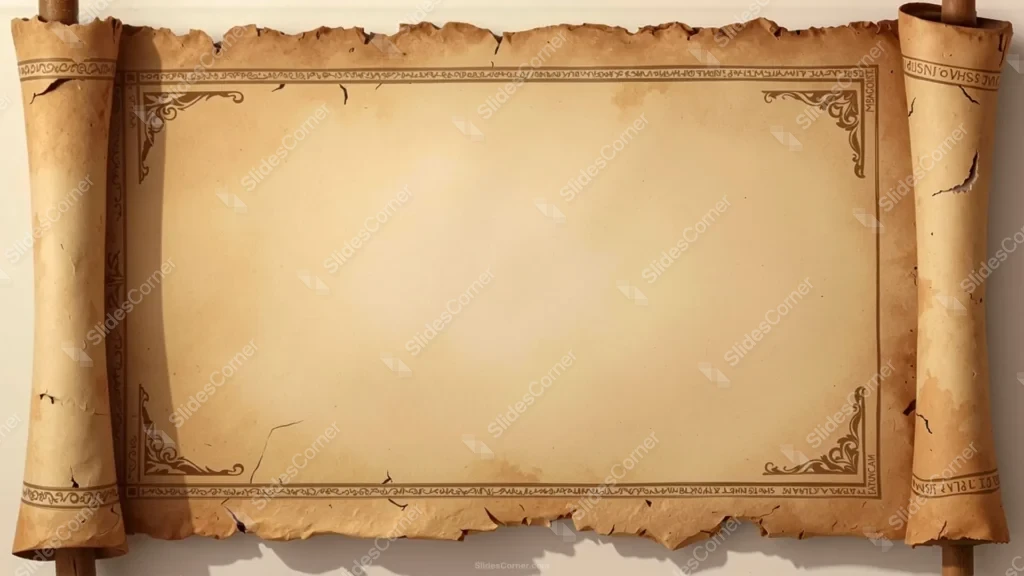
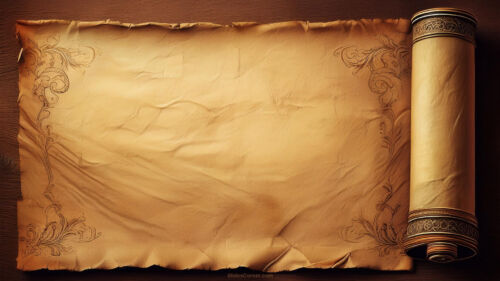
A presentation about the Middle Ages deserves visuals that instantly transport the audience to another era. This medieval history background for PowerPoint was created to recreate the appearance of an authentic parchment scroll, complete with aged paper, decorative borders, and worn edges inspired by medieval manuscripts. The design captures the atmosphere of historical documents while providing a clean, spacious layout that keeps your content readable.
Ideal for teachers, students, researchers, historians, and creative professionals, this free Background works perfectly in PowerPoint, Google Slides, and as a widescreen wallpaper for anyone who appreciates medieval aesthetics.
Why This Medieval History Background for PowerPoint Works So Well
Many medieval-themed backgrounds become difficult to use because they are filled with castles, knights, or dark illustrations that compete with presentation content. I approached this design differently. The scroll itself becomes the centerpiece, while the middle remains intentionally uncluttered to let your ideas take priority.
The composition resembles an ancient manuscript that has survived centuries. Rolled parchment on both sides frames the page naturally, while distressed edges, faded stains, and small cracks give the impression of genuine age. Decorative corner ornaments and an elegant border add medieval character without overwhelming the slide.
The result is a background that feels historical but remains practical for modern presentations.
The Design Decisions Behind This Medieval Scroll Background
Historical documents have a distinct visual language. Rather than relying on dramatic imagery, I focused on recreating the subtle details that make old manuscripts feel authentic.
The parchment uses soft shades of beige, antique gold, warm sand, and light sepia instead of darker browns. This choice keeps the slide bright enough for long presentations and improves text readability. I also left the central area almost free of texture because that’s where most users will place titles, timelines, quotations, or illustrations.
The decorative frame draws inspiration from illuminated manuscripts without copying any specific historical artwork. It provides visual elegance while maintaining generous margins around the content.
The rolled edges were designed to create depth and realism. They immediately communicate the idea of an ancient scroll, making the background suitable for medieval history while remaining versatile enough for literature, genealogy, mythology, or historical storytelling.
Best Uses for This Medieval History Background for PowerPoint
This design adapts easily to many educational and creative projects, including:
- Medieval history presentations
- European history lessons
- Castles and kingdoms projects
- Feudalism and knights presentations
- Manuscript and calligraphy lectures
- Literature inspired by the Middle Ages
- Genealogy presentations
- Fantasy world-building slides
- Museum exhibits
- Historical YouTube videos
- Desktop wallpaper
Features of This Free Presentation Background
This medieval history background for PowerPoint includes practical features for everyday use:
- HD 16:9 widescreen resolution
- Free download without watermark
- Compatible with PowerPoint
- Fully supported in Google Slides
- Suitable as desktop wallpaper
- Authentic vintage parchment texture
- Decorative medieval manuscript border
- Rolled scroll illustration on both sides
- Large blank writing area for titles and text
- Neutral colors designed for comfortable reading
How to Use This Background in PowerPoint
Adding the background to your presentation is simple.
- Download the HD image.
- Open your PowerPoint presentation.
- Select Design → Format Background.
- Choose Picture or Texture Fill.
- Insert the downloaded image.
- Apply it to one slide or the complete presentation.
The clean center provides an ideal location for titles, bullet points, maps, or historical illustrations while the decorative border remains visible around the edges.
How to Use It in Google Slides
The same file works seamlessly in Google Slides.
- Open your presentation.
- Select Background.
- Click Choose Image.
- Upload the downloaded background.
- Apply it to the current slide or the entire deck.
Dark brown, charcoal, or deep gray text pairs beautifully with the warm parchment colors and preserves excellent contrast.
Readability Tips for Medieval-Themed Presentations
One of my goals was making this background attractive without sacrificing usability. Decorative parchment should never make information harder to read.
For the best results:
- Keep text inside the central blank area.
- Use dark typography for maximum contrast.
- Leave generous margins between the border and your content.
- Pair the background with serif fonts for a classic academic style or clean sans-serif fonts for modern educational presentations.
- Avoid placing images directly over the ornamental corners so the frame remains visible.
The balanced composition makes each slide feel like an authentic page from a medieval manuscript while allowing the audience to focus on your message.
Download This Free Medieval History Background for PowerPoint
Whether you’re teaching medieval Europe, explaining feudal society, presenting historical research, or creating fantasy-inspired educational content, this medieval history background for PowerPoint provides an elegant foundation.
Its combination of realistic parchment texture, decorative manuscript border, and rolled scroll design creates a timeless appearance that works equally well for Presentation, Slides, PPT, classroom materials, or as a vintage wallpaper.
The HD 16:9 format ensures your slides look sharp on modern monitors, projectors, and widescreen displays.
FAQ
Is this medieval history background for PowerPoint free?
Yes. You can download it completely free, with no watermark.
Does it work in Google Slides?
Yes. It is fully compatible with both Google Slides and PowerPoint.
What resolution does this background have?
It is available in HD 16:9 widescreen resolution, making it suitable for presentations and desktop wallpapers.
Can I use this parchment background as wallpaper?
Absolutely. The high-resolution scroll design also works beautifully as a vintage desktop wallpaper.
Specs
- 1920 x 1080 px · 16:9 widescreen
- JPG, high quality, no compression artefacts
- PowerPoint · Google Slides · Keynote · Canva
- No watermark · no sign-up
- Free for personal and commercial use
You can use this Authentic Medieval Scroll Background for History and Classroom Presentations as a Wallpaper or use it as a background for slides.
Looking for something different? Browse all our free PPT Backgrounds, or see how to set a background in PowerPoint and Google Slides.