


Vintage Floral Background for Slides with Gold Scroll Frame
Free vintage floral background for slides with an ornate gold scroll frame on white.
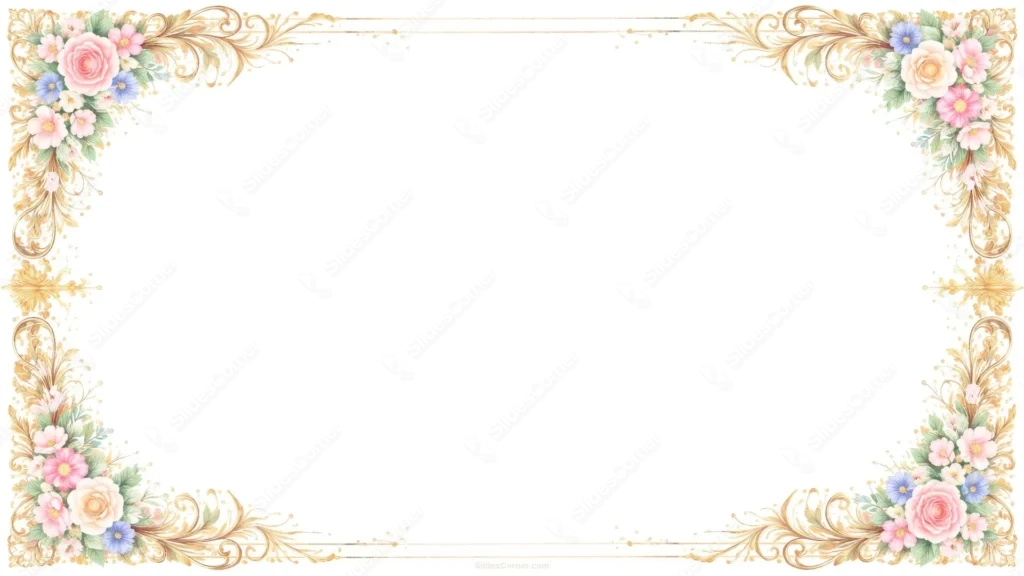
This vintage floral background for slides keeps the center pure white and lets an ornate gold scroll frame carry all the detail. The four corners mirror each other almost exactly: acanthus-leaf flourishes in gold, each holding a small bouquet of pink and peach roses, blush wildflowers, and a few periwinkle-blue accents.
A thin double gold line runs along the top and bottom edges, tying the corners together without adding a full border down the sides. That gap is deliberate. A frame on all four sides would start closing in on the slide; leaving the left and right edges open keeps the layout feeling like a proper invitation card rather than a cage.
Every corner repeats the same formula, roses, small blooms, leaves, gold filigree, but the flower mix shifts slightly corner to corner so the symmetry doesn’t feel copy-pasted.
What This Vintage Floral Background for Slides Fits
It’s built for wedding invitations, save-the-dates, formal event programs, anniversary slides, and any presentation styled after engraved stationery rather than a modern deck.
Because the center is fully blank and pure white, it also works as a certificate template, a formal thank-you slide, or a quote card, anywhere a classic, ornamental border matters more than color in the background itself.
Design Choices Behind the White and Gold Vintage Frame
I chose a true white center, rather than cream or blush, so the gold and floral corners would have maximum contrast to work with. Anything warmer would have muddied the metallic detail in the scrollwork.
The gold sits close to #C9A05A, warm but not too bright, since a harsher gold would compete with the pastel flowers instead of framing them. The roses range from a soft #F0B8C4 pink to a warmer peach near #F2D2B0, kept muted so the metallic linework stays the star of each corner.
Symmetry does a lot of the work here. Four matching corners read as formal and considered, the kind of layout you’d expect on a printed invitation, which is exactly the association I wanted this background to carry.
How to Apply It in PowerPoint
- Open your slide, go to Design > Format Background.
- Choose Picture or texture fill, then Insert from file and select the downloaded image.
- Click Apply to All for the whole deck, or use it on a single title or closing slide.
How to Apply It in Google Slides
- Open Slide > Change background.
- Click Choose image and upload the file from your computer.
- Select Done. Repeat on each slide you want to match, since Slides sets backgrounds one at a time.
Legibility Tip for This Floral Background
Keep text inside the open white center, well clear of all four corners. Dark charcoal, black, or deep gold text all read cleanly against the white; this background has enough contrast to support almost any dark text color.
Frequently Asked Questions
Is this vintage floral background for slides free?
Yes, it’s a free download with no watermark and no account required.
Does it work in Google Slides?
Yes. It’s a standard image file, so it uploads and applies the same way it does in PowerPoint.
What resolution is included?
1920×1080 px, HD 16:9, suited to slides and to a desktop or phone wallpaper.
Can I use it for something other than a wedding?
Yes, the plain white center and formal gold frame also suit certificates, invitations, and any classic, elegant presentation.
Features at a Glance
- HD 1920×1080 resolution, 16:9 ratio
- Free download, no watermark
- Pure white background with an ornate gold scroll frame
- Matching floral corners in pink, peach, and periwinkle blue
- Wide open center for titles, quotes, or event details
- Works as a PowerPoint background, Google Slides background, or wallpaper
Specs
- 1920 x 1080 px · 16:9 widescreen
- JPG, high quality, no compression artefacts
- PowerPoint · Google Slides · Keynote · Canva
- No watermark · no sign-up
- Free for personal and commercial use
You can use this Ornate Gold Vintage Floral Background for Wedding Slides as a Wallpaper or use it as a background for slides.
Looking for something different? Browse all our free PPT Backgrounds, or see how to set a background in PowerPoint and Google Slides.








