







Purple Blue Gradient Background For Google Slides With A Smooth Twilight Wave
A purple blue gradient background for Google Slides with a smooth twilight-style wave and clean surface.
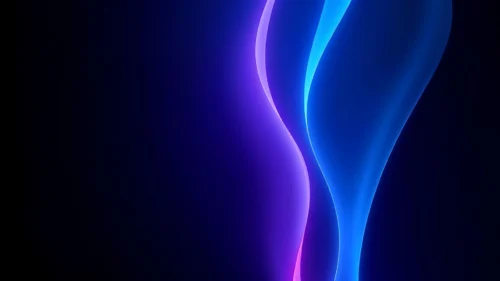
This background is for a slide that wants a cool, calm gradient with a bit of quiet movement. Deep magenta-purple settles into the left side and cools into rich navy blue on the right, with a single soft wave curving through the lower half of the frame. Free, HD, and watermark-free for Google Slides or PowerPoint.
What This Purple Blue Gradient Background Looks Like
The gradient shifts smoothly from a warm purple on the left into a cooler, deeper blue on the right, with no lines or grain layered on top, just a clean, continuous color shift reminiscent of twilight.
A single wave shape curves gently through the lower third of the frame, close in tone to the gradient around it, adding a sense of motion without becoming a distracting graphic element.
Where This Background Fits
This suits tech and SaaS pitch decks, night-event or music presentations, wellness and mindfulness slides, and any content that wants a cool, calm gradient without a harsh corporate feel.
Design Choices Behind This Smooth Twilight Wave
I kept the transition free of texture because purple and blue already sit close together on the color wheel, and a smooth blend between them reads as calm and cohesive, while added texture would only add visual noise to a pairing that’s already quiet.
The wave sits low and stays subtle in contrast, echoing the twilight feel of the color shift above it rather than pulling focus as a separate shape.
How to Apply This Background in Google Slides
- Download and unzip the file, then open your Google Slides presentation.
- Go to Slide, then Change background.
- Click Choose image and upload the downloaded file.
- Click Done, or apply it to the whole theme from the master slide for a consistent look.
How to Apply This Background in PowerPoint
- Open your PowerPoint presentation and go to the Design tab.
- Click Format Background, then Picture or texture fill.
- Select Insert picture from a file and choose the downloaded image.
- Click Apply to All to use it on every slide.
Legibility Tip for This Background
White or very pale text reads cleanly across both the purple and blue zones. Avoid dark navy or black text, since it loses contrast against the deeper blue side.
FAQ
Is this purple blue gradient background free? Yes, it’s a free download with no watermark and no attribution required.
Does it work in PowerPoint? Yes, it’s a standard image file, so it applies the same way in both Google Slides and PowerPoint.
What resolution is the file? It’s full HD at 1920×1080, so it stays sharp on any screen or projector.
Can I use this as a wallpaper? Yes, the smooth purple-to-blue twilight gradient works well as a calm desktop background too.
Features at a Glance
- Free HD 1920×1080 download, no watermark
- Smooth purple to navy blue gradient
- Subtle wave detail in the lower third
- No texture or lines, clean and unbroken surface
- Works in Google Slides, PowerPoint, and as a wallpaper
- Cool, calm mood suited to tech and wellness decks
Specs
- 1920 x 1080 px · 16:9 widescreen
- JPG, high quality, no compression artefacts
- PowerPoint · Google Slides · Keynote · Canva
- No watermark · no sign-up
- Free for personal and commercial use
You can use this Cool Purple Blue Gradient Background With A Smooth Twilight Wave For Presentations as a Wallpaper or use it as a background for slides.
Looking for something different? Browse all our free PPT Backgrounds, or see how to set a background in PowerPoint and Google Slides.








