PPT Background for Kids with Cartoon Animals and a Rainbow
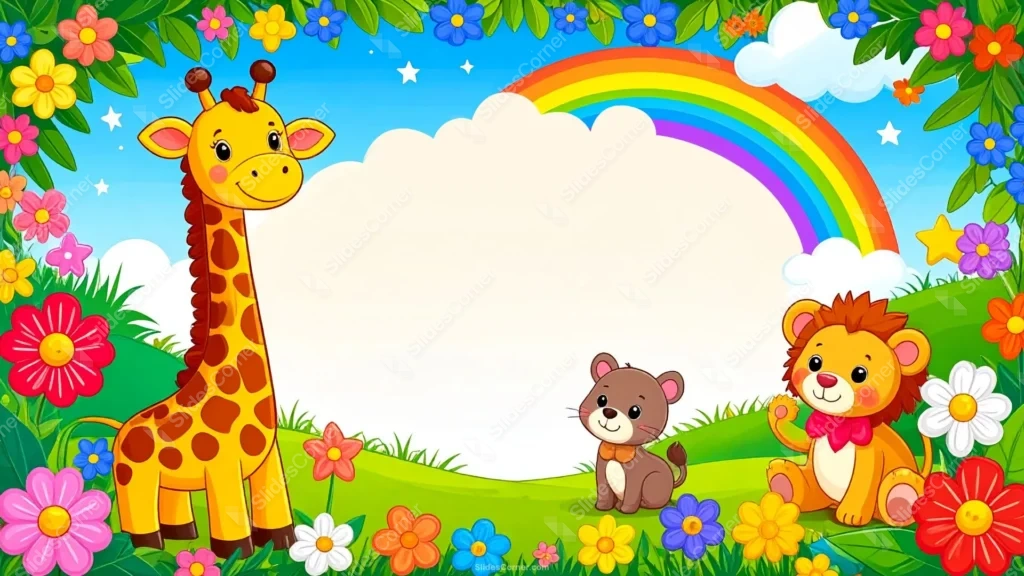
Free PPT background for kids—cartoon animals, a rainbow, and flowers around an open center, HD 16:9 for Slides, PPT, or wallpaper.
This PPT background for kids turns any slide into a cheerful little world: a friendly giraffe, a baby lion, and a curious kitten sit among bright flowers under a rainbow and a blue, cloud-dotted sky. Colorful blooms frame every edge — red, yellow, blue, purple, pink — and a big soft cream cloud fills the center, leaving a clean, open space to write on. It’s playful and busy at the border but calm right where your words need to go.
I built this as a frame for a reason: kids’ slides need color and a place to read. The flowers, animals, and rainbow crowd the edges to bring energy and fun, while that pale cream center stays deliberately empty so a title, a question, or a name reads clearly on top. I kept the characters cute and rounded — big eyes, soft smiles, gentle colors — so it feels warm and welcoming for young children rather than sharp or cartoonish in a harsh way. The palette is bright but balanced, cheerful without turning into visual chaos.
What this PPT background for kids is
This is a free, high-definition 16:9 background with no watermark, sized for slides and screens. It works as a title slide, a section divider, a classroom activity slide, or a full wallpaper for a laptop or tablet. It’s built for PowerPoint, Google Slides, and Keynote, and exports cleanly to a JPG you can set as a desktop image.
Where I pictured you using it
I designed this kids background for playful, friendly, child-focused content. It fits:
- Preschool, kindergarten, and primary presentation slides
- Classroom lessons, story time, and activity PPT decks
- Kids’ birthday, party, and invitation slides
- Nursery, daycare, and early-learning Slides
- Reading, spelling, and number games for young children
- Sunday school and children’s club material
- Kids’ quizzes and fun PowerPoint review rounds
- Parenting, tutoring, and homeschool presentations
- A cheerful wallpaper for a kid’s laptop or tablet
- Any Background where fun and friendliness beat a formal look
The design decision I care about most: readability for young readers
A busy kids’ background has to stay readable, so here’s how I planned it. The cream center is your text zone — keep every word inside it and off the flowers and animals, where the color would break up the letters. Because that center is pale, use a dark, chunky font: navy, dark brown, deep green, or bright primary colors all pop and stay fun. Rounded, bold display fonts suit this style far better than thin or elegant ones. Go a size larger than usual too; kids read bigger type more easily, and a big friendly headline matches the mood. Skip pale or pastel text — it disappears on the cream.
How to apply this PPT background for kids in PowerPoint and Google Slides
In PowerPoint: open your deck, go to Design → Format Background → Picture or texture fill → Insert → From a File, and select the JPG. Choose Apply to All to use it across the deck, or keep it on the title slide only. Add a text box in the cream center and set the font to a dark, bold color so it stands out.
In Google Slides: open Slide → Change background, click Choose image, upload the JPG, then pick Add to theme to apply it deck-wide or Done for a single slide. Insert a text box in the center and switch the text color to navy or dark brown under Format → Format options.
Readability tip that saves most kids’ decks: keep text in the open center and make it big and bold. On a colorful, playful background, a large dark headline is the one thing every child at the back can still read.
FAQ
Is this PPT background for kids free?
Yes. It’s a free download with no watermark, ready for personal, classroom, and everyday presentation projects.
Does it work in Google Slides?
Yes. Upload the JPG through Slide → Change background. It also works in PowerPoint and Keynote the same way.
What resolution is it?
It’s HD 16:9, sized for widescreen slides and standard laptop and monitor screens.
Can I use it as a wallpaper?
Absolutely. Set the JPG as a desktop or tablet wallpaper for a fun, colorful look between slides.
Specs
- 1920 x 1080 px · 16:9 widescreen
- JPG, high quality, no compression artefacts
- PowerPoint · Google Slides · Keynote · Canva
- No watermark · no sign-up
- Free for personal and commercial use
You can use this Cheerful Cartoon Animal PPT Background for Fun Classroom Kids Slides as a Wallpaper or use it as a background for slides.
Looking for something different? Browse all our free PPT Backgrounds, or see how to set a background in PowerPoint and Google Slides.