







Pastel Silk Background For Google Slides With Diagonal Ribbon Waves
Free pastel silk background for Google Slides with flowing diagonal ribbon waves in lilac, peach, and white.
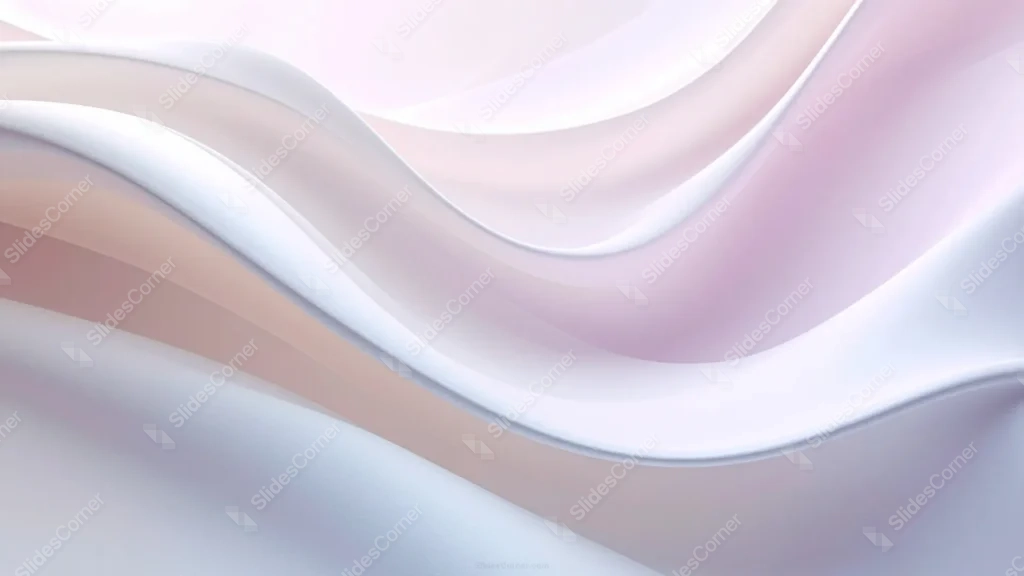
This pastel silk background for Google Slides stacks flowing 3D ribbons diagonally across the entire frame, in soft lilac, blush peach, and white.
Unlike a piece with one dune-like peak against open sky, this one fills edge to edge with layered silk, leaving no plain negative space.
What This Pastel Silk Background Looks Like
Wide, smooth ribbon bands run diagonally from the lower-left toward the upper-right, each one catching a slightly different highlight along its curve.
The palette stays close together, lilac-gray, soft blush peach, and white, rather than spanning a wide range of contrasting hues.
There’s no flat sky area anywhere in the frame, every part of the image is filled with the rolling, ribbon-like folds.
Where This Pastel Silk Background For Google Slides Fits
Its quiet, close-toned palette suits beauty and wellness brands, creative portfolios, and any deck wanting texture without a sharp color contrast.
It also works well as a section divider or closing slide, where a subtle, dimensional backdrop feels calming rather than busy.
Design Choices Behind the Ribbon Layers
I ran the silk as full-bleed diagonal ribbons stacked edge to edge, instead of isolating a single peak against open sky, so color fills the entire frame with no plain negative space.
Keeping the palette closer together this time, lilac-gray, blush peach, and soft white, gives it a quieter, more subdued pastel feel than a high-contrast blue-to-pink range would.
Letting each ribbon layer catch a slightly different highlight along its curve keeps the piece dimensional, even without one dominant light source to anchor it.
How to Apply It in Google Slides
- Open Slide > Change background.
- Click Choose image and upload the downloaded file.
- Select Done, repeating on each slide you want to match.
How to Apply It in PowerPoint
- Go to Design > Format Background.
- Choose Picture or texture fill, then Insert from file.
- Click Apply to All for the whole deck.
Legibility Tip for This Pastel Silk Background
Use dark plum or charcoal text over the lighter white ribbon bands, where contrast is strongest and most consistent.
Frequently Asked Questions
Is this pastel silk background free?
Yes, it’s a free download with no watermark and no account required.
Does it work in PowerPoint too?
Yes, it’s a standard image file, so it applies the same way in both PowerPoint and Google Slides.
What resolution is included?
1920×1080 px, HD 16:9, suited to slides and to a desktop or phone wallpaper.
Can I use it as a wallpaper?
Yes, the 16:9 ratio matches most laptop and desktop screens.
Features at a Glance
- HD 1920×1080 resolution, 16:9 ratio
- Free download, no watermark
- Full-bleed diagonal 3D silk ribbon layers
- Close-toned lilac, peach, and white palette
- No flat sky area, fully filled frame
- Works as a Google Slides background, PowerPoint background, or wallpaper
Specs
- 1920 x 1080 px · 16:9 widescreen
- JPG, high quality, no compression artefacts
- PowerPoint · Google Slides · Keynote · Canva
- No watermark · no sign-up
- Free for personal and commercial use
You can use this Flowing Diagonal Silk Ribbons in Soft Lilac Pastel as a Wallpaper or use it as a background for slides.
Looking for something different? Browse all our free PPT Backgrounds, or see how to set a background in PowerPoint and Google Slides.







