


Aesthetic Pastel Background For PowerPoint With Tonal Leaf Outlines
Download this free aesthetic pastel background for PowerPoint in peach and sage tones.
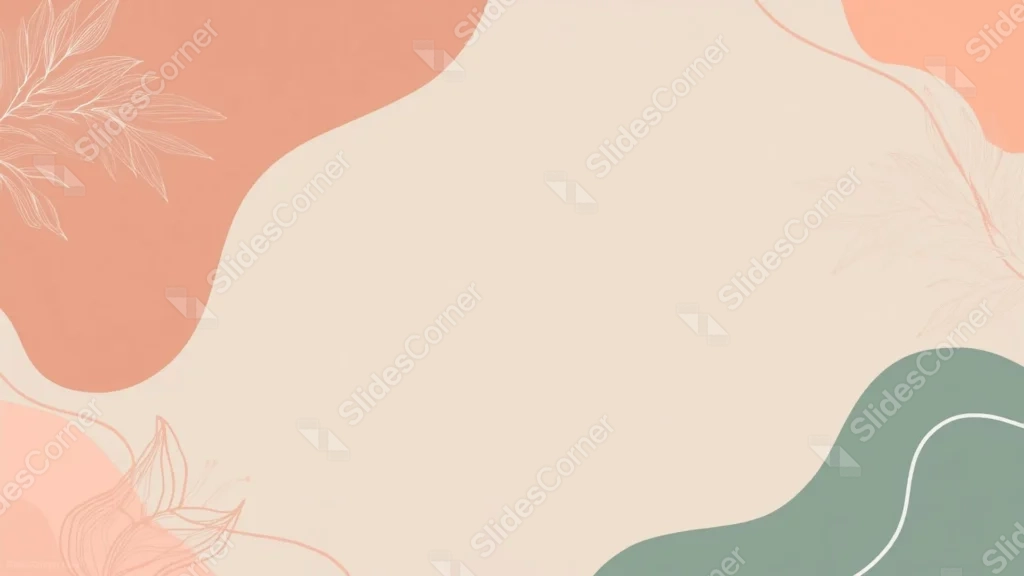
This aesthetic pastel background for PowerPoint pairs warm coral and terracotta blobs with a sage green wave, each one traced in its own tonal leaf line art.
A large, open beige center sits between them, left clear of any pattern.
What This Aesthetic Pastel Background Looks Like
A large terracotta blob fills the top left, with a light, single-tone leaf sprig traced over it in a paler cream line.
A smaller coral shape sits at the top right, echoed by a peach blob at the bottom left, both carrying the same soft, monochrome leaf outlines.
A sage green wave curves through the bottom right corner, crossed by a single thin white line, balancing the warm tones with something cooler.
Where This Aesthetic Pastel Background For PowerPoint Fits
- Lifestyle, wellness, or personal branding decks
- Boho-styled portfolios and mood boards
- Workshop or course slides wanting a calm, friendly tone
- Any title slide needing a soft, uncluttered center
Design Choices Behind the Tonal Leaf Outlines
I kept each blob’s leaf line art in a single tone, lighter or darker than the shape beneath it, rather than switching to a contrasting color, so each corner reads as one cohesive piece.
Pairing warm coral and terracotta with a cool sage green diagonally across the frame keeps the palette balanced instead of leaning entirely into one temperature.
I left the beige center large and completely unbroken, since the blobs already carry enough visual interest without needing a pattern in the middle too.
How to Apply It in PowerPoint
- Go to Design > Format Background.
- Choose Picture or texture fill, then Insert from file.
- Click Apply to All to use it across the whole deck.
How to Apply It in Google Slides
- Open Slide > Change background.
- Click Choose image and upload the downloaded file.
- Select Done, repeating on any other slides you want to match.
Legibility Tip for This Aesthetic Pastel Background
Keep text in the open beige center, using a dark brown or charcoal font so it reads clearly against the light background.
Frequently Asked Questions
Is this aesthetic pastel background free?
Yes, it’s a free download with no watermark and no account required.
Does it work in Google Slides too?
Yes, it’s a standard image file, so it applies the same way in both PowerPoint and Google Slides.
What resolution is included?
1920×1080 px, HD 16:9, suited to slides and to a desktop or phone wallpaper.
Can I use it as a wallpaper?
Yes, the 16:9 ratio matches most laptop and desktop screens.
Features at a Glance
- HD 1920×1080 resolution, 16:9 ratio
- Free download, no watermark
- Coral, terracotta, and sage green organic blobs
- Tonal, single-color leaf line art in each corner
- Large, unbroken open center for text
- Works as a PowerPoint background, Google Slides background, or wallpaper
Specs
- 1920 x 1080 px · 16:9 widescreen
- JPG, high quality, no compression artefacts
- PowerPoint · Google Slides · Keynote · Canva
- No watermark · no sign-up
- Free for personal and commercial use
You can use this Dreamy Aesthetic Pastel Background For PowerPoint Presentations as a Wallpaper or use it as a background for slides.
Looking for something different? Browse all our free PPT Backgrounds, or see how to set a background in PowerPoint and Google Slides.