You might also like:


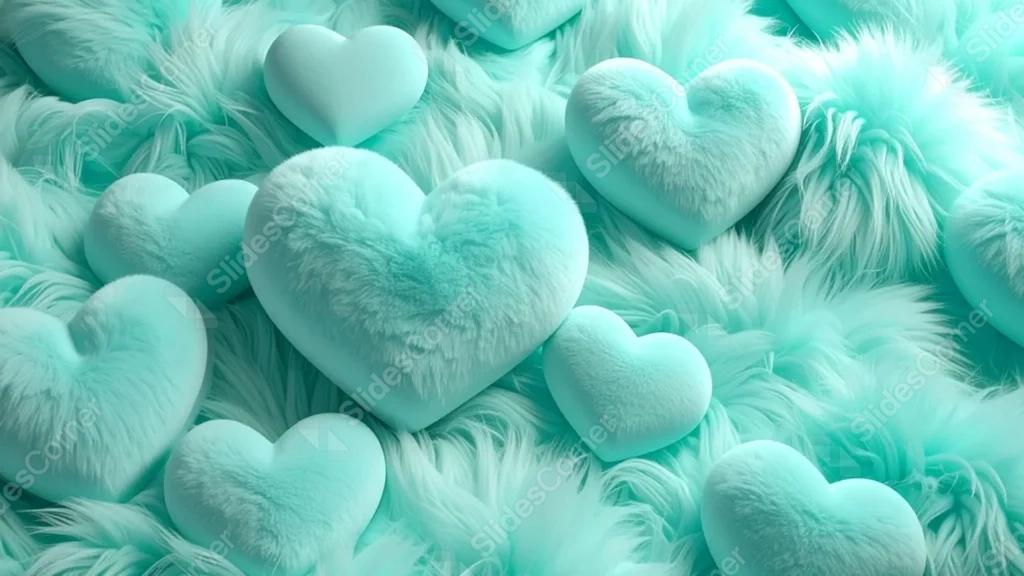
This background is for a slide that wants to feel soft and huggable. Dozens of puffy, 3D teal-mint hearts sit nestled in a bed of long, fluffy fur, each one catching a gentle highlight that makes them look almost touchable. Free, HD, and watermark-free for Google Slides or PowerPoint.
What This Fluffy Heart Background Looks Like
The hearts vary in size and texture, some smooth and velvety, others covered in the same shaggy fur as the surface beneath them, all in matching shades of mint and seafoam.
Every heart is packed edge to edge across the frame, resting in thick, wavy strands of fur that catch soft highlights, giving the whole scene a plush, close-up, tactile feel.
Where This Background Fits
It suits cute or kawaii-themed decks, Valentine’s content aimed at a younger audience, plush or toy product presentations, and playful social media templates.
Design Choices Behind This Plush Heart Texture
I chose a single mint tone across every heart and the fur beneath them, rather than mixing colors, so the texture itself becomes the focus instead of a busy palette.
Packing the hearts edge to edge, with no plain background showing through, was deliberate: this one is meant to work as a full-bleed decorative pattern behind a text box or logo, not as a frame with open space.
How to Apply This Background in Google Slides
- Download and unzip the file, then open your Google Slides presentation.
- Go to Slide, then Change background.
- Click Choose image and upload the downloaded file.
- Click Done, or apply it from the master slide for a consistent look across the deck.
How to Apply This Background in PowerPoint
- Open your PowerPoint presentation and go to the Design tab.
- Click Format Background, then Picture or texture fill.
- Select Insert picture from a file and choose the downloaded image.
- Click Apply to All to use it on every slide.
Legibility Tip for This Background
Since the texture covers the whole frame, place text inside a solid white or dark card, or add a subtle drop shadow, rather than setting text directly over the fur.
FAQ
Is this heart background free? Yes, it’s a free download with no watermark and no attribution required.
Does it work in PowerPoint? Yes, it’s a standard image file, so it applies the same way in both Google Slides and PowerPoint.
What resolution is the file? It’s full HD at 1920×1080, so it stays sharp on any screen or projector.
Can I use this as a wallpaper? Yes, the plush texture and mint color make it a cute, cozy desktop background.
Features at a Glance
- Free HD 1920×1080 download, no watermark
- Puffy 3D mint hearts packed edge to edge
- Soft, shaggy fur texture throughout
- Consistent mint and seafoam color palette
- Works in Google Slides, PowerPoint, and as a wallpaper
- Suited to cute, kawaii, and plush-themed decks
Specs
- 1920 x 1080 px · 16:9 widescreen
- JPG, high quality, no compression artefacts
- PowerPoint · Google Slides · Keynote · Canva
- No watermark · no sign-up
- Free for personal and commercial use
You can use this Plush Mint Fur Heart Background For Google Slides as a Wallpaper or use it as a background for slides.
Looking for something different? Browse all our free PPT Backgrounds, or see how to set a background in PowerPoint and Google Slides.