You might also like:
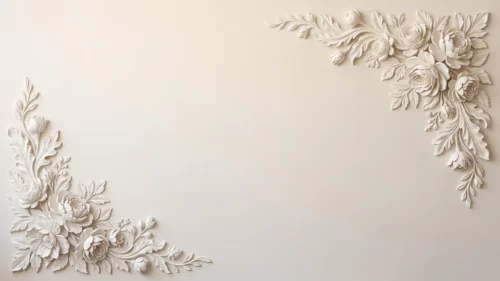




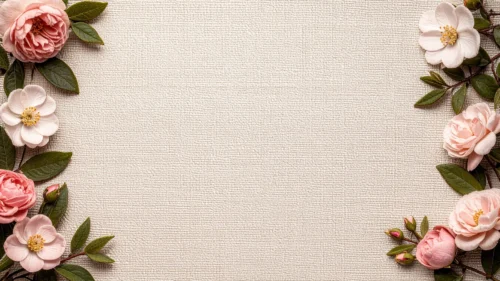
This background is for a slide that wants romance without heaviness. A cluster of painterly pink roses spills across the lower left corner, their petals rendered in soft watercolor detail, while the rest of the frame dissolves into a glowing, sparkling bokeh haze. Free, HD, and watermark-free for PowerPoint or Google Slides.
What This Watercolor Roses Background Looks Like
Several full-bloom roses in shades of blush and coral overlap with smaller buds and soft green leaves, painted with a delicate, hand-blended watercolor texture rather than a flat photo look.
Beyond the flowers, tiny points of light drift across a warm cream-to-pink gradient, giving the open right side a soft, out-of-focus bokeh glow that feels closer to golden hour than a plain color fill.
Where This Background Fits
It suits wedding and engagement decks, Mother’s Day or Valentine’s content, beauty and skincare brand presentations, and any slide that wants a soft, feminine, romantic mood.
Design Choices Behind This Bokeh Rose Scene
I anchored the roses in the lower left corner instead of centering them, so the entire right two-thirds of the slide stays open and quiet, ready for a title or a few lines of text without any petals underneath.
The scattered bokeh sparkle was the detail I cared about most here: it keeps the empty space from feeling flat or unfinished, giving it a gentle shimmer instead of a plain gradient fade.
How to Apply This Background in PowerPoint
- Open your PowerPoint presentation and go to the Design tab.
- Click Format Background, then Picture or texture fill.
- Select Insert picture from a file and choose the downloaded image.
- Click Apply to All to use it on every slide.
How to Apply This Background in Google Slides
- Download and unzip the file, then open your Google Slides presentation.
- Go to Slide, then Change background.
- Click Choose image and upload the downloaded file.
- Click Done, or apply it from the master slide for a consistent look across the deck.
Legibility Tip for This Background
Keep your text in the open right side of the frame, away from the roses. Deep rose, burgundy, or dark gray text reads cleanly against the pale bokeh glow.
FAQ
Is this watercolor roses background free? Yes, it’s a free download with no watermark and no attribution required.
Does it work in Google Slides? Yes, it’s a standard image file, so it applies the same way in both Google Slides and PowerPoint.
What resolution is the file? It’s full HD at 1920×1080, so it stays sharp on any screen or projector.
Can I use this as a wallpaper? Yes, the soft roses and sparkling bokeh glow make it a pretty desktop background too.
Features at a Glance
- Free HD 1920×1080 download, no watermark
- Painterly watercolor pink roses in the lower left corner
- Sparkling bokeh glow across the open right side
- Soft blush-to-cream color palette
- Works in PowerPoint, Google Slides, and as a wallpaper
- Suited to romantic, wedding, and beauty-themed decks
Specs
- 1920 x 1080 px · 16:9 widescreen
- JPG, high quality, no compression artefacts
- PowerPoint · Google Slides · Keynote · Canva
- No watermark · no sign-up
- Free for personal and commercial use
You can use this Dreamy Watercolor Rose Background For PowerPoint as a Wallpaper or use it as a background for slides.
Looking for something different? Browse all our free PPT Backgrounds, or see how to set a background in PowerPoint and Google Slides.