You might also like:


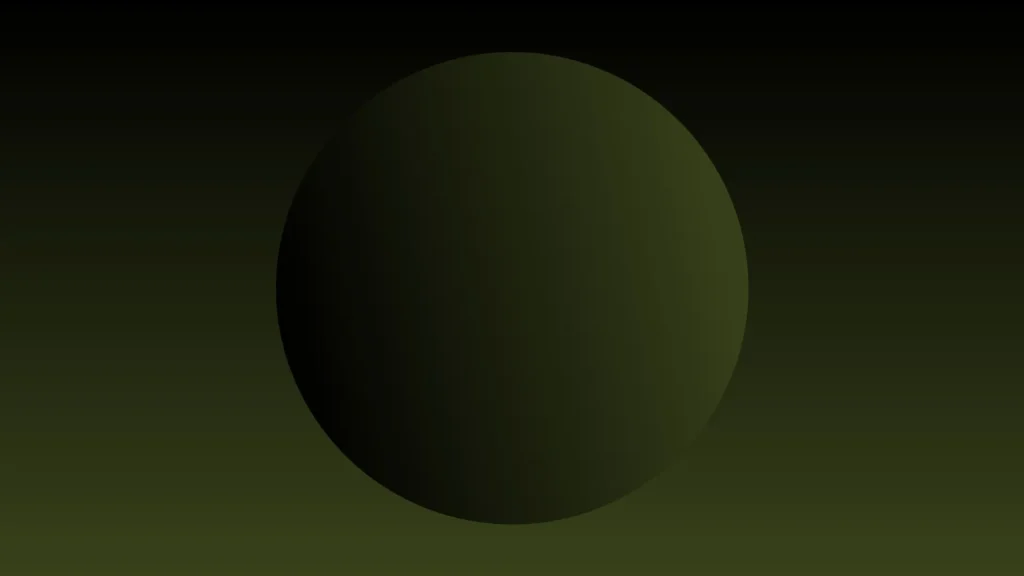
This background is for a slide that wants a single strong shape rather than a busy scene. A smooth, glowing dark green 3D sphere sits centered against a gradient that deepens to near black at the top and warms into an olive green toward the bottom edge. Free, HD, and watermark-free for PowerPoint or Google Slides.
What This Dark Sphere Background Looks Like
The sphere reads like a shadowed planet, dark and nearly black on its left edge, picking up a soft olive-green glow along its lower right curve where the implied light source catches it.
The background around it isn’t flat black either; it holds the same dark-to-olive gradient as the sphere, so the shape sits naturally in its surroundings instead of looking pasted onto a plain backdrop.
Where This Background Fits
This suits sustainability and environmental presentations, tech or science decks that want an earthier palette than blue, night-mode product slides, or any title screen built around one calm, dimensional shape.
Design Choices Behind This Glowing Sphere
I chose olive green over the more common blue or purple for this sphere because it reads as grounded and organic rather than purely technical, which opens it up to sustainability and nature-adjacent content as easily as tech.
Keeping the sphere as the sole subject, with the background echoing its exact color story, was deliberate: it makes the whole image feel like one cohesive object rather than a shape sitting on top of an unrelated color. That cohesion is what keeps a very simple composition from feeling sparse.
How to Apply This Background in PowerPoint
- Download and unzip the file, then open your PowerPoint presentation.
- Go to the Design tab and click Format Background.
- Choose Picture or texture fill, then Insert picture from a file, and select the downloaded image.
- Click Apply to All to use it across the whole deck, or leave it on a single slide.
How to Apply This Background in Google Slides
- Open your presentation and go to Slide, then Change background.
- Click Choose image and upload the downloaded file.
- Click Done to apply it to the current slide.
- To apply it across every slide, make the change from the master theme instead.
Legibility Tip for This Background
Place your title in the open space around the sphere rather than directly over it. White or pale cream text reads cleanly against the dark background anywhere in the frame.
FAQ
Is this dark sphere background free? Yes, it’s a free download with no watermark and no attribution required.
Does it work in Google Slides? Yes, it uploads directly as a custom background image, no conversion needed.
What resolution is the file? It’s full HD at 1920×1080, so it stays sharp on any screen or projector.
Can I use this as a wallpaper? Yes, the dark, understated composition works well as a desktop background too.
Features at a Glance
- Free HD 1920×1080 download, no watermark
- Single glowing 3D sphere in dark olive green
- Matching black-to-green gradient backdrop
- Soft directional highlight for real dimension
- Works in PowerPoint, Google Slides, and as a wallpaper
- Grounded, earthy mood suited to sustainability and nature-adjacent decks
Specs
- 1920 x 1080 px · 16:9 widescreen
- JPG, high quality, no compression artefacts
- PowerPoint · Google Slides · Keynote · Canva
- No watermark · no sign-up
- Free for personal and commercial use
You can use this Grounded Dark Sphere Background With A Glowing Olive-Green Orb For Presentations as a Wallpaper or use it as a background for slides.
Looking for something different? Browse all our free PPT Backgrounds, or see how to set a background in PowerPoint and Google Slides.