

You might also like:
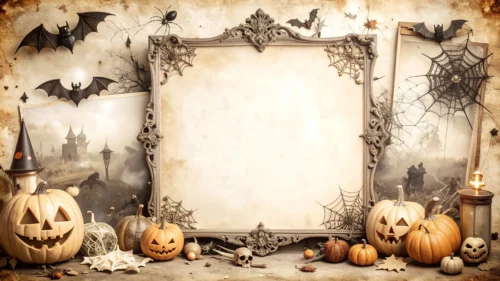
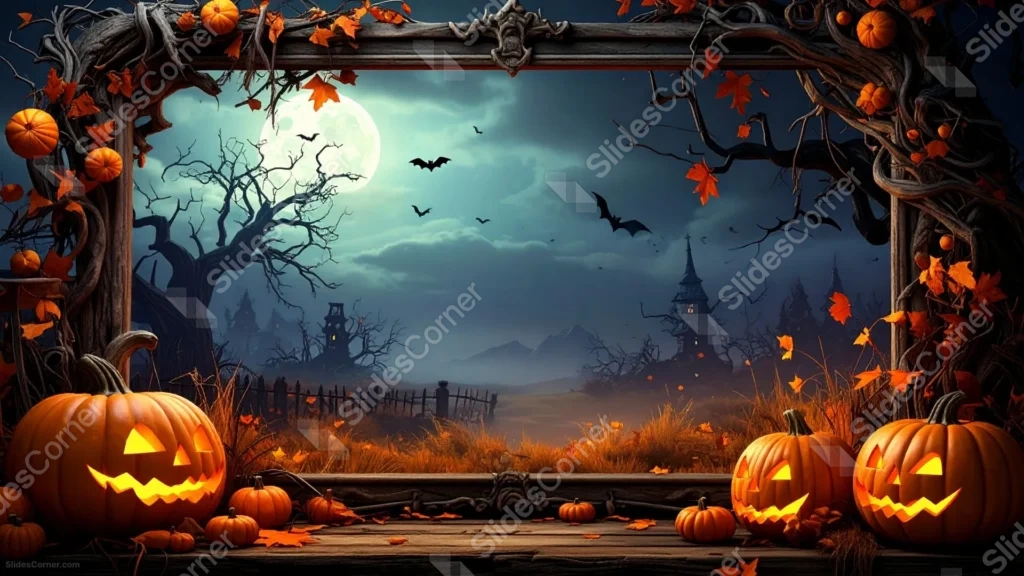
This spooky Halloween frame background for PowerPoint sets a haunted night scene inside a thick, carved wooden frame twisted with dead vines and hanging pumpkins.
Through the frame, a bare tree and a distant tower sit beneath a huge glowing moon, while jack-o-lanterns and dry leaves crowd a wooden ledge in the foreground.
What This Spooky Halloween Frame Background Looks Like
A heavy, ornately carved wooden frame borders the entire image, its top corners studded with small pumpkins tangled in bare vines and orange leaves.
Looking through the frame, a massive pale moon glows behind drifting fog and circling bats, silhouetting a gnarled dead tree and a distant, tower-topped haunted house.
On the wooden ledge at the bottom, several glowing carved pumpkins of different sizes sit among scattered autumn leaves.
Where This Spooky Halloween Frame Background For PowerPoint Fits
- Haunted house, ghost story, or horror-themed presentations
- Halloween party invitations and countdown decks
- Gothic or dark-academia style slides
- A desktop wallpaper for anyone who loves a moody haunted-house scene
Design Choices Behind This Haunted Frame
I built a real, dimensional wooden frame around the scene, rather than a flat illustrated border, so the whole image reads like you’re looking through an actual old window.
Placing the moon large and slightly off-center gives the eye a bright anchor point to land on before it travels down to the pumpkins and distant house.
I let fog and shadow fill most of the middle ground on purpose, since a scene this detailed benefits from a few quiet, hazy zones rather than sharp detail everywhere at once.
How to Apply It in PowerPoint
- Go to Design > Format Background.
- Choose Picture or texture fill, then Insert from file.
- Click Apply to All to carry it across the whole deck.
How to Apply It in Google Slides
- Open Slide > Change background.
- Click Choose image and upload the downloaded file.
- Select Done, repeating on any other slides you want to match.
Legibility Tip for This Spooky Halloween Frame Background
Place your headline in the foggy sky just above the moon, using a light gray or white font, since that’s the softest, most even part of the scene.
Frequently Asked Questions
Is this spooky Halloween frame background free?
Yes, it’s a free download with no watermark and no account required.
Does it work in Google Slides too?
Yes, it’s a standard image file, so it applies the same way in both PowerPoint and Google Slides.
What resolution is included?
1920×1080 px, HD 16:9, suited to slides and to a desktop or phone wallpaper.
Can I use it as a wallpaper?
Yes, the 16:9 ratio and full-frame detail make it a striking desktop wallpaper.
Features at a Glance
- HD 1920×1080 resolution, 16:9 ratio
- Free download, no watermark
- Carved wooden frame with vines and hanging pumpkins
- Glowing moon, bats, and a distant haunted house
- Foreground jack-o-lanterns on a wooden ledge
- Works as a PowerPoint background, Google Slides background, or wallpaper
Specs
- 1920 x 1080 px · 16:9 widescreen
- JPG, high quality, no compression artefacts
- PowerPoint · Google Slides · Keynote · Canva
- No watermark · no sign-up
- Free for personal and commercial use
You can use this Haunted Spooky Halloween Frame Background For PowerPoint as a Wallpaper or use it as a background for slides.
Looking for something different? Browse all our free PPT Backgrounds, or see how to set a background in PowerPoint and Google Slides.








