You might also like:

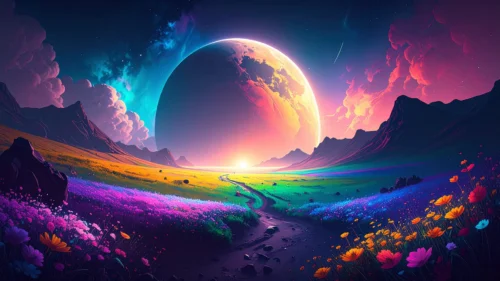
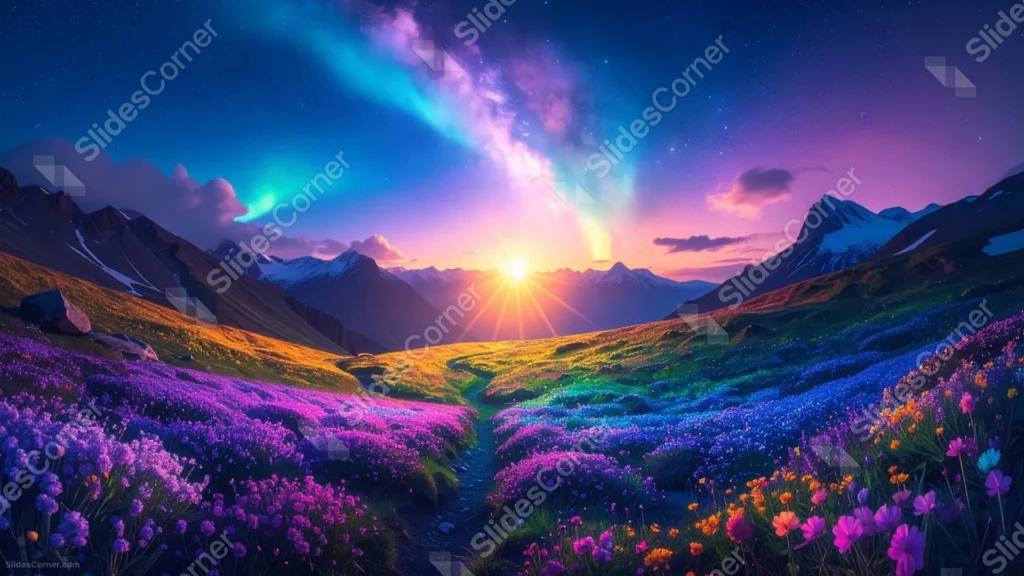
This aurora landscape background for PowerPoint pairs a glowing sunrise between snow-capped peaks with a sky streaked in purple and teal aurora light.
Below the mountains, a valley of wildflowers in purple, blue, and orange spills down toward a narrow winding path.
What This Aurora Landscape Background Looks Like
A bright sunburst sits low on the horizon, framed by dark mountain silhouettes with patches of snow still clinging to their upper slopes.
Above it, a starry sky opens into ribbons of aurora and a hazy band of Milky Way-like color, moving from deep blue into pink and violet.
The foreground is a dense hillside of wildflowers, with a dirt path cutting through the middle and leading the eye straight toward the light.
Where This Aurora Landscape Background For PowerPoint Fits
- Travel, nature, or outdoor adventure presentations
- Wellness, mindfulness, or inspirational talks
- Fantasy, storytelling, or creative writing decks
- A desktop wallpaper for anyone who likes big, dreamy skies
Design Choices Behind This Aurora Landscape
I placed the sun directly on the horizon line, centered between the two mountain ranges, so it acts as a natural focal point that pulls the eye through the whole scene.
The flower colors were chosen to echo the aurora above them, purple and blue in the flowers answering the same tones in the sky, so the image feels unified top to bottom rather than split into two unrelated halves.
Because this scene has color and detail across the entire frame, I built it as a full wallpaper-style image rather than one with an empty text zone.
How to Apply It in PowerPoint
- Go to Design > Format Background.
- Choose Picture or texture fill, then Insert from file.
- Click Apply to All to carry it across the whole deck.
How to Apply It in Google Slides
- Open Slide > Change background.
- Click Choose image and upload the downloaded file.
- Select Done, repeating on any other slides you want to match.
Legibility Tip for This Aurora Landscape Background
Since color and detail fill the whole frame, add a semi-transparent dark box or a text shadow behind your headline so it stays readable against the sky and flowers.
Frequently Asked Questions
Is this aurora landscape background free?
Yes, it’s a free download with no watermark and no account required.
Does it work in Google Slides too?
Yes, it’s a standard image file, so it applies the same way in both PowerPoint and Google Slides.
What resolution is included?
1920×1080 px, HD 16:9, suited to slides and to a desktop or phone wallpaper.
Can I use it as a wallpaper?
Yes, the 16:9 ratio and full-frame detail make it a great desktop wallpaper.
Features at a Glance
- HD 1920×1080 resolution, 16:9 ratio
- Free download, no watermark
- Sunrise between snow-capped mountains
- Aurora and Milky Way-style night sky
- Foreground valley of purple, blue, and orange wildflowers
- Works as a PowerPoint background, Google Slides background, or wallpaper
Specs
- 1920 x 1080 px · 16:9 widescreen
- JPG, high quality, no compression artefacts
- PowerPoint · Google Slides · Keynote · Canva
- No watermark · no sign-up
- Free for personal and commercial use
You can use this Magical Aurora Landscape Background For PowerPoint as a Wallpaper or use it as a background for slides.
Looking for something different? Browse all our free PPT Backgrounds, or see how to set a background in PowerPoint and Google Slides.