You might also like:
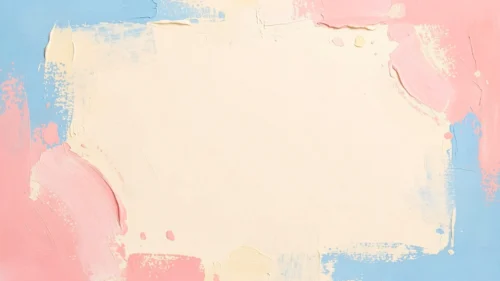




This aesthetic pastel background for PowerPoint covers all four corners in soft organic shapes, coral and rose pink twice over, mustard, and sage-gray, each threaded with clusters of parallel coral lines.
Small dot and pixel patterns scatter across two corners, and a wide cream center stays completely open.
What This Aesthetic Pastel Background Looks Like
Rose pink shapes fill the top left and lower left, a warm mustard shape curves through the top right, and a soft sage-gray shape settles into the bottom right.
Dense clusters of parallel lines run through several of the shapes, giving them a ridged, almost fabric-like texture instead of a flat fill.
Small clusters of dots and tiny pixel squares scatter near the top left and lower right, adding a light grain to the open cream center without introducing new color.
Where This Aesthetic Pastel Background For PowerPoint Fits
- Lifestyle, wellness, or personal branding decks
- Modern, minimal-styled portfolios and mood boards
- Workshop or course slides wanting a calm, contemporary tone
- Any title slide needing a soft, uncluttered center
Design Choices Behind the Ridged Line Clusters
I swapped out botanical line art for dense clusters of parallel contour lines instead, so the shapes read as ridged fabric or terrain rather than illustrated foliage.
Scattering small dot and pixel patterns across two of the corners, instead of leaving them plain, gives those shapes a bit of grain without adding another color to the palette.
I covered all four corners in this version, pink twice, mustard, and sage-gray, so the open cream center reads as a true clearing surrounded on every side.
How to Apply It in PowerPoint
- Go to Design > Format Background.
- Choose Picture or texture fill, then Insert from file.
- Click Apply to All to use it across the whole deck.
How to Apply It in Google Slides
- Open Slide > Change background.
- Click Choose image and upload the downloaded file.
- Select Done, repeating on any other slides you want to match.
Legibility Tip for This Aesthetic Pastel Background
Keep text in the open cream center, using a dark charcoal or deep rose font so it reads clearly against the light background.
Frequently Asked Questions
Is this aesthetic pastel background free?
Yes, it’s a free download with no watermark and no account required.
Does it work in Google Slides too?
Yes, it’s a standard image file, so it applies the same way in both PowerPoint and Google Slides.
What resolution is included?
1920×1080 px, HD 16:9, suited to slides and to a desktop or phone wallpaper.
Can I use it as a wallpaper?
Yes, the 16:9 ratio matches most laptop and desktop screens.
Features at a Glance
- HD 1920×1080 resolution, 16:9 ratio
- Free download, no watermark
- Four organic corner shapes in pink, mustard, and sage-gray
- Dense parallel line clusters for a ridged texture
- Scattered dot and pixel accents
- Works as a PowerPoint background, Google Slides background, or wallpaper
Specs
- 1920 x 1080 px · 16:9 widescreen
- JPG, high quality, no compression artefacts
- PowerPoint · Google Slides · Keynote · Canva
- No watermark · no sign-up
- Free for personal and commercial use
You can use this Modern Aesthetic Pastel Background For PowerPoint Presentations as a Wallpaper or use it as a background for slides.
Looking for something different? Browse all our free Aesthetic PPT Backgrounds, or see how to set a background in PowerPoint and Google Slides.