You might also like:

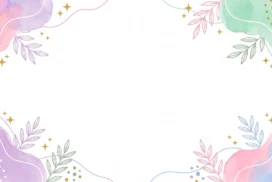


This elegant floral PowerPoint background gives each corner flower a glossy, crystal-like finish, petals shifting from blue into pink and lavender around a bright glowing center.
Dozens of small sparkle points and soft dots drift through the open cream center, thinning out gradually toward the middle.
What This Elegant Floral Background Looks Like
Each corner holds a cluster of glossy, star-petaled flowers, some in cool blue and violet, others in warm blush and champagne, each with a bright white glow at its core.
Thin gold vine lines and pale leaf outlines connect the clusters along the edges, while tiny four-point sparkle stars and soft dots scatter across the open center.
The background shifts from a warm cream at the center to a cooler mauve-gray at the corners, framing the glowing flowers naturally.
Where This Elegant Floral Background For PowerPoint Fits
It suits quinceañera and prom slides, beauty and jewelry brand decks, festive party invitations, and any presentation wanting a glamorous, lit-from-within feel.
The open, sparkling center also works well behind a bold title or a countdown number.
Design Choices Behind the Glowing Crystal Petals
I gave each flower a glossy, almost crystal-like finish with a bright glowing center, rather than a flat illustrated bloom, so they read more like jewelry than paper.
Scattering small sparkle stars and dots through the center, thinning out gradually rather than staying constant, makes the whole piece feel lit from within.
I kept the connecting gold vine lines thin and low-key, so they support the corners without competing with the glow of the flowers themselves.
How to Apply It in PowerPoint
- Go to Design > Format Background.
- Choose Picture or texture fill, then Insert from file.
- Click Apply to All to use it across the whole deck.
How to Apply It in Google Slides
- Open Slide > Change background.
- Click Choose image and upload the downloaded file.
- Select Done, repeating on any other slides you want to match.
Legibility Tip for This Elegant Floral Background
Keep your text in the calmer, cream-toned center, using a dark plum or charcoal font, since the corners carry the most glow and detail.
Frequently Asked Questions
Is this elegant floral background free?
Yes, it’s a free download with no watermark and no account required.
Does it work in Google Slides too?
Yes, it’s a standard image file, so it applies the same way in both PowerPoint and Google Slides.
What resolution is included?
1920×1080 px, HD 16:9, suited to slides and to a desktop or phone wallpaper.
Can I use it as a wallpaper?
Yes, the 16:9 ratio matches most laptop and desktop screens.
Features at a Glance
- HD 1920×1080 resolution, 16:9 ratio
- Free download, no watermark
- Glossy, glowing crystal-style flowers in each corner
- Scattered sparkle stars and soft dots across the center
- Thin gold vine lines connecting the corner clusters
- Works as a PowerPoint background, Google Slides background, or wallpaper
Specs
- 1920 x 1080 px · 16:9 widescreen
- JPG, high quality, no compression artefacts
- PowerPoint · Google Slides · Keynote · Canva
- No watermark · no sign-up
- Free for personal and commercial use
You can use this Radiant Elegant Floral Background For PowerPoint Slides as a Wallpaper or use it as a background for slides.
Looking for something different? Browse all our free PPT Backgrounds, or see how to set a background in PowerPoint and Google Slides.