


You might also like:


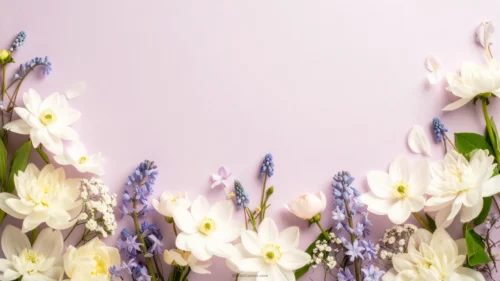



This floral frame background for Google Slides keeps its blooms in four soft corner clusters, then connects them with a single thin curling vine rather than a dense pink border all the way around.
Tiny berry-like dots scatter along that vine, echoing the golden flower centers without adding any extra weight to the frame.
What This Floral Frame Background Looks Like
Each corner holds two or three flat-illustrated cosmos-style blooms in pink, magenta, and cream, with a couple of leaves and one or two closed buds trailing off each cluster.
A single thin brown vine curls out from each corner and travels along the edge to link up with its neighbor, dotted here and there with tiny red berries and specks.
The background stays a pale, even cream throughout, with only a light warm tint gathering right at the corners, so the vine’s thin lines never get lost in heavy staining.
Where This Floral Frame Background For Google Slides Fits
It suits wedding invitations, baby shower slides, garden party programs, and any deck that wants a light, romantic touch without a heavy border eating into the text space.
The wide open center also works well for quote slides or single-photo layouts.
Design Choices Behind the Curling Vine Corners
I connected the four corner clusters with a single thin curling vine, rather than filling the whole border with flowers, so the frame stays light and airy.
Scattering tiny berry-like dots along that vine echoes the flowers’ golden centers and adds a bit of texture without crowding the open space.
I kept the background pale and even instead of heavily stained, so the vine’s delicate lines stay clearly visible against it, even at a glance.
How to Apply It in PowerPoint
- Go to Design > Format Background.
- Choose Picture or texture fill, then Insert from file.
- Click Apply to All to use it across the deck.
How to Apply It in Google Slides
- Open Slide > Change background.
- Click Choose image and upload the downloaded file.
- Select Done, repeating on any other slides you want to match.
Legibility Tip for This Floral Frame Background
The open center gives plenty of room, so use a dark charcoal or brown font and feel free to size your text generously, since the corners stay light and out of the way.
Frequently Asked Questions
Is this floral frame background free?
Yes, it’s a free download with no watermark and no account required.
Does it work in PowerPoint too?
Yes, it’s a standard image file, so it applies the same way in both Google Slides and PowerPoint.
What resolution is included?
1920×1080 px, HD 16:9, suited to slides and to a desktop or phone wallpaper.
Can I use it as a wallpaper?
Yes, the 16:9 ratio matches most laptop and desktop screens.
Features at a Glance
- HD 1920×1080 resolution, 16:9 ratio
- Free download, no watermark
- Soft corner flower clusters connected by a thin curling vine
- Tiny berry-like dots scattered along the vine
- Pale, even cream background for strong text contrast
- Works as a Google Slides background, PowerPoint background, or wallpaper
Specs
- 1920 x 1080 px · 16:9 widescreen
- JPG, high quality, no compression artefacts
- PowerPoint · Google Slides · Keynote · Canva
- No watermark · no sign-up
- Free for personal and commercial use
You can use this Delicate Floral Frame Background For Google Slides as a Wallpaper or use it as a background for slides.
Looking for something different? Browse all our free PPT Backgrounds, or see how to set a background in PowerPoint and Google Slides.







