







Pastel Aesthetic Background For PowerPoint With Dreamy Arched Hall
Free pastel aesthetic background for PowerPoint with a dreamy arched hallway opening onto a soft blue sky.
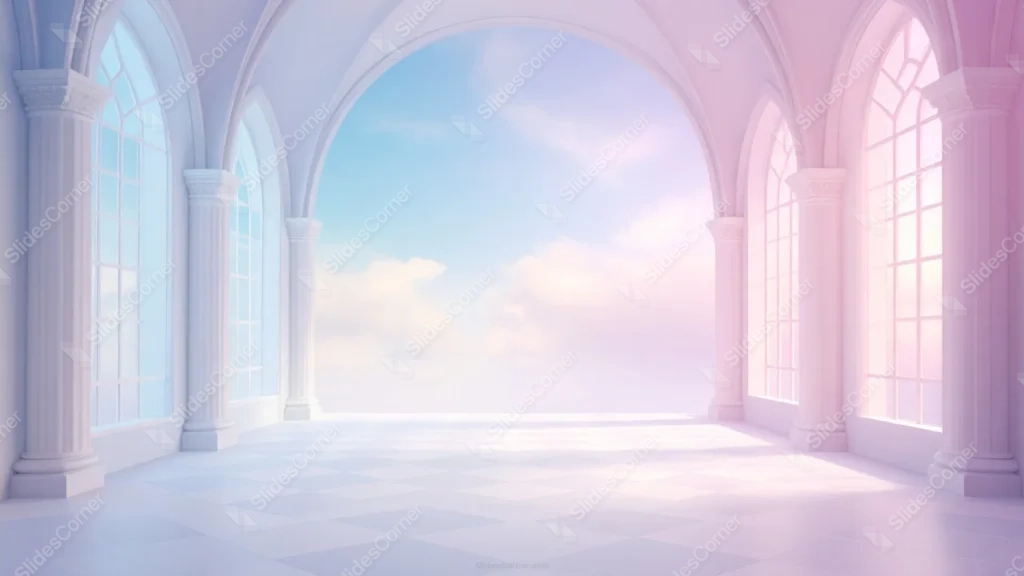
This pastel aesthetic background for PowerPoint renders a grand arched hallway in 3D, lined with columns and gothic windows, opening onto a soft blue sky.
The left side of the hall carries a cool blue tint, while the right side warms into pink, meeting at a large central arch.
What This Pastel Aesthetic Background Looks Like
Tall gothic-arched windows and fluted columns run down both sides of the hallway, each side tinted differently, blue-white on the left, soft pink on the right.
A large central archway frames a bright, cloud-filled sky at the far end, acting as the clear vanishing point of the whole composition.
Underfoot, a soft checkerboard floor in pale pastel tones adds gentle perspective without pulling focus from the columns or sky.
Where This Pastel Aesthetic Background For PowerPoint Fits
Its fantasy-architecture feel suits fashion, beauty, and lifestyle brand decks, creative portfolios, and dreamy event or wedding presentations.
It also works well as an opening or closing slide, where the sense of depth and destination adds a bit of drama.
Design Choices Behind the Arched Hall
I split the columns into two tints, cool blue on the left, warm pink on the right, so the same architecture reads differently depending on which side text sits against.
Centering a single large arch as the vanishing point, opening onto a soft blue sky rather than a solid wall, makes the hallway feel like it leads somewhere instead of dead-ending.
Keeping the checkerboard floor subtle and low-contrast adds depth and perspective without competing with the columns or the sky beyond them.
How to Apply It in PowerPoint
- Go to Design > Format Background.
- Choose Picture or texture fill, then Insert from file.
- Click Apply to All for the whole deck.
How to Apply It in Google Slides
- Open Slide > Change background.
- Click Choose image and upload the downloaded file.
- Select Done, repeating on each slide you want to match.
Legibility Tip for This Pastel Aesthetic Background
Keep text over the pale floor area at the bottom of the frame, using dark plum or charcoal type for the most consistent contrast.
Frequently Asked Questions
Is this pastel aesthetic background free?
Yes, it’s a free download with no watermark and no account required.
Does it work in Google Slides too?
Yes, it’s a standard image file, so it applies the same way in both PowerPoint and Google Slides.
What resolution is included?
1920×1080 px, HD 16:9, suited to slides and to a desktop or phone wallpaper.
Can I use it as a wallpaper?
Yes, the 16:9 ratio matches most laptop and desktop screens.
Features at a Glance
- HD 1920×1080 resolution, 16:9 ratio
- Free download, no watermark
- 3D arched hallway with columns and gothic windows
- Blue tint on the left, pink tint on the right
- Central arch opening onto a cloud-filled sky
- Works as a PowerPoint background, Google Slides background, or wallpaper
Specs
- 1920 x 1080 px · 16:9 widescreen
- JPG, high quality, no compression artefacts
- PowerPoint · Google Slides · Keynote · Canva
- No watermark · no sign-up
- Free for personal and commercial use
You can use this Ethereal Pastel Archway Background Opening to a Cloud Sky as a Wallpaper or use it as a background for slides.
Looking for something different? Browse all our free PPT Backgrounds, or see how to set a background in PowerPoint and Google Slides.







